6 Best Runway Alternatives & Competitors in 2026
Runway is an AI creative platform that allows users to create videos and images, but many users report issues with inconsistent or low-quality results. Others express dissatisfaction with high pricing and the way its credit-based system works.
To identify better options, we researched dozens of tools, analyzed verified user reviews on G2, and spoke directly with real users. Based on that research, we compiled a comprehensive list of the seven best Runway alternatives for 2026.
This buyer’s guide breaks down each alternative’s key features, pricing, pros and cons, and ideal use cases, helping you make an informed decision. Before we dive in, let’s take a closer look at why many creative and marketing teams consider switching away from Runway.
Why Look For Runway Alternatives? Runway has become popular because of its accessible advanced AI tools for creative projects. However, some of Runway’s prospective and current customers have expressed concerns about certain aspects of the platform.
1: High costs and a credit system perceived as expensive or inefficient
Users feel that the pricing is high for the quality they receive and that credits are consumed very quickly, even on videos that fail to meet expectations. This creates a strong perception of wasted money.
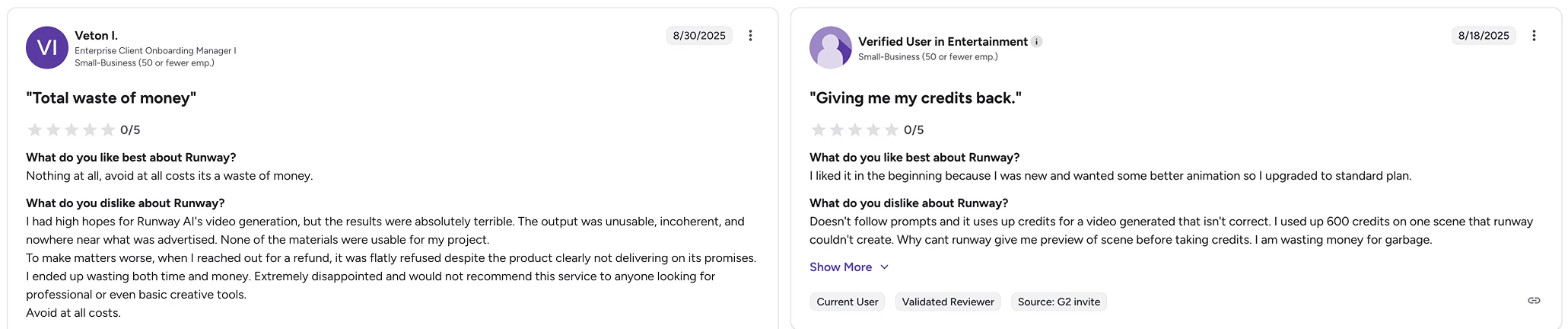
Reviews in G2
2: Inconsistent or low-quality video generation results
Multiple users report that the AI does not produce useful outputs and that generated videos are incoherent or do not match what was expected. This is cited as a major source of frustration, as it leads to extra work, unusable results, or spending money with no real value.
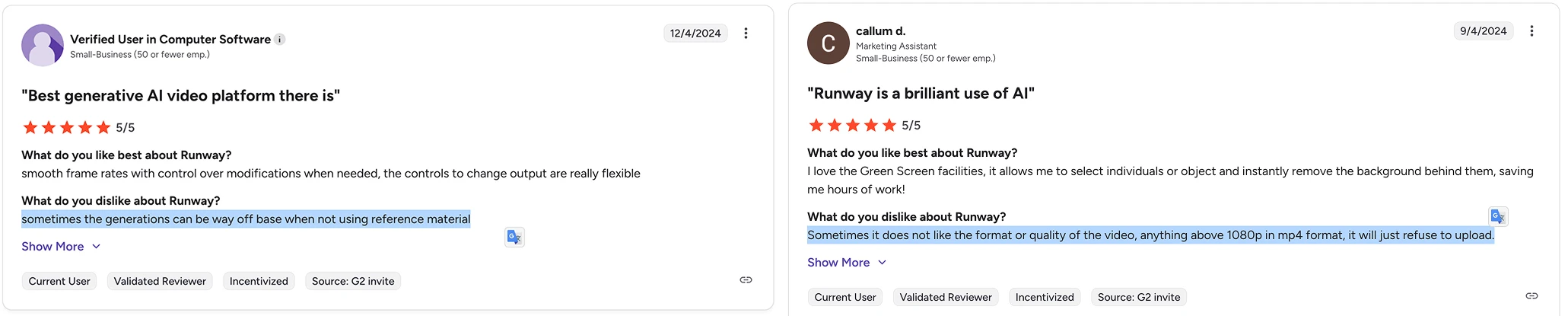
Reviews in G2
3: Limitations in advanced features and credit consumption without previews
Some users note that advanced tools have functional limitations, and that the inability to preview results before generating content leads to unnecessary credit consumption.
What Are The Best Runway Alternatives in 2026?
Here are the best Runway alternatives that best address the challenges faced by creatives and marketers:
- 1: Artificial Studio - A unified AI platform for creating visual, audiovisual, and audio content. Easy to use for marketers and non-technical users.
- 2: Adobe Firefly - AI platforms for generating creative content.
- 3: OpenAI - one of the most recognized names, includes ChatGPT, Sora and audio generation.
- 4: Midjourney - widely recognized for its image quality and artistic output.
- 5: Krea - platform focused on creative AI prompts and visual inspiration
- 6: Canva - Canva has added AI tools for design, images, and basic video creation.
1. Artificial Studio
Artificial Studio is the best Runway alternative para equipos de diseñadores y marketers, con más de 50 AI tools for video, image, music, branding, mockups, animations, avatars, 3D models, marketing and more. Built for creators who move fast.
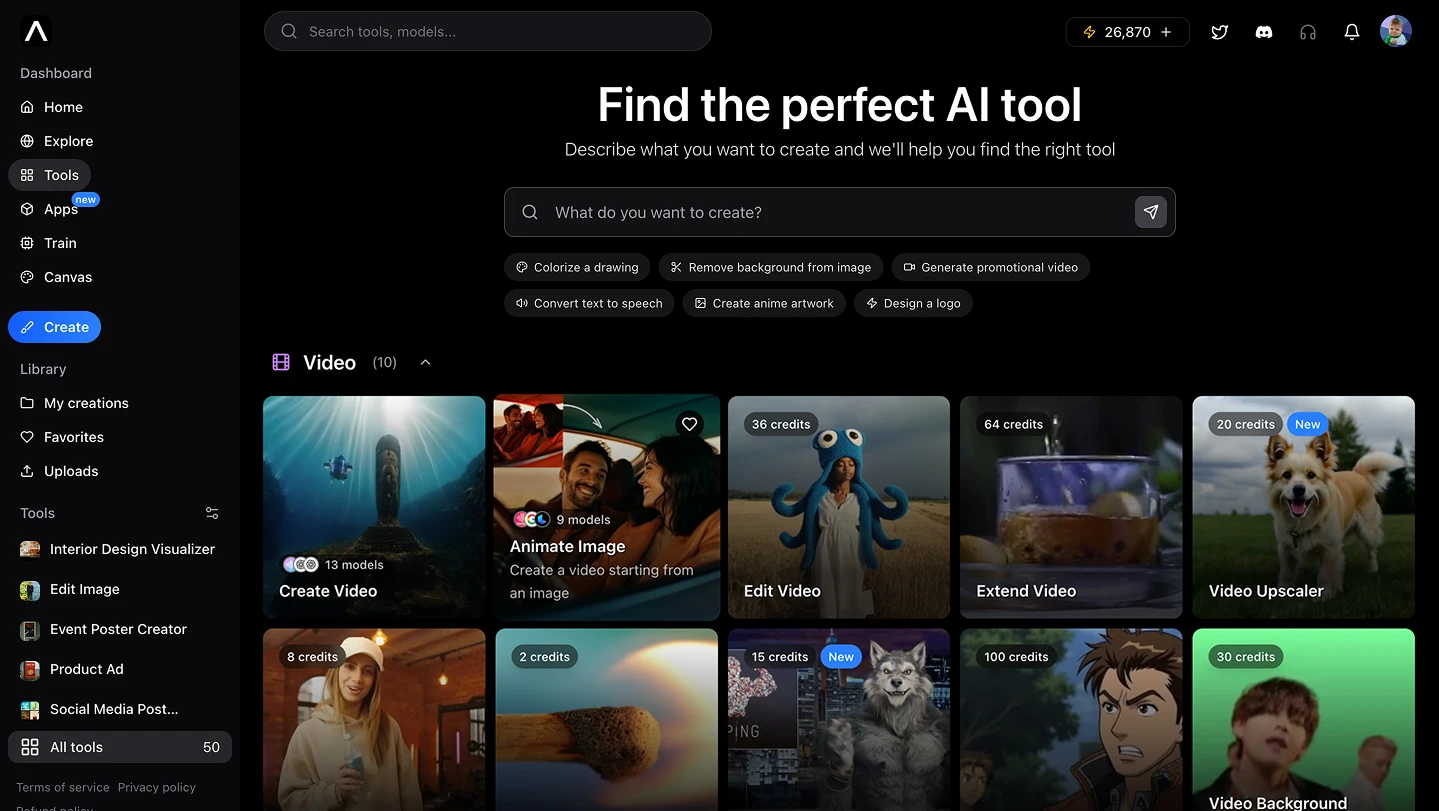
Let’s review the 3 features that make Artificial Studio the best Runway alternative for content creation
You don’t need to pay for multiple subscriptions.
Tools like KlingAI, Sora, ChatGPT, Runway, Unsplash, Midjourney, and ElevenLabs are now part of a single workflow. An intuitive experience that requires no tutorials or guides to get started. One platform with tools for all creative needs.
Save Time and Money
Create and publish content in minutes, not hours or days. And no need to pay for extra tools, editors, or freelancers.
You can integrate all these tools into your product or service with just one API.
Whether you're building a SaaS, e-commerce, a creative platform or an internal tool, Artificial Studio gives you API access to 50+ AI tools for any type of content generation. A simple connection to unlock the value of AI in your product or service.
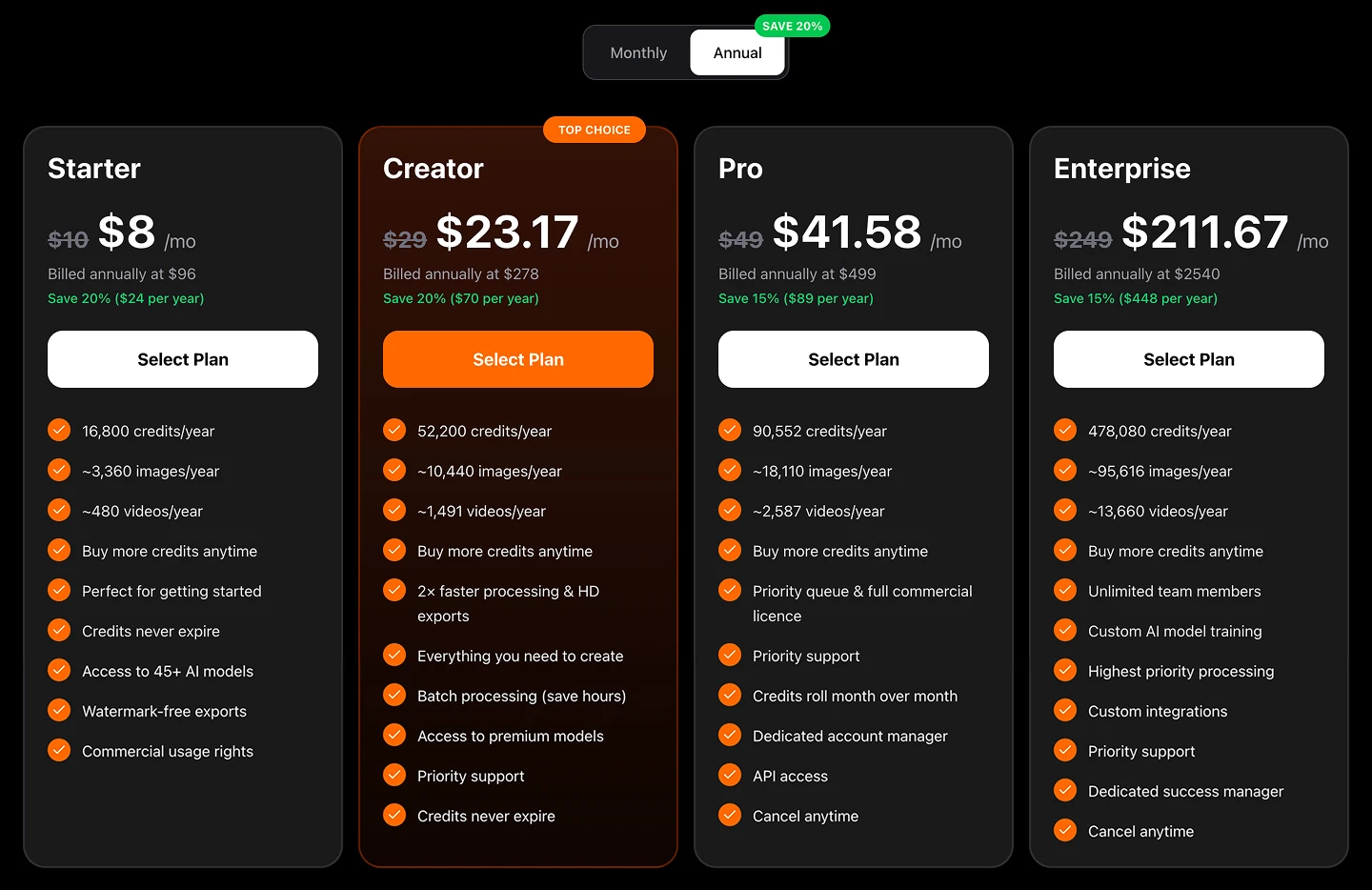
Pricing: Artificial Studio has four pricing plans
Four Monthly plans and you can save 20% if you choose Annual
- Starter: $10 billed monthly / $8 billed annually
- Creator: $29 billed monthly / $23.17 billed annually * Pro: $49 billed monthly / $41.58 billed annually * Enterprise $249 billed monthly / $211.67 billed annually
2. Adobe Firefly
Generate images, video, audio, and designs using top AI models from Adobe, Google, OpenAI, Runway, and more.
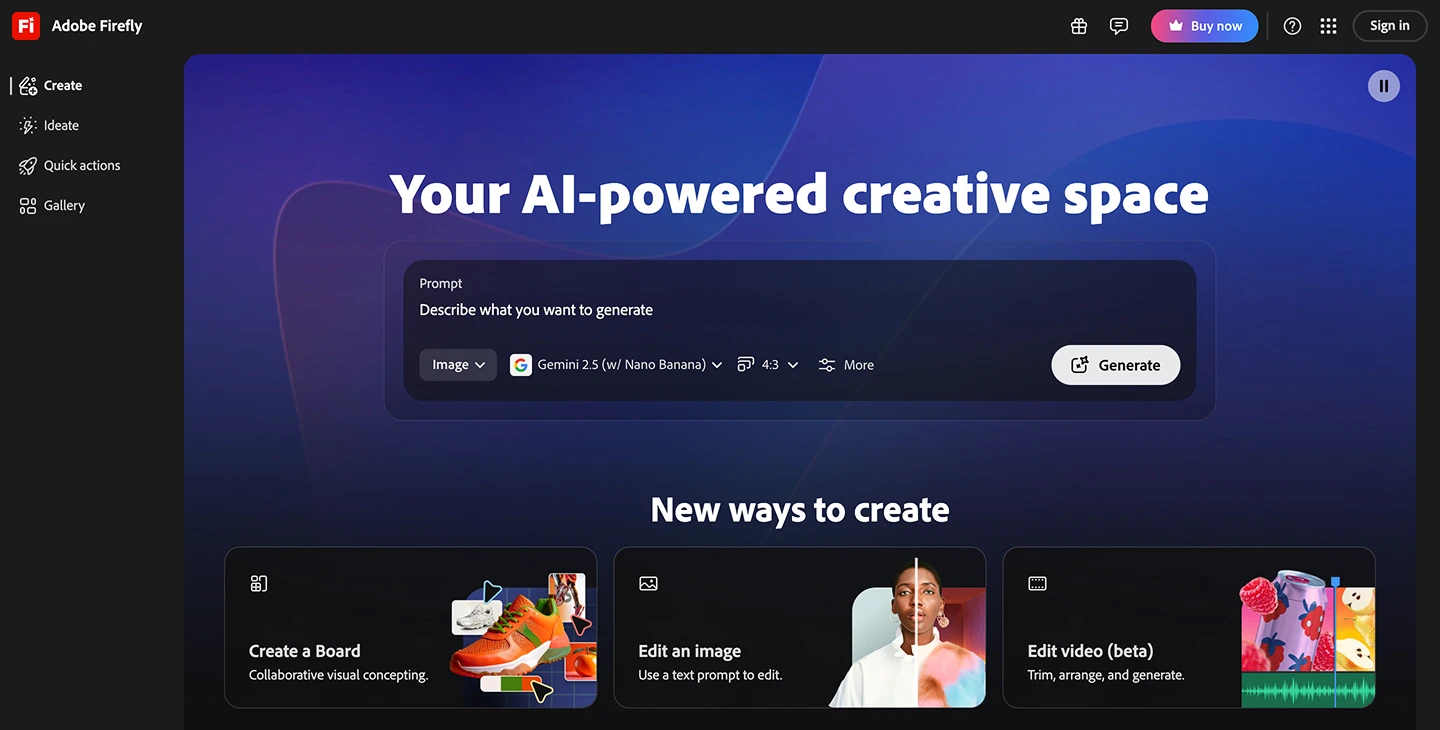
Pros of Adobe Firefly Integration with the Adobe ecosystem: Firefly is integrated with widely used tools like Photoshop, Illustrator, and Premiere, making it easy to incorporate AI into existing creative workflows.
Brand trust and reliability: Backed by a long-standing company in the creative tools space, which drives trust and adoption among professionals and enterprises.
Cons of Adobe Firefly
Not an all-in-one platform: Despite its capabilities, Firefly does not combine advanced video and audio generation in a single, unified interface without leaving the Adobe ecosystem.
High cost: The Creative Cloud subscription model can be expensive, especially for users who only want generative AI features rather than the full suite.
Ecosystem dependency and learning curve: To fully leverage Firefly, users often need other Adobe tools, which introduces a learning curve and dependency on additional software.
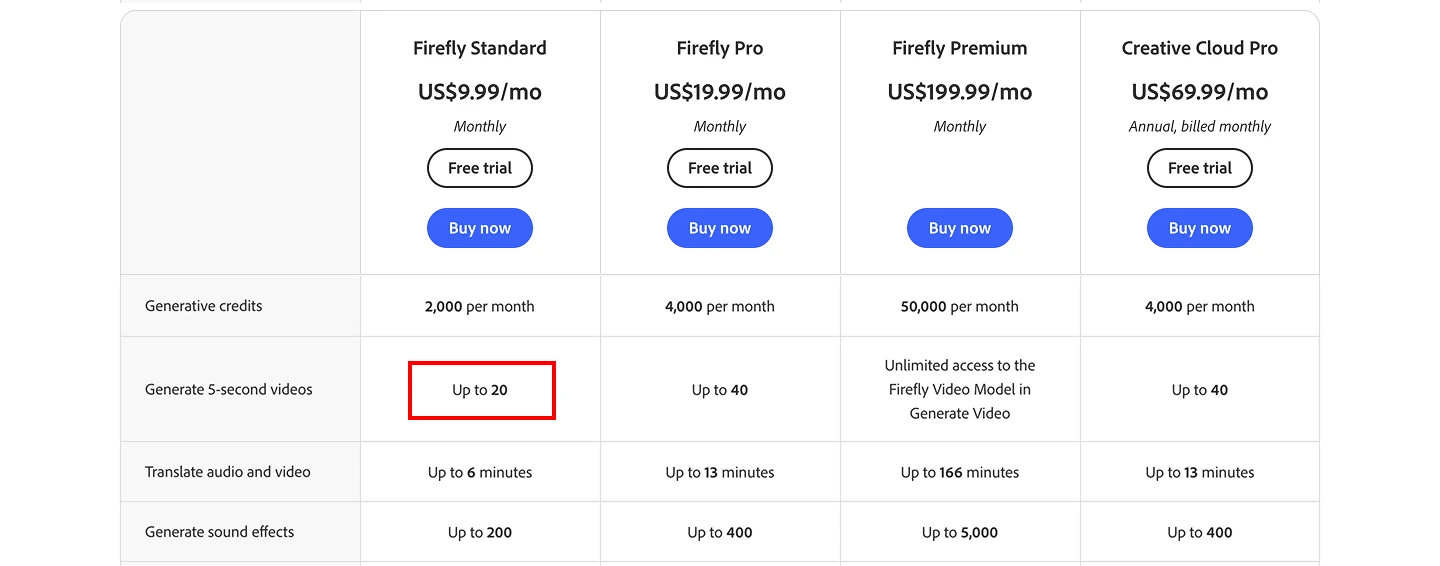
Pricing: Adobe Firefly has four pricing plans
- Standard: $9.99 billed monthly
- Pro: $19.99 billed monthly * Premium: $199.99 billed monthly * Creative Cloud Pro: $69.99 billed monthly
In the image below, you can see that the cheapest Adobe Firefly subscription at $9.99 generates only half the number of videos produced by the cheapest Artificial Studio subscription at $10 ($8 billed annually), around 20 videos versus roughly 40 from Artificial.
3. OpenAI
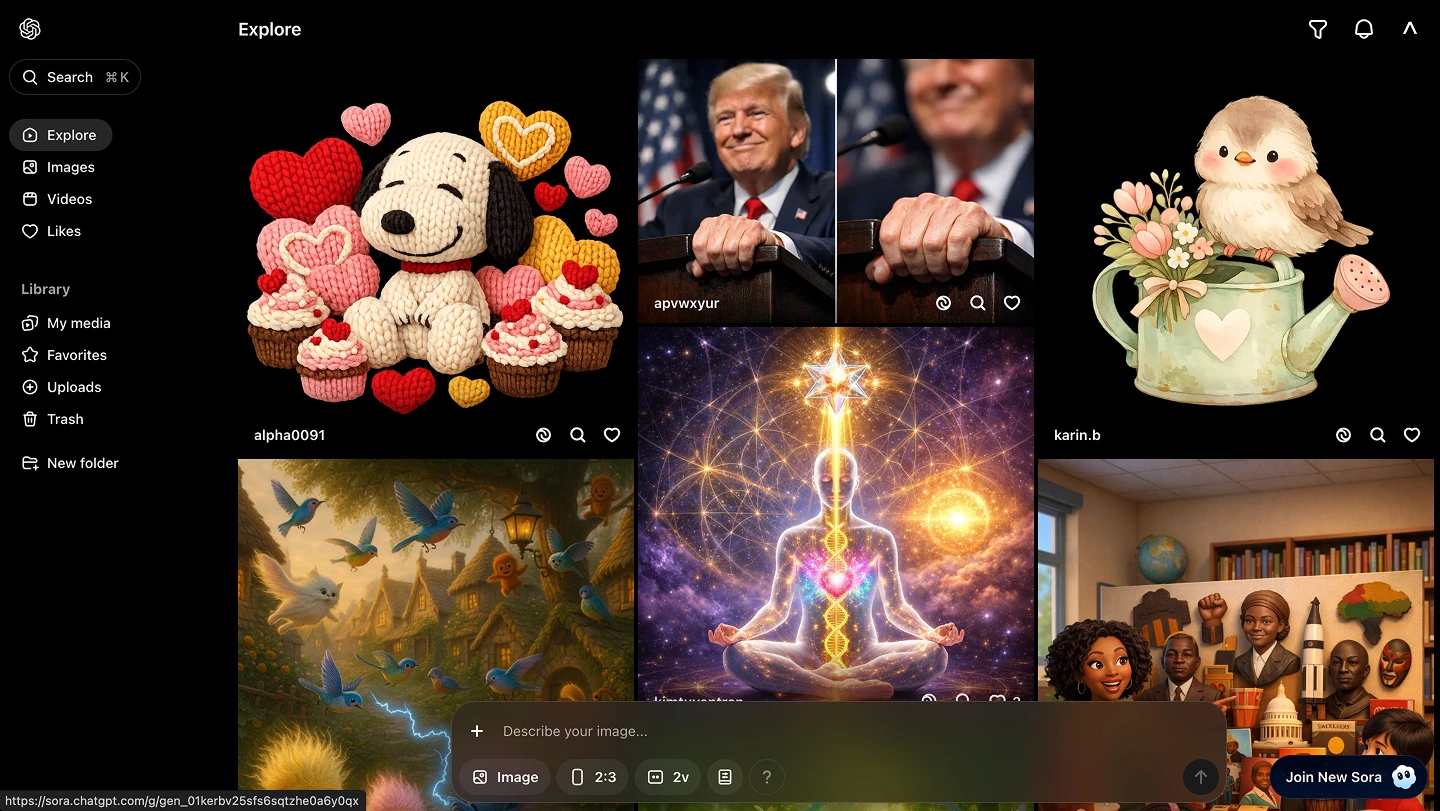
Generate text, images, audio, and video using industry-leading AI models like ChatGPT and Sora, designed for experimentation, development, and advanced generative workflows.
Pros of OpenAI
High-quality AI models: OpenAI offers some of the most advanced generative models on the market, with competitive outputs in text, images, and audio thanks to its state-of-the-art research and training.
Broad recognition and adoption The OpenAI brand is globally known, which builds trust and familiarity among developers, creatives, and businesses.
Cons of OpenAI
Fragmented tools: Capabilities are not integrated into a single platform: ChatGPT (text/image/audio) and Sora (video) are in separate interfaces, which fragments the workflow.
Learning curve and managing multiple products: To fully benefit from the entire ecosystem, users must learn how to use several different products, which can be a barrier for non-technical creatives.
Cost and credits: Credit usage or associated costs can be high, especially when generating multiple formats or experimenting with frequent iterations.
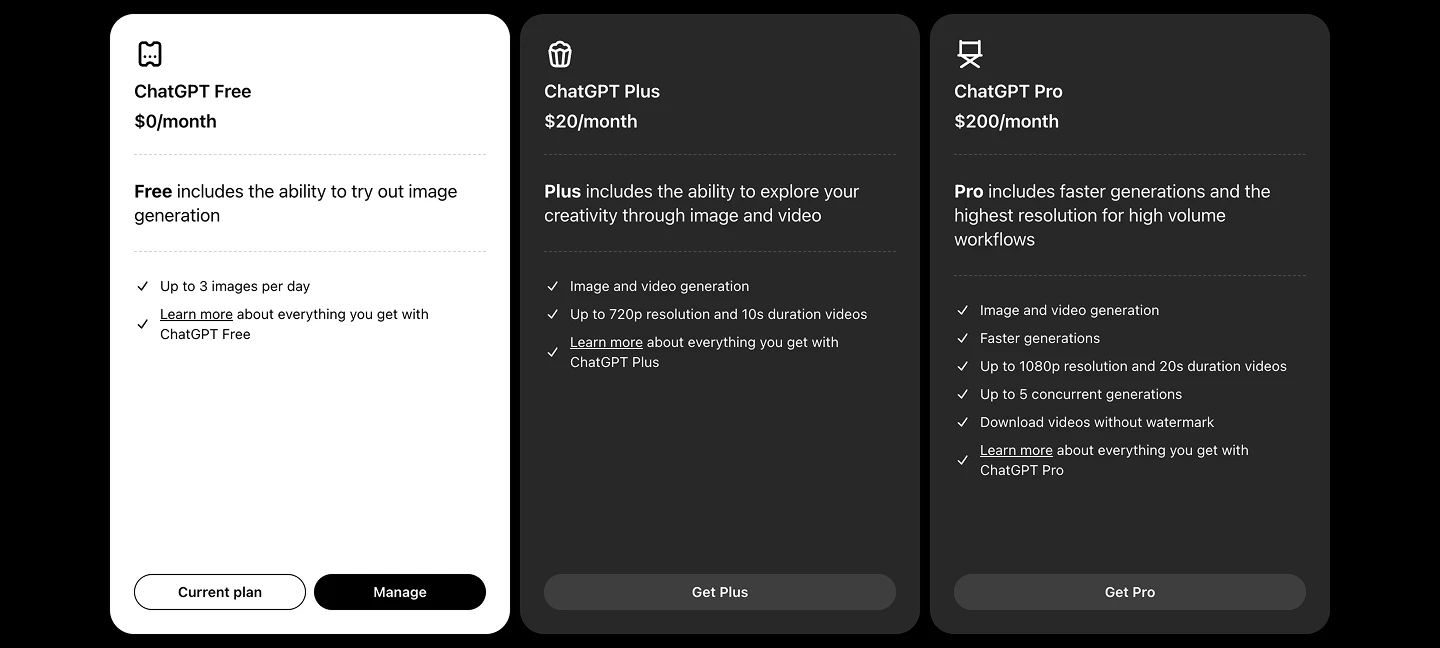
Pricing: Sora is offered bundled with ChatGPT plans
- ChatGPT Plus: $20 billed monthly, includes access to Sora with limits (shorter clips, lower resolution, watermarks, monthly usage quota).
- ChatGPT Pro: $200 billed monthly, expanded access to Sora 2 Pro with longer video duration, higher resolution, more credits/month, no watermark, and priority processing.
4: Midjourney
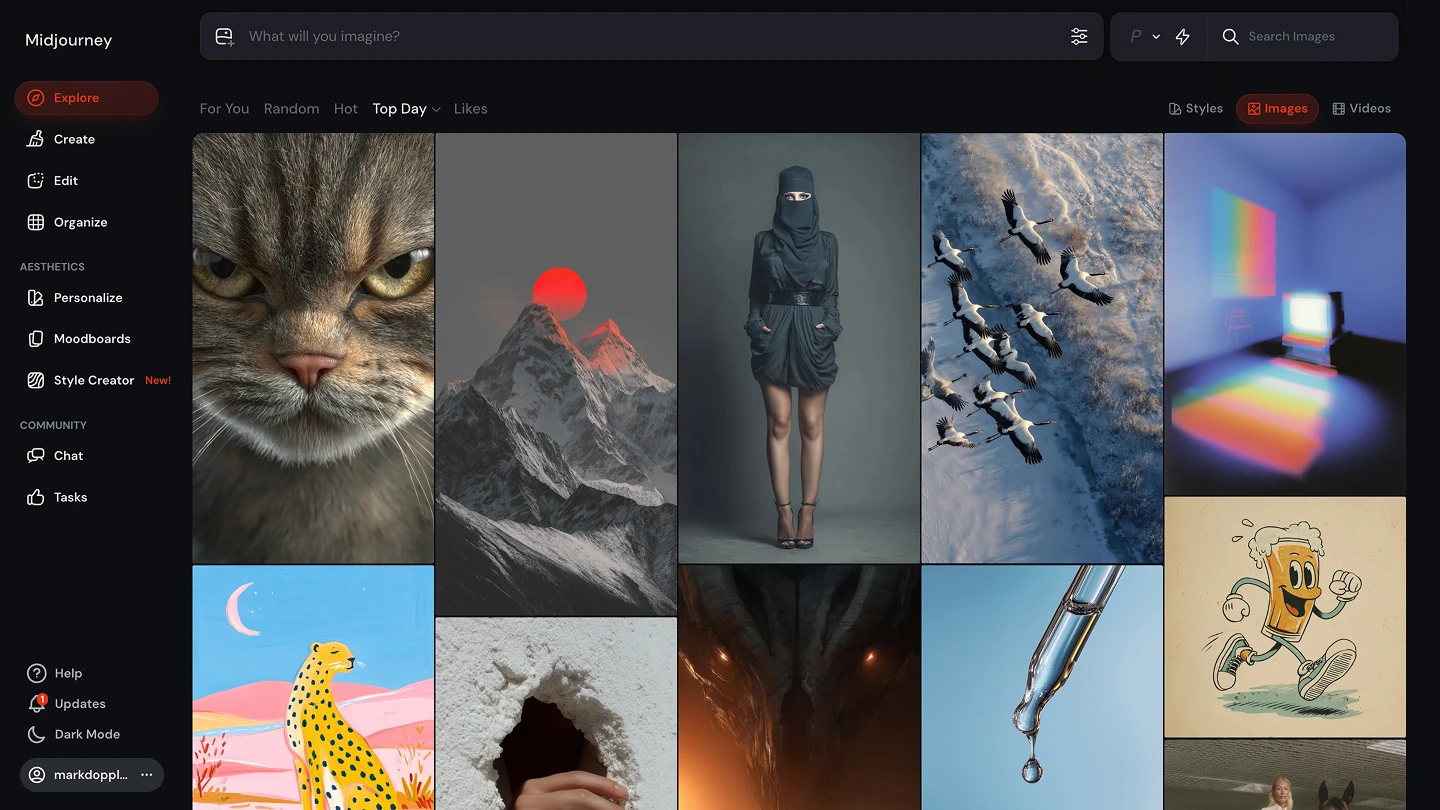
Generate high-quality, artistic images using an AI model optimized for creative visuals and style exploration.
Pros of Midjourney
Creative image quality: Midjourney is widely recognized for the quality and artistic style of its generated images, delivering visually distinctive results that often stand out in creativity and aesthetics.
Active community and prompt resources: There is a large and engaged community that shares prompts, styles, and techniques, which accelerates learning and improves results without a steep technical learning curve.
Cons of Midjourney
Not a video or audio platform: Midjourney does not offer native video generation capabilities, which excludes it as a complete solution if the goal includes audiovisual content.
Limitations beyond visual generation: Midjourney specializes in images, so it does not cover use cases that require integrated multimedia production, such as full campaigns involving video and audio.
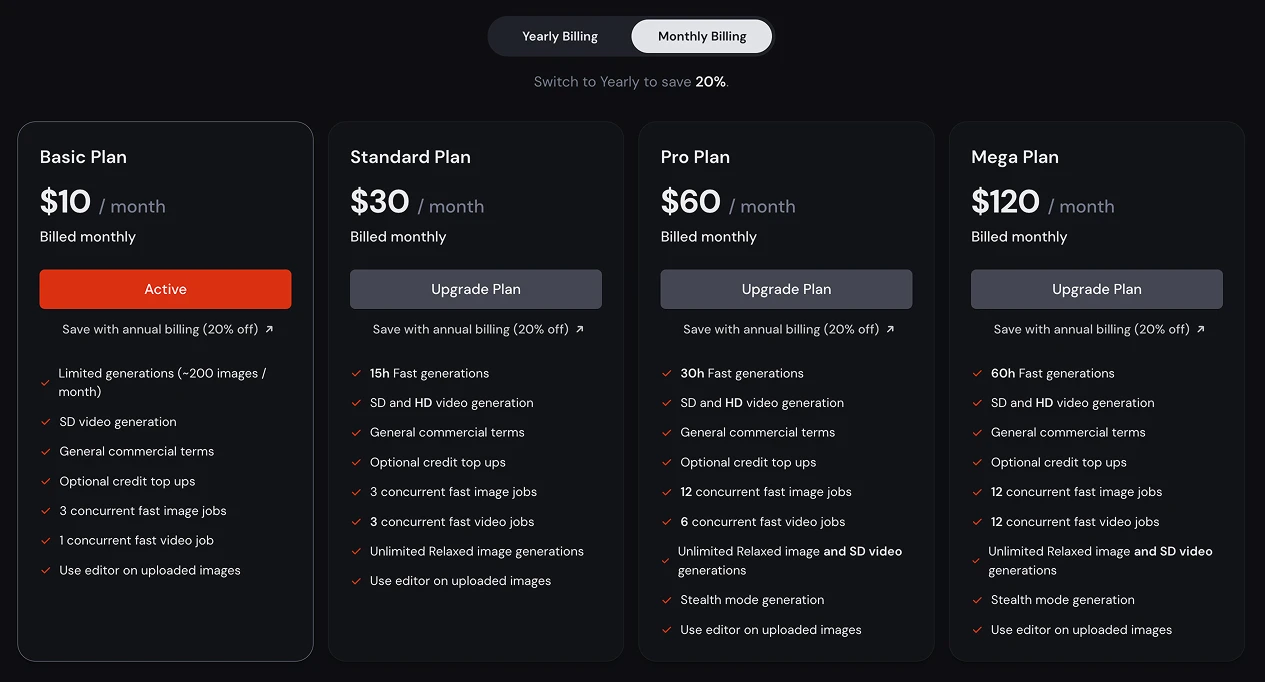
Pricing: Midjourney has three pricing plans
Four Monthly plans and you can save 20% if you choose Annual
- Basic: $10 billed monthly / $8 billed annually
- Standard: $30 billed monthly / $24 billed annually * Pro: $60 billed monthly / $48 billed annually * Enterprise $120 billed monthly / $96 billed annually
5: Krea
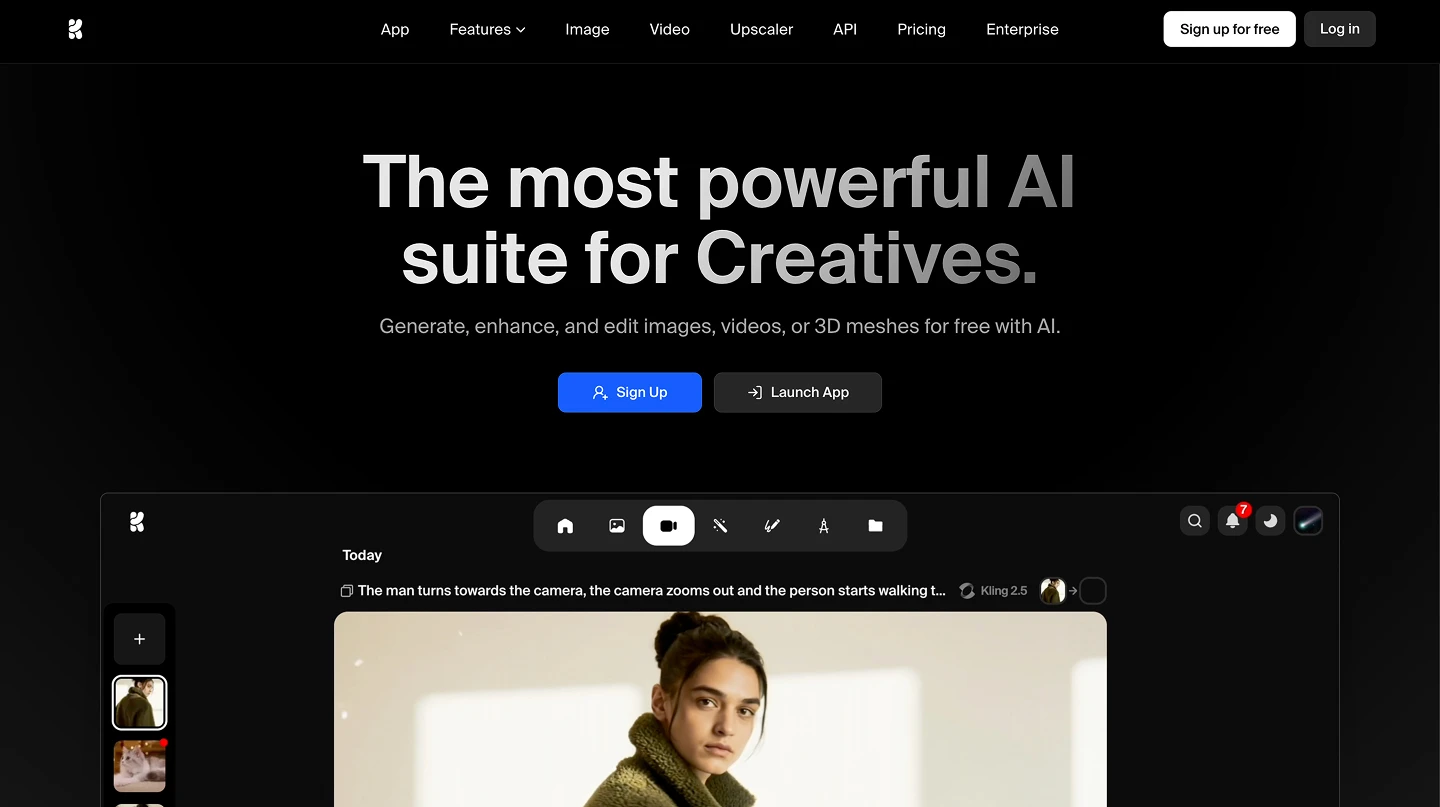
Explore creative AI visuals and prompts for ideation, inspiration, and rapid concept generation.
Pros of Krea
Creative inspiration and prompts: Krea offers a collaborative library of prompts and visual ideas that helps users find inspiration and improve their own requests to AI models.
Supports the creative community: The platform encourages collaboration and resource sharing among creators, which can speed up the learning curve and idea generation.
Cons of Krea
Not a full production platform: Krea does not natively generate final outputs such as high-resolution images, finished videos, or audio; its focus is on inspiration rather than creation.
Less useful for audiovisual production: The platform lacks robust native video and audio capabilities, making it insufficient for complete multimedia projects.
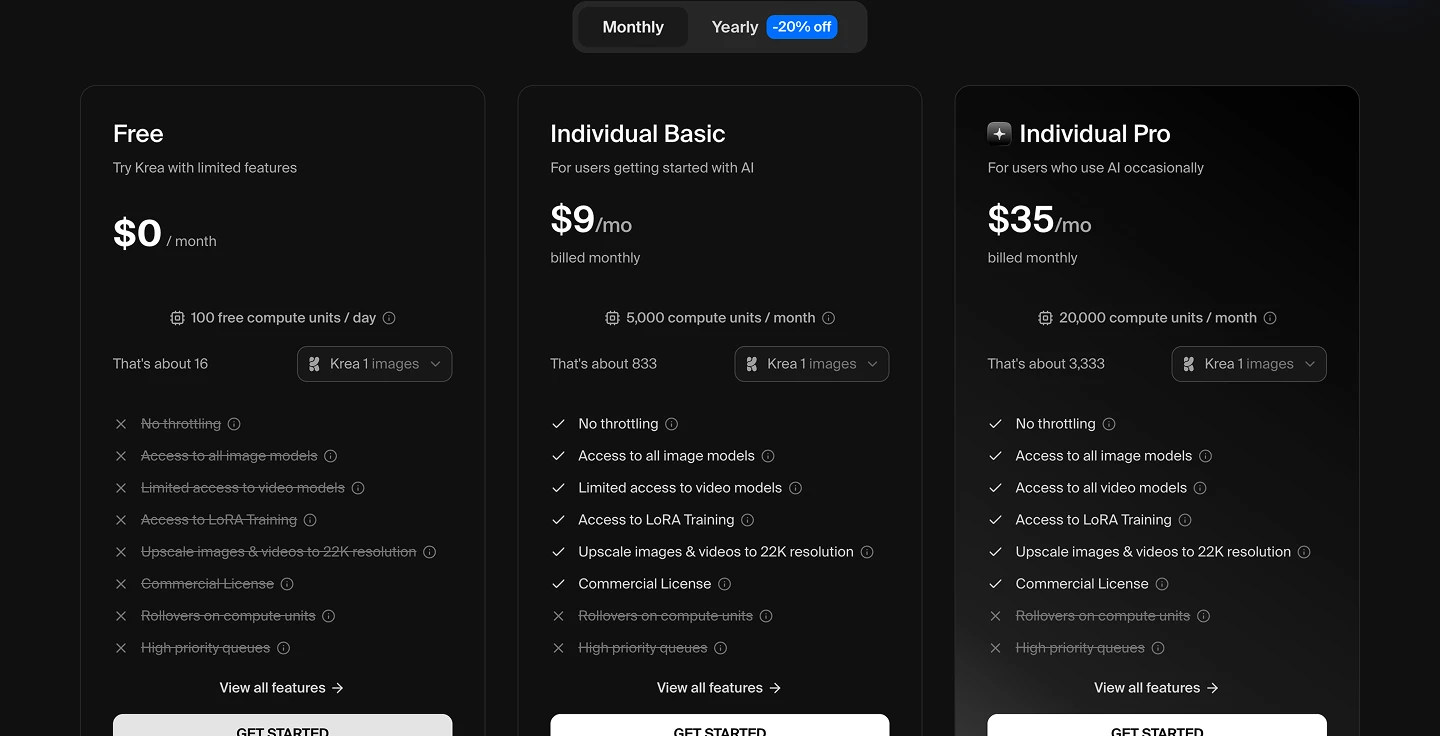
Pricing: Krea.ai has two pricing plans
Two Monthly plans and you can save 20% if you choose Annual
- Individual Basic: $9 billed monthly / $7 billed annually
- Individual Pro: $35 billed monthly / $28 billed annually
6: Canva
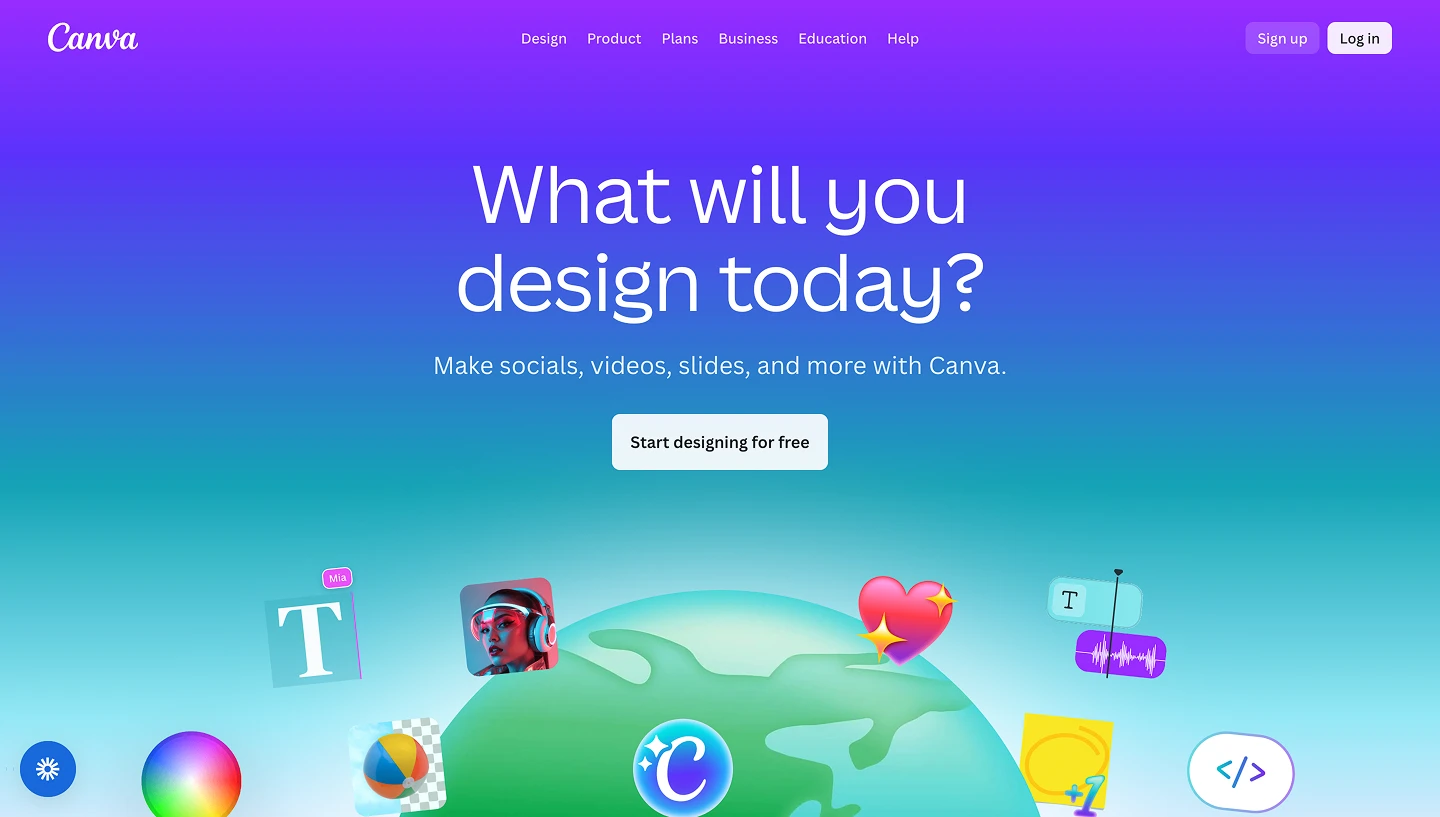
Create designs, images, and basic videos using AI tools integrated into an easy-to-use design platform for non-technical users.
Pros of Canva
Easy to use for non-technical users: Canva AI is integrated into a very accessible design platform, allowing people without technical experience to quickly generate basic graphics, images, and videos.
Team collaboration: It enables shared work, reviews, and project organization within a collaborative workspace.
Cons of Canva
Limitations in video and audio: Video generation—and especially audio—is functional but not as robust or creative as in dedicated platforms.
Less specific creative control: It offers fewer parameters and fine-tuning options compared to more professional or specialized solutions.
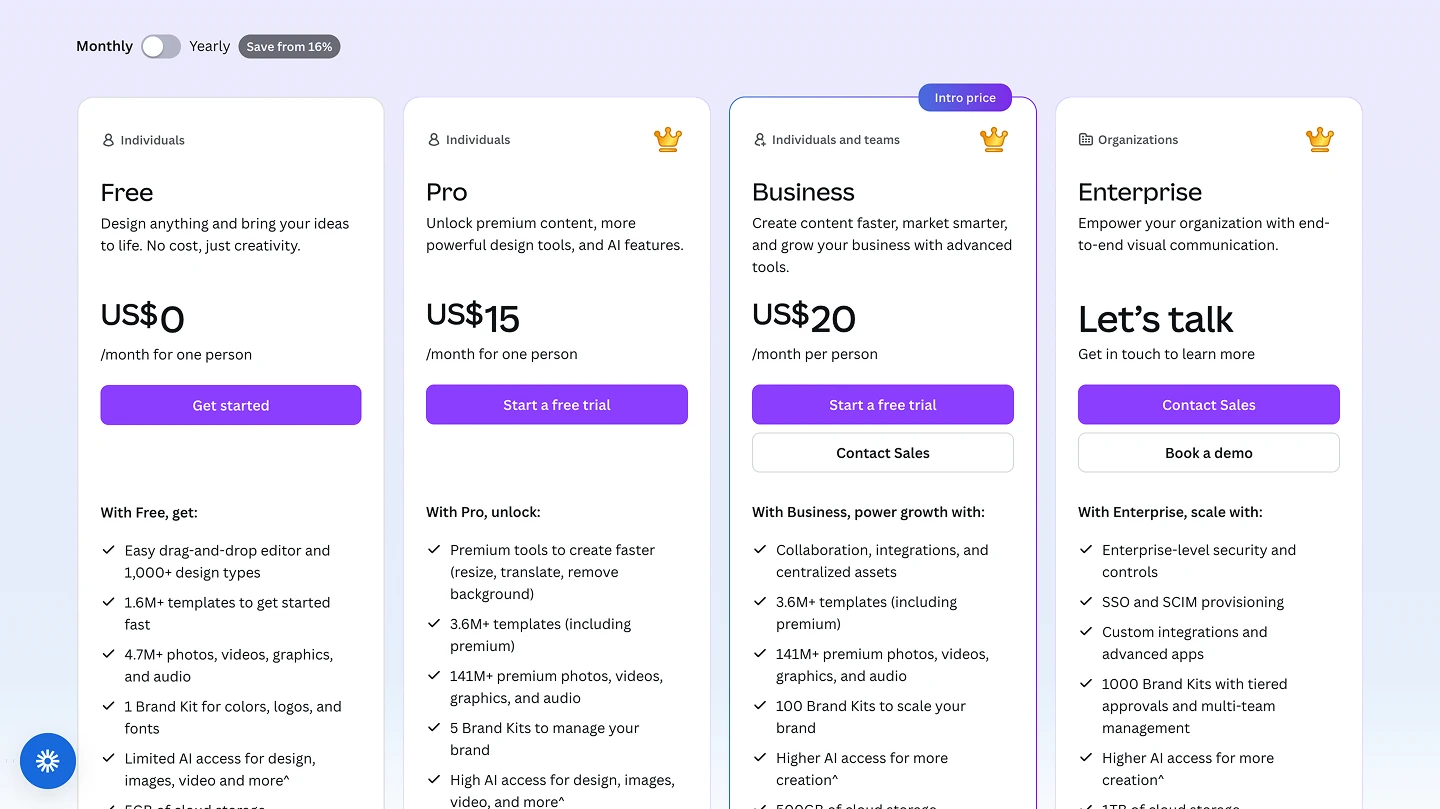
Pricing: Canva has three pricing plans
Three Monthly plans and you can save 16% if you choose Annual
- Pro: $15 billed monthly / $10 billed annually
- Business: $20 billed monthly / $16.6 billed annually * Enterprise: You need to get in touch to learn more
Next steps for creators and teams looking for a Runway alternative
Each platform we reviewed has its own strengths, limitations, ideal use cases, and trade-offs. Some tools focus on one specific task, others prioritize aesthetics, and a few aim to simplify content creation for non-technical users.
Artificial Studio, however, is built for creators, teams, and businesses that need flexibility, scalability, and multiple AI capabilities in one place, not just video or image generation.
If you’re looking for an AI creative platform that offers:
- A unified workspace for video, image, audio, and text generation, without switching tools (+50 AI tools).
- Low prices and fast results
- A single API that integrates everything into your product or service
- Tools suitable for content creators, marketers, designers, and product teams alike.