Transform Your Family & Home Photos for Christmas using AI
Family photos, cozy homes and festive decorations with AI is possible. With Artificial Studio’s Edit Image tool, powered by Nano Banana Pro, you can instantly transform ordinary photos into Christmas-themed images. Perfect for holiday cards, social media, invitations, or even personalized gifts.
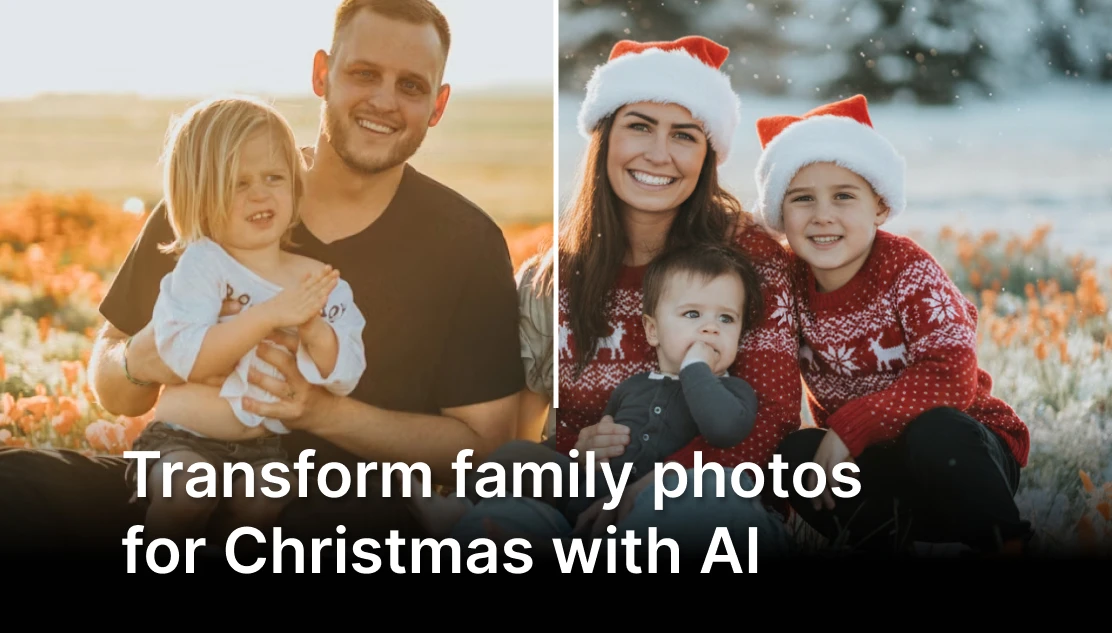
You don’t need matching sweaters, studio lighting, or a professional photographer to create a festive family photo anymore.
👉 Decorate your home photos for Christmas with Edit Image tool:
Here are some examples that you can replicate for Christmas, just copy and use these prompts:

Prompt: change this family picture into a Christmas family picture. Put matching sweaters and red hat to all the family members. make it winter. change everyone the summer clothes for warm full covering winter clothes. maintain the rest of the details and the same faces

Prompt: Transform the room in the image into a cozy Christmas-season interior. Keep the existing furniture and layout, but add warm holiday decorations: a beautifully lit Christmas tree, soft string lights, garlands, winter-themed ornaments, candles, and subtle festive details across the space. Maintain the same camera angle, lighting, and proportions. Style: ultra-realistic, warm, inviting holiday atmosphere.
How to Edit Christmas Photos with Artificial Studio
The process is simple and beginner-friendly:
1. Upload your family photo or room image
2. Use the Edit Image tool with the Nano Banana Pro model
3. Describe what you want (for example: “Add Christmas sweaters, Santa hats, warm lighting and a cozy holiday atmosphere”)
4. Generate your Christmas-ready image in seconds
You stay in control of the creative direction — the AI just executes it fast and clean.
Using AI image editing, you can:
- Add Santa hats, Christmas sweaters, scarves, or winter outfits
- Transform neutral expressions into warm, cozy holiday vibes
- Add snow, Christmas lights, garlands, or festive backgrounds
- Keep faces realistic and natural while changing the mood of the image
This is ideal for Christmas cards, WhatsApp or email greetings, Social media posts, Printed gifts like mugs, calendars, or framed photos. The AI understands context, faces, and lighting, so the final image still looks like your family — just in a Christmas version.
You can upload a photo of your living room, bedroom, Dining room, Kids’ room and Office or workspace. And instantly add Christmas trees, Warm holiday lighting, Stockings, wreaths, and garlands, Cozy winter decor, Minimal, modern, or classic Christmas styles
This is perfect for Holiday social posts, Real estate seasonal marketing, Interior inspiration, Before-and-after Christmas visuals, Personal Christmas greetings featuring your home.
Traditional photo editing takes time, skills, and software. AI removes those barriers.
With Artificial Studio, you get:
Fast results (seconds, not hours)
Realistic edits, not cartoonish filters
Creative freedom without technical complexity
Affordable access compared to professional photo editing
It’s designed for real people, not just designers.
Christmas is about memories, not perfection. With AI, you can focus on the moment — and still end up with images that feel warm, festive, and personal. Try the Artificial Studio Edit Image tool and transform your family and home photos into Christmas-ready visuals in minutes.
👉 Edit your Christmas photos with AI here
But the opportunities don't end there. We offer a full spectrum of generative tools to power your entire workflow. Explore the ArtificialStudio.ai platform of 50+ AI Tools designed to assist your team with everything from marketing content creation to branding, social media visuals, and more.
—
Mariko - Product Marketing Manager
Related reading: