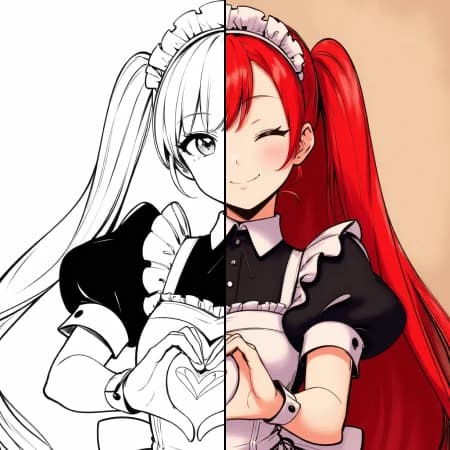
Colorize Drawing
How to use Colorize Black and White Drawings with AI
Upload Your Drawing
Select your black and white drawing from the gallery or upload a new image. The AI works best with clear line art and sketches.
Add Color Instructions
Describe the colors you want in the prompt field. Be specific about objects, backgrounds, and color schemes to guide the AI colorization process.
Generate Colored Version
Click generate and watch your black and white drawing transform into a vibrant, colored masterpiece in seconds.
Why use Colorize Black and White Drawings with AI?
Bring Sketches to Life
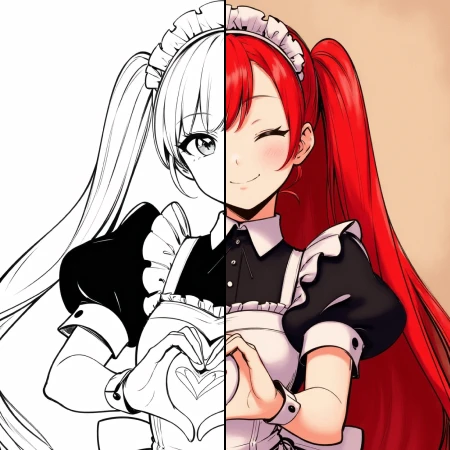
Transform any black and white drawing into a colorful artwork instantly. Perfect for artists, illustrators, and anyone looking to add color to their sketches. The AI understands drawing styles and applies colors naturally while preserving the original line work.
Creative Control with Prompts
Guide the colorization process with detailed text prompts. Specify exact colors, themes, or moods to achieve your desired artistic vision. Whether you want realistic colors or fantasy palettes, the AI adapts to your creative direction.
Professional Quality Results
Get high-quality colorized drawings that maintain the integrity of your original artwork. The AI preserves fine details and line work while adding smooth, natural-looking colors that enhance rather than overwhelm your drawing.
Frequently Asked Questions
How much does it cost to colorize drawings?
What drawing formats are supported?
How does the AI colorization work?
Can I use the colorized drawings commercially?
How long does colorization take?
What types of drawings work best?
Can I control specific color choices?
What if I don't like the initial colors?
Related AI Tools