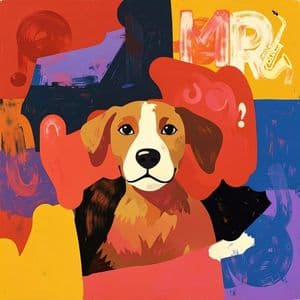
Image Canvas
How to use Transform Sketches into Images with AI
Draw Your Sketch
Use the drawing canvas to create your sketch or artwork. Start with simple lines and shapes to outline your vision.
Select AI Model
Choose from available AI models to determine the style and quality of your generated image. Each model offers different artistic capabilities.
Generate Your Image
Click generate and watch as AI transforms your sketch into a detailed, professional-quality image in seconds.
Why use Transform Sketches into Images with AI?
Turn Simple Sketches into Professional Art
Transform basic drawings and sketches into detailed, high-quality images using advanced AI technology. Perfect for artists, designers, and creative professionals who want to quickly visualize their ideas. No advanced drawing skills required - just sketch your concept and let AI handle the rest.
Instant Creative Visualization
Quickly bring your creative ideas to life without spending hours on detailed artwork. Great for concept art, storyboarding, product design mockups, and creative brainstorming sessions. Turn rough sketches into presentation-ready visuals in minutes.
Accessible Digital Art Creation
Make digital art creation accessible to everyone, regardless of artistic skill level. The intuitive canvas interface combined with powerful AI makes it easy for beginners to create impressive artwork. Perfect for students, hobbyists, and professionals exploring new creative possibilities.
Frequently Asked Questions
How much does it cost to use the AI sketch to image generator?
What image formats does the sketch to image tool support?
How does the AI sketch to image generator work?
Can I use the generated images commercially?
How long does it take to generate an image from a sketch?
What types of sketches work best with this AI tool?
Can I edit or refine my sketch after drawing it?
What AI models are available for sketch to image generation?
Related AI Tools