How to make brand guidelines for a client without Illustrator (free)
Turn a one-line brief into a full brand book with logo, palette, typography and mockups. Build brand guidelines for a client in minutes, without Illustrator, for free.
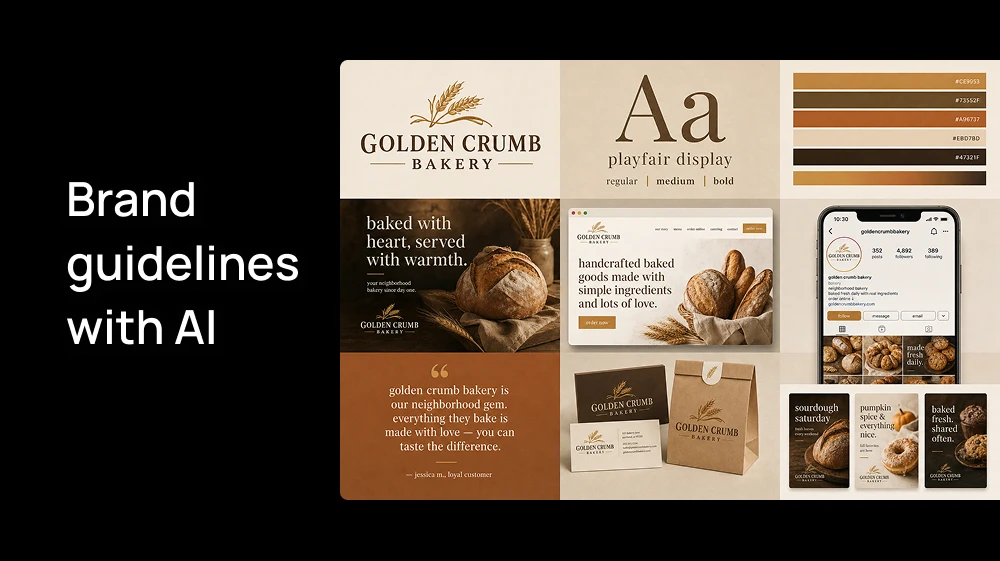
A client signs off on a logo, and then the real work starts. They need a color palette with hex codes, a type system, and examples of how the brand looks on a website, Instagram, a bag or a business card. Building those brand guidelines in Illustrator or InDesign usually takes weeks.
In this guide we'll build one brand kit from scratch for a real-looking example, Golden Crumb Bakery, a neighborhood bakery.
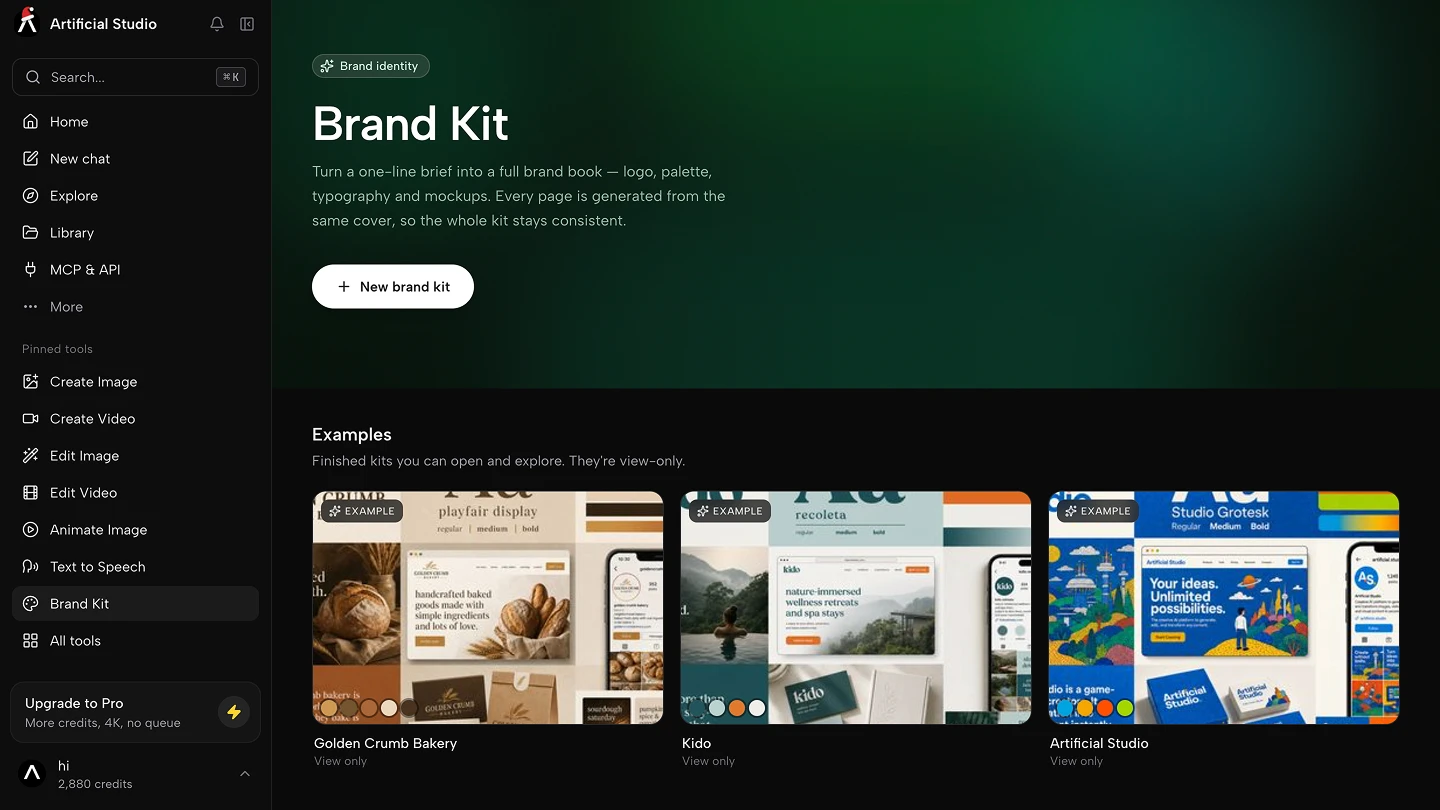
Step 1: Go to Brand Kit
Go to our AI tool and click "New brand kit". You'll see four fields:
- Brand name (required)
- What does it do?
- Industry
- Vibe
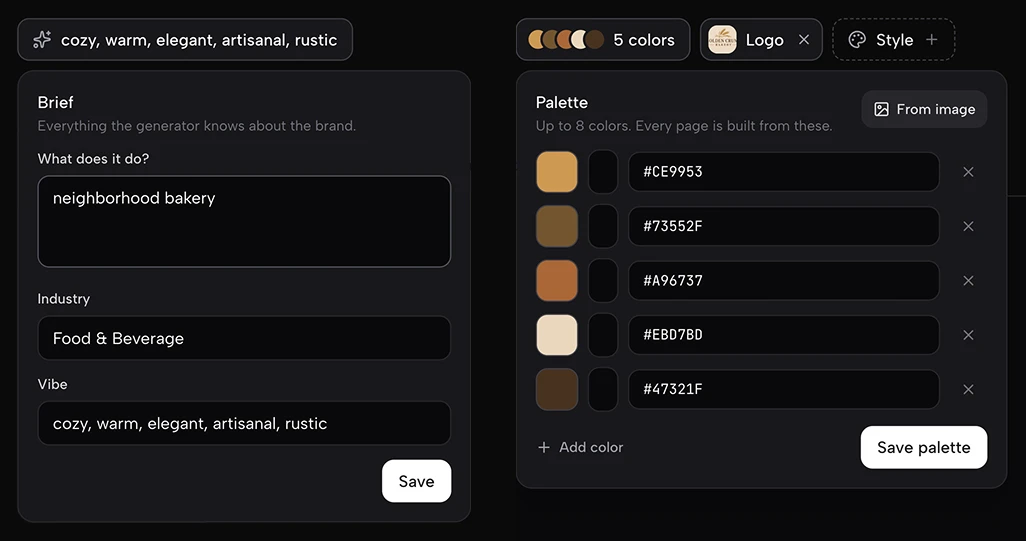
Only the name is required, but fill in as much as you can. Everything that comes after (logo, palette, typography and mockups) is built from this brief, so a richer description gives you a better result. The "Vibe" field matters most: use several words instead of one, because they give the AI more to work with.
For our example we used:
- Brand name: Golden Crumb Bakery
- What does it do?: Neighborhood bakery
- Industry: Food & Beverage
- Vibe: cozy, warm, elegant, artisanal, rustic
Click "Create".
Step 2: Set the identity
The Identity section is what every page of the brand book is generated from.
Colors (required). Add the brand palette. If the client already has colors, type them in. If you don't know the exact colors yet, upload a reference image and Artificial Studio pulls the palette from it.
For Golden Crumb we used five warm tones: honey (#CE9953), walnut (#73552F), terracotta (#A96737), cream (#EBD7BD) and dark espresso (#47321F).
Logo. Upload the client's logo, or create one with AI from scratch. You can do it right inside Brand Kit, or use the dedicated Logo Generator if you want to explore more options first.
Style (optional). If you have a visual style saved in Concepts, you can apply it here so the brand book follows that look. This is useful when you already defined an illustration or photo style for the client and want the guidelines to match.
Step 3: Generate the cover
This is where the brand comes together. The cover is a single 3x3 overview of the whole brand, and each page of the brand book is later expanded from one of its cells. That's why the final kit stays consistent: every page comes from the same image.
Choose the quality and press Generate:
- Standard costs 11 credits, so you can make it with the free daily credits.
- High costs 36 credits. 💡 We recommend it if you want the best result, because the cover sets the quality for everything that comes after.
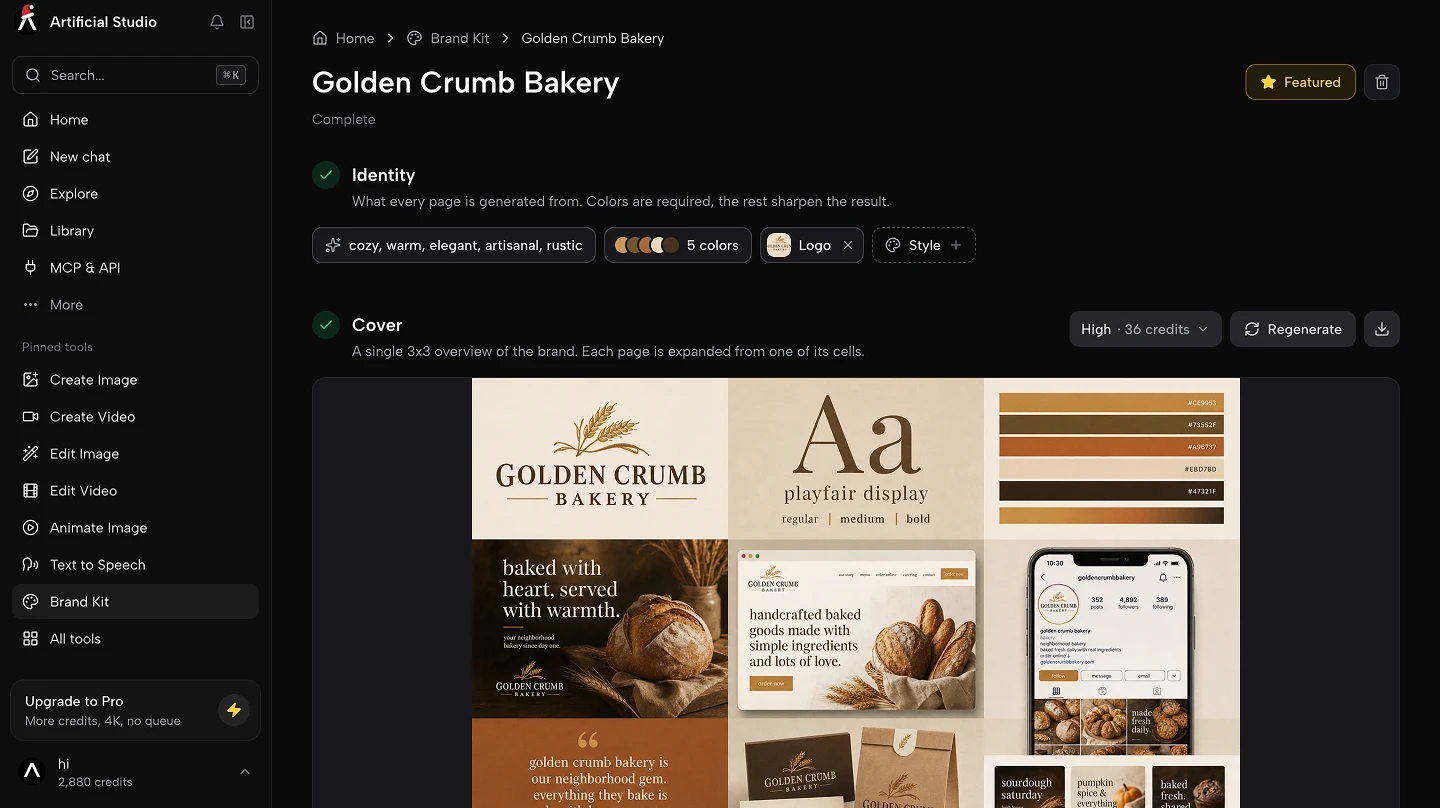
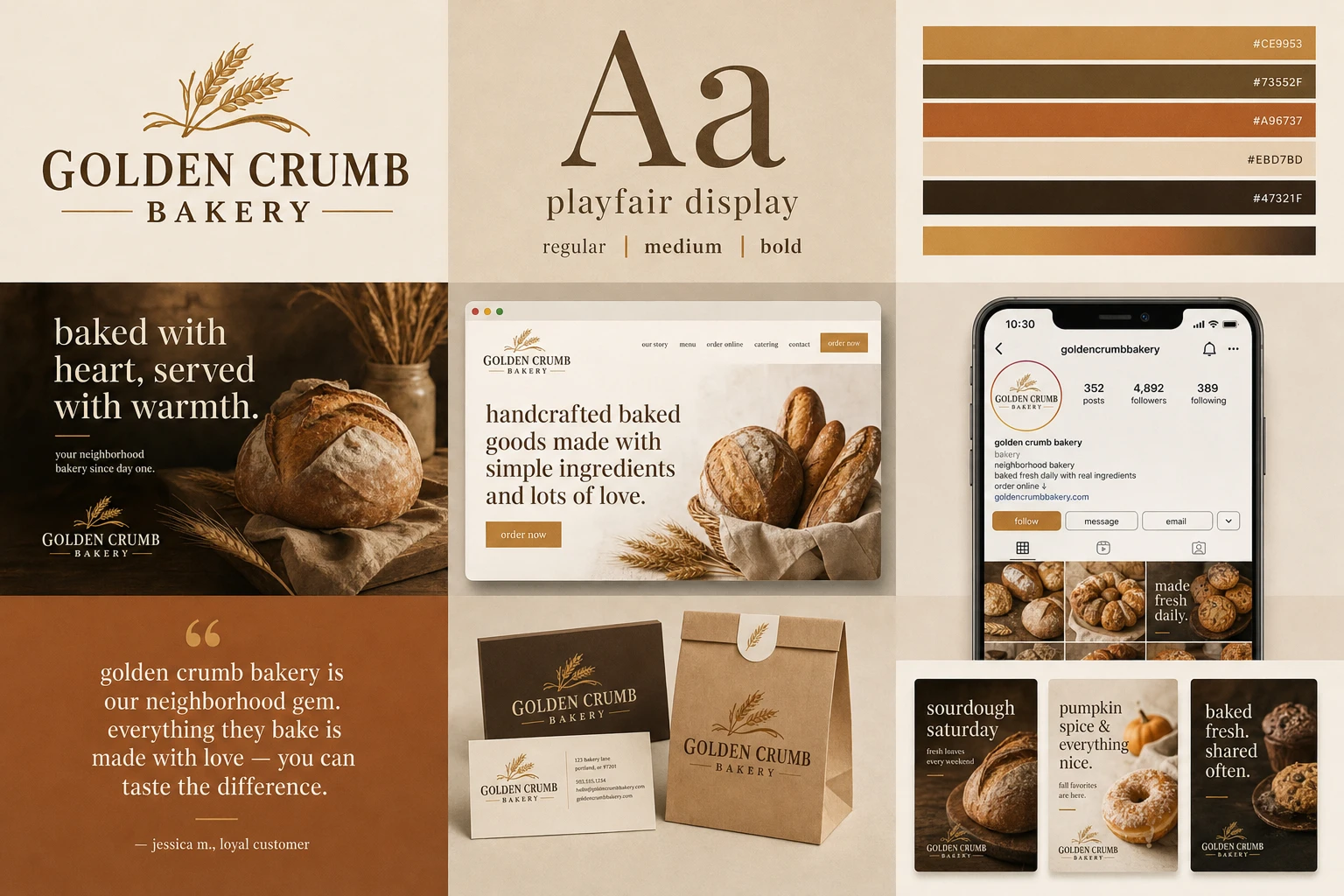
For Golden Crumb, the cover came back with the logo, a Playfair Display type specimen, the five-color palette, a hero image with the line "baked with heart, served with warmth," a website homepage, an Instagram profile, a customer quote, stationery and packaging, and a set of social posts.
If you don't love the result, regenerate it before moving on. Changing the vibe words or the palette is the fastest way to steer it.
Step 4: Generate the brand book
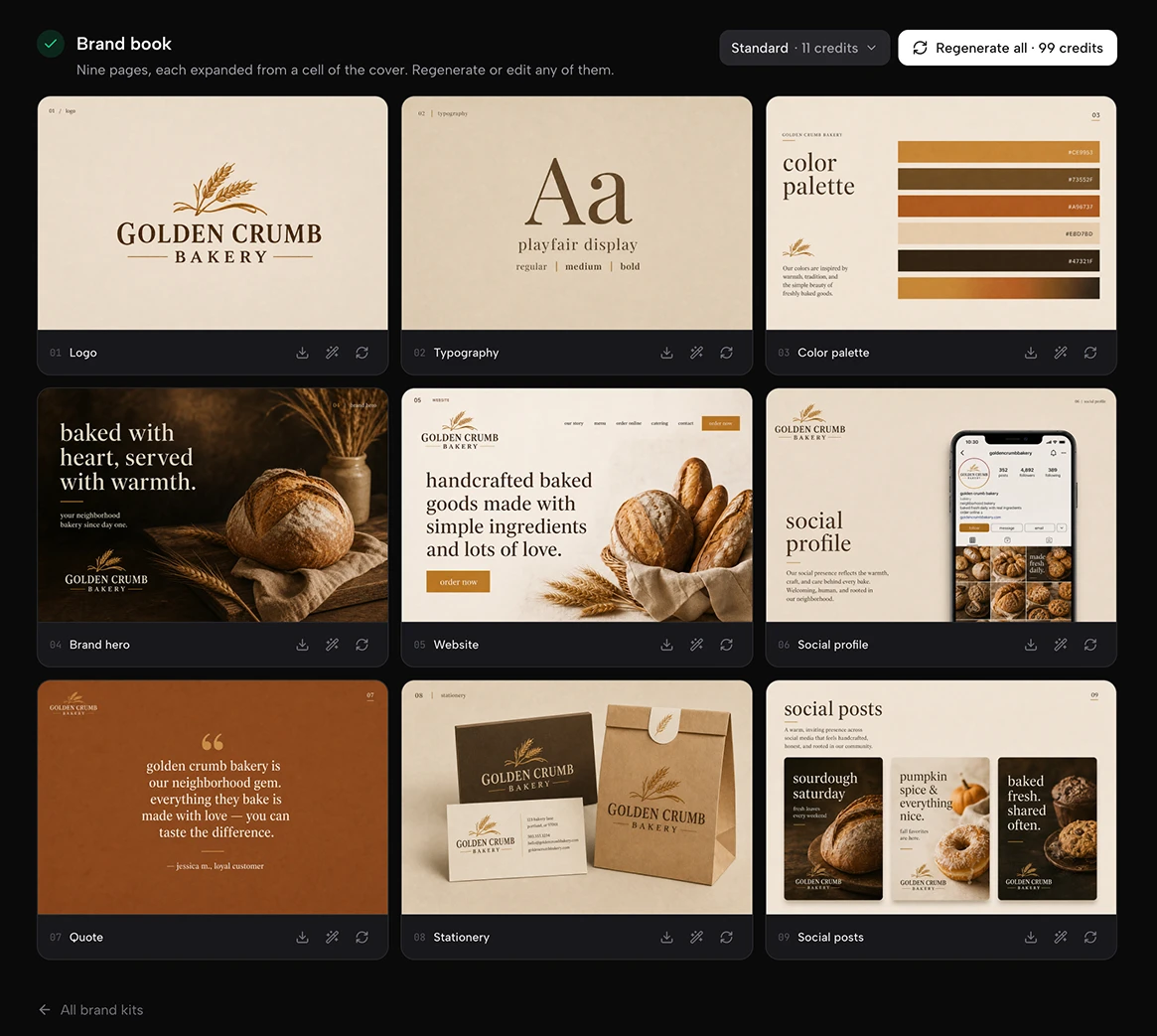
Once the cover looks right, generate the full brand book. You get nine pages, each one expanded from a cell of the cover:
- Logo
- Typography
- Color palette
- Brand hero
- Website
- Social profile
- Quote
- Stationery
- Social posts
Each page costs 11 credits, so the full book is 99 credits (around 50 cents). You can regenerate any single page or edit it with a prompt, so if the stationery page isn't right you fix that one page instead of starting over. Every page can be downloaded on its own.
To see what other brands look like, open the example kits on the Brand Kit page.
Is it really free?
Artificial Studio gives you 20 free credits every day, with no card required. A Standard cover costs 11 credits, so you can make one for free today. Each brand book page also costs 11 credits, so with free credits you can generate one page per day. Free credits reset daily.
If you want it all at once, the Starter plan costs $9 for 1,300 credits. A full brand kit with a High cover (36 credits) and all nine pages (99 credits) uses 135 credits, which is about $0.93. With a Standard cover it's 110 credits, about $0.76.
💡 For comparison, a starter brand identity from a freelancer (logo suite, colors, fonts and a short style guide) usually costs between $500 and $5,000 💸
Fiverr's 2026 cost guide puts the average brand identity project at about $2,010. Brand Kit doesn't replace the thinking behind a brand strategy, but it gives you the visual system in minutes for less than a dollar, so you can spend your billable hours on the parts that need a designer.
Who this is for
Brand Kit is built for freelance designers and small agencies who need to show a client a complete brand system quickly. That might be a pitch where you want to walk into the first meeting with more than a logo, a small client who can't pay for a full identity project but still needs guidelines or an MVP, or a moodboard stage where you want to test a direction before spending hours on it. It's also useful for marketers who inherited a brand with no guidelines and need something the team can follow.
The problem it solves is time. A designer can easily spend a week turning a logo into a brand book, laying out pages, picking type pairings, building mockups. Brand Kit gives you a solid first version in a few minutes, and you spend your time refining it instead of starting from a blank artboard.
Do more from Claude with the MCP
Brand guidelines are only useful if the brand shows up the same way everywhere afterwards. With the Artificial Studio MCP connected to Claude, you can ask for the assets the client will need next, such as social posts, ads or product mockups in the brand's palette, and Claude picks the right tool and model, generates them and returns the links. It uses the same credits as the web tools.
Example prompt:
Create 6 Instagram posts for Golden Crumb Bakery for the launch of its pumpkin spice loaf. Use the colors #CE9953, #73552F, #A96737, #EBD7BD and #47321F, keep a cozy, warm, artisanal look, and use GPT Image 2.
To connect it:
- Claude (web or desktop): go to Settings → Connectors → Add custom connector and enter https://api.artificialstudio.ai/mcp
- Claude Code: run claude mcp add --transport http artificial-studio https://api.artificialstudio.ai/mcp
The first time, a browser window opens to sign in. No API key needed.
If you're building your own product, the Artificial Studio API gives you the same tools and models with one request per generation.
Start your first brand kit. Open Brand Kit, write a one-line brief for your next client, and generate the cover with today's free credits.