
Text to 3D
Text to 3D

Text to 3D

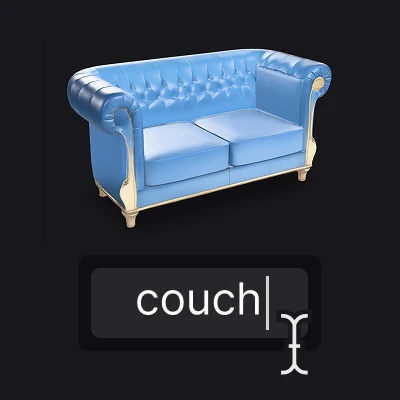
Create a 3D model from a text description
160 credits per object
Input
Model
Prompt
Output
Click "Generate" to start creating...
Examples

How to use Text to 3D Model Generator

1

Select AI Model

Choose your preferred AI model from available options like Meshy 6 or Hunyuan 3D v3. Each model offers different strengths for 3D generation.

2

Enter Text Description

Type a detailed description of the 3D object you want to create. Be specific about shapes, materials, and features for best results.

3

Generate 3D Model

Click generate and watch as AI transforms your text into a complete 3D model. Download your creation when processing is complete.

Why use Text to 3D Model Generator?

No 3D Modeling Skills Required

Create professional 3D models without learning complex software like Blender or Maya. Simply describe what you want in plain text and let AI handle the technical work. Perfect for beginners and professionals who need quick prototypes.

Multiple AI Model Options

Choose between advanced models like Meshy 6 and Hunyuan 3D v3 to match your specific needs. Each model brings unique capabilities and styles to your 3D creations. Switch between models to find the perfect fit for your project.

Fast 3D Prototyping

Speed up your creative workflow by generating 3D models in seconds instead of hours. Perfect for concept development, game design, product visualization, and rapid prototyping. Test multiple ideas quickly before committing to detailed modeling work.

Frequently Asked Questions

How much does it cost to generate 3D models from text?
Artificial Studio uses a credit-based pricing system. Check the pricing page for current rates and available credit packages.
What 3D file formats are supported for download?
The tool generates 3D models in common object formats. Check the output options after generation to see available download formats for your specific model.
How does text to 3D generation work?
The AI analyzes your text description and creates a 3D model based on the details you provide. Advanced models like Meshy 6 and Hunyuan 3D v3 use machine learning to interpret text and generate corresponding geometry, textures, and materials.
Can I use the generated 3D models commercially?
Yes, you can typically use AI-generated 3D models for commercial projects. However, always review the specific terms of service and licensing agreements to ensure compliance with your intended use case.
How long does it take to generate a 3D model?
3D model generation typically takes a few seconds to a few minutes depending on complexity and the selected AI model. More detailed descriptions may require slightly longer processing times.
What makes a good text prompt for 3D generation?
Effective prompts include specific details about shape, size, materials, colors, and style. For example, 'wooden chair with curved back and leather cushion' works better than just 'chair'. Include relevant descriptive words for better results.
Can I modify the 3D models after generation?
Generated 3D models can be imported into standard 3D software like Blender, Maya, or 3ds Max for further editing and refinement. This allows you to add details, modify materials, or combine multiple generated objects.
What's the difference between available AI models?
Each AI model like Meshy 6 and Hunyuan 3D v3 has different strengths in terms of detail quality, processing speed, and style interpretation. Try different models to see which produces results that best match your vision and requirements.

Related AI Tools