How to make a Christmas party poster without a designer
Make a Christmas party poster in minutes, no designer needed. Add the date, place and style, and AI designs a finished poster for you. Free.
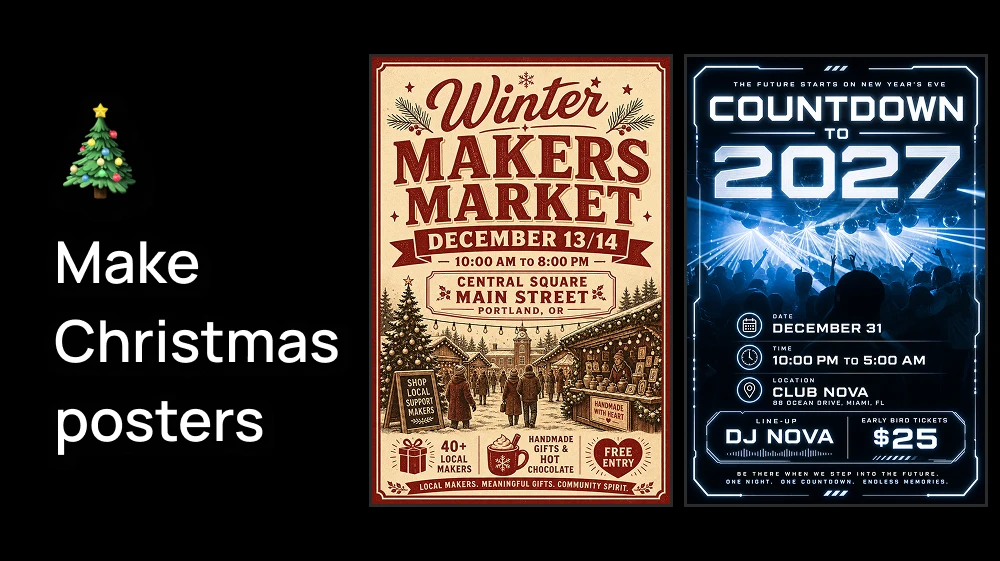
Step 1: Open the Event Poster Creator
Open our AI tool and fill in the basics:
- Event Name: the big title on the poster "Ugly Sweater Christmas Party".
- Event Type: choose Party.
- Date and Time: "Friday, December 19 - 8:00 PM to 2:00 AM".
- Location: the venue and address "The Rooftop, 45 King Street".
- Image (optional).
Write the text exactly as you want it to appear. The AI places it on the poster as you typed it.
Step 2: Give it a Christmas look
Now tell the AI how the poster should feel:
- Visual Style: Elegant suits a company dinner. Vibrant or Retro/Vintage suit a bar or house party.
- Color Scheme: for example "deep red, gold and dark green" or "icy blue and silver".
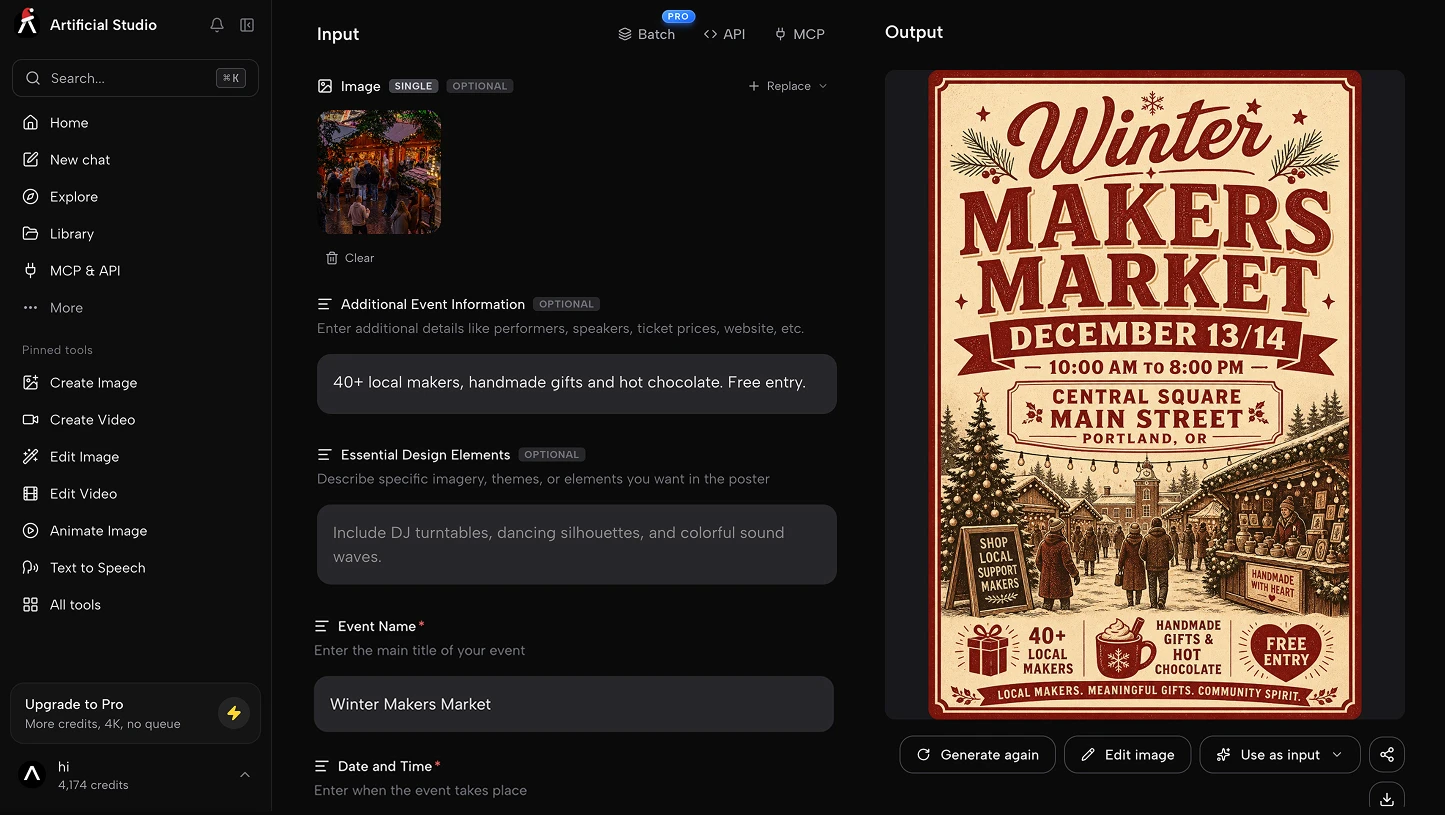
- Additional Event Information (optional): extra text such as "Free mulled wine until 10 PM · Dress code: ugly sweater · RSVP by Dec 12".
- Essential Design Elements (optional): what you want to see, for example "string lights, a decorated Christmas tree, falling snow and champagne glasses".
The last field makes the biggest difference. The more specific you are, the more the poster looks like your party and not a generic one.
Step 3: Generate and download
Press the blue Generate button. In seconds you get a finished Christmas party poster with the name, date and location already designed in, made with GPT Image 2.
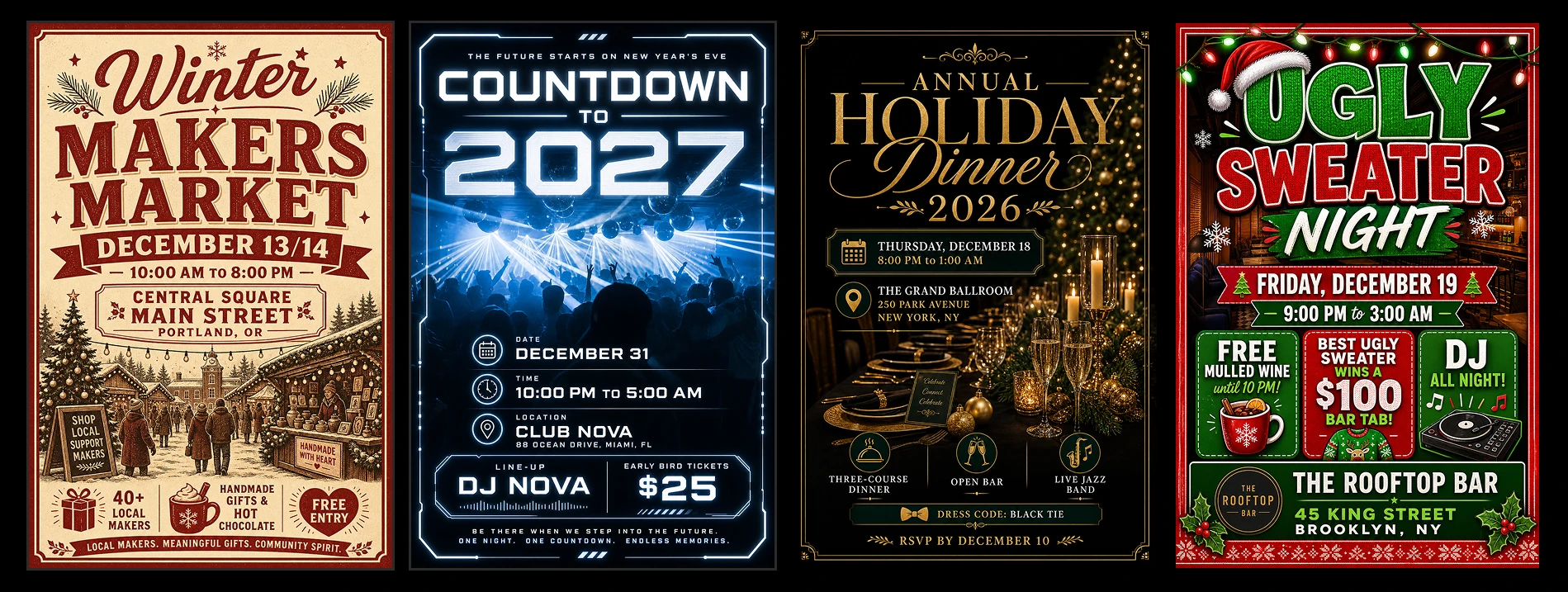
Check that every word and the date read correctly. If something isn't right, adjust a field and generate again. Then download it, ready to print, pin up at the venue or share on Instagram and WhatsApp.
6 Christmas party poster ideas to try
Use these as a starting point and swap in your own name, date and place.
| Party | Event Name | Visual Style | Color Scheme | Essential Design Elements |
|---|---|---|---|---|
| Company Christmas dinner | Annual Holiday Dinner 2026 | Elegant | Deep green and gold | Long candlelit table, gold ornaments, soft bokeh lights |
| Ugly sweater party | Ugly Sweater Night | Vibrant | Red, green and white | Knitted sweater pattern, reindeer, confetti |
| Bar or club night | Jingle Bell Rave | Futuristic | Neon red and green on black | DJ decks, laser lights, neon Santa hat |
| Kids' Christmas party | Santa's Workshop Party | Artistic | Bright red, white and candy pink | Santa, elves, gingerbread house, presents |
| Christmas market | Winter Market | Retro/Vintage | Cream, red and forest green | Wooden stalls, string lights, mulled wine, snow |
| New Year's Eve party | Countdown to 2027 | Modern | Black, gold and silver | Fireworks, champagne glasses, a clock at midnight |
Need the Instagram version of the same party for a client? Make it with Christmas social media posts.
Do it from Claude
If you organize several parties, or make posters for clients, you can ask Claude to make them for you with the Artificial Studio MCP. For example:
Make three Christmas party posters with Event Poster: an Elegant one for "Annual Holiday Dinner" on Thursday, December 18 at 8 PM at Grand Hotel, a Vibrant one for "Ugly Sweater Night" on Friday, December 19 at 9 PM at The Rooftop, and a Futuristic one for "Jingle Bell Rave" on Saturday, December 20 at 11 PM at Club Nova.
Claude fills in every field, generates the three posters and gives you the links.
To connect it:
- Claude (web or desktop): go to Settings → Connectors → Add custom connector and paste https://api.artificialstudio.ai/mcp.
- Claude Code: run claude mcp add --transport http artificial-studio https://api.artificialstudio.ai/mcp.
The first time you use it, a window opens to sign in to Artificial Studio. No API key needed.
Artificial Studio gives you 20 free credits every day. Each poster costs 11 credits, so you can make 1 Christmas party poster a day completely free.
Need more for several parties or clients? With $9 you get 1,300 credits, enough for 118 posters. That's less than 8 cents a poster, far below what a designer charges for one.
Your free credits reset tomorrow either way!