How to make Christmas product photos for Etsy (free)
Make Christmas product photos for your Etsy shop for free with AI. Upload a product photo, describe the scene and get a holiday listing photo. No props.

Christmas is the biggest season of the year on Etsy, and buyers shop with their eyes. A simple mug next to a lit tree and a wrapped gift is a Christmas present.
The problem is getting that photo. The fastest way: upload the product photo and turn it into a Christmas scene with Edit any photo with AI on Artificial Studio. No props, no studio, and you can do it for free.
Step 1: Upload your product photo in Edit any photo with AI
Open our tool and upload a photo of your product. The one already in your Etsy listing works fine.
💡 Tip: use a sharp, well-lit photo where the whole product is visible. A plain background helps, but isn't required. The AI builds the scene from what it can see, so a blurry or cropped photo gives a weaker result.
Step 2: Describe your Christmas scene
Mention the product from the original image and where you want it to be, then describe the setting, the props and the lighting.
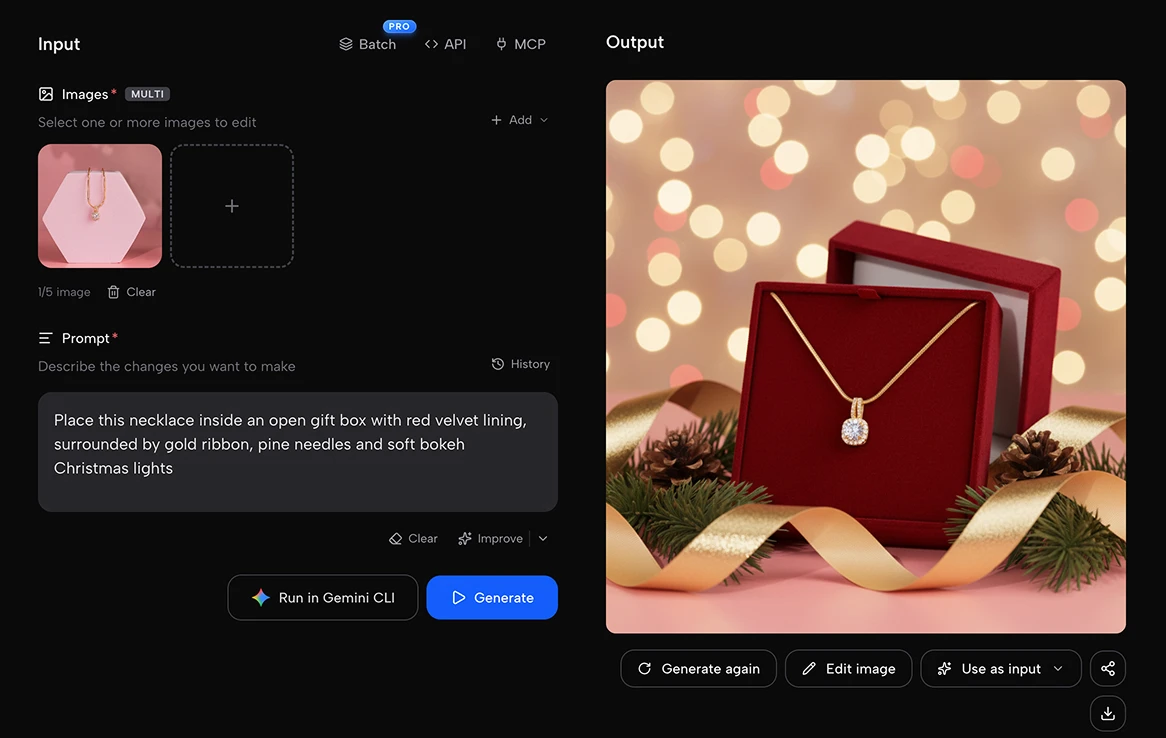
A few prompts that work well for typical Etsy products:
Jewelry:
Place this necklace inside an open gift box with red velvet lining, surrounded by gold ribbon, pine needles and soft bokeh Christmas lights
Ceramic mug:
Place this mug on a wooden table next to a lit Christmas tree, with warm fairy lights in the background, a plate of gingerbread cookies and hot chocolate steam rising from the mug
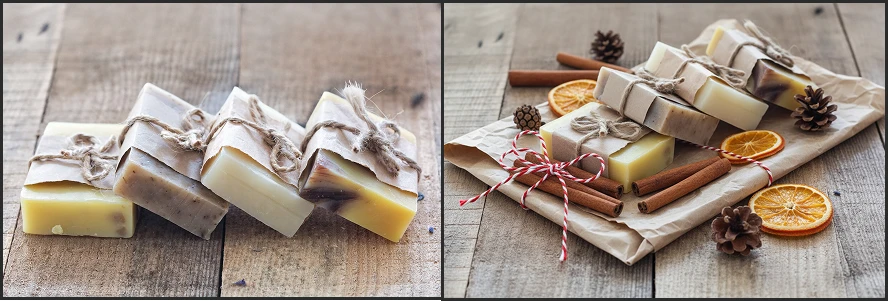
Handmade soap:
Place these soap bars on a rustic farmhouse table wrapped in kraft paper with red and white twine, cinnamon sticks, dried orange slices and pine cones
Sweaters:
Add a minimalist Scandinavian Christmas setting: a small natural pine tree with wooden ornaments next to the rack, paper star lanterns hanging on the white wall, a sheepskin rug on the floor and soft daylight
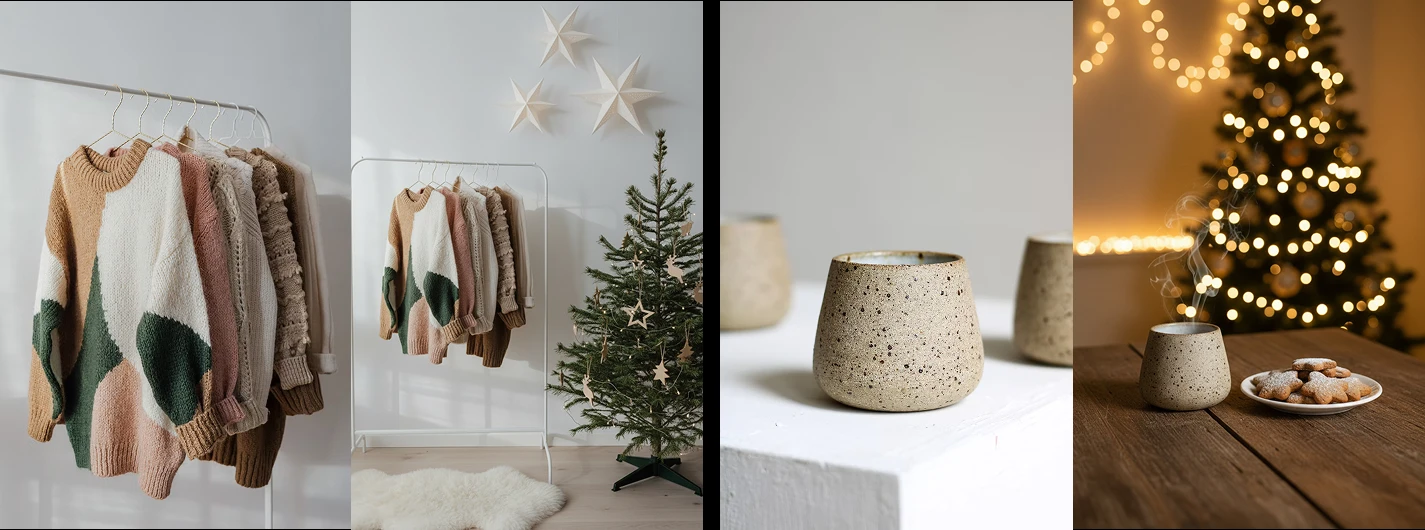
Not sure what to write? Describe the moment your buyer will give the gift: under the tree, by the fireplace, at Christmas dinner.
Step 3: Press Generate and add it to your listing for free
Press the blue Generate button. In seconds your product is in the scene. Check the details (color, shape, any text on the label) and, if something is off, adjust the prompt and generate again.
Artificial Studio gives you 20 free credits every day to try the platform. Each Christmas photo costs 8 credits, so you can make two holiday photos a day for free, with no credit card.
Download the image, open your listing in Etsy Shop Manager, upload it under Photos and drag it to the first position. That's it: your listing is ready for Christmas! 🎄
Etsy tips for Christmas photos that sell
- Etsy shows your first photo as a small thumbnail in search. If the scene is too busy, buyers won't see what you sell. Keep the product big and in focus, and let the Christmas details frame it.
- Use the Christmas scene as your main photo from November to December. In January, drag your regular photo back to the first position so your shop doesn't look out of season.
- Pick one style for the whole shop. Rustic, Scandinavian or classic red and gold: choose one and use it on every product. It looks like a holiday collection, not a mix of random photos.
- Show it as a gift. Wrapped, under the tree, in someone's hands. Buyers in December aren't shopping for themselves; help them picture giving it.
- Keep your other photos honest. Leave at least one clean photo that shows the real product, its size and its details. Christmas scenes sell the idea; the rest of your photos close the sale.
Want more ideas and scenes? Take a look at our Christmas product photos page!
Do your whole shop from Claude
If you have 30 listings, editing them one by one takes a while. Connect the Artificial Studio MCP to Claude and ask for it in plain words:
Here are photos of my 10 best-selling products. Put each one in a rustic Christmas scene with kraft paper gifts, pine branches and warm lights, keeping the products exactly as they are.
Claude runs the edits, keeps the same style across your shop and gives you a link to download each photo. It uses the same credits as the web tool.
To connect it:
- Claude (web or desktop): go to Settings → Connectors → Add custom connector and paste https://api.artificialstudio.ai/mcp.
- Claude Code: run claude mcp add --transport http artificial-studio https://api.artificialstudio.ai/mcp.
The first time you use it, a window opens to sign in to Artificial Studio. No API key needed.
Christmas buyers on Etsy shop early, and your photos should be ready before they are. Go make your first Christmas product photo. Your free credits reset tomorrow either way!