How to make Christmas Instagram posts without Canva templates (Free)
Make Free Christmas Instagram posts that don't look like everyone else's. Write your message, add your brand colors and get a finished post with AI
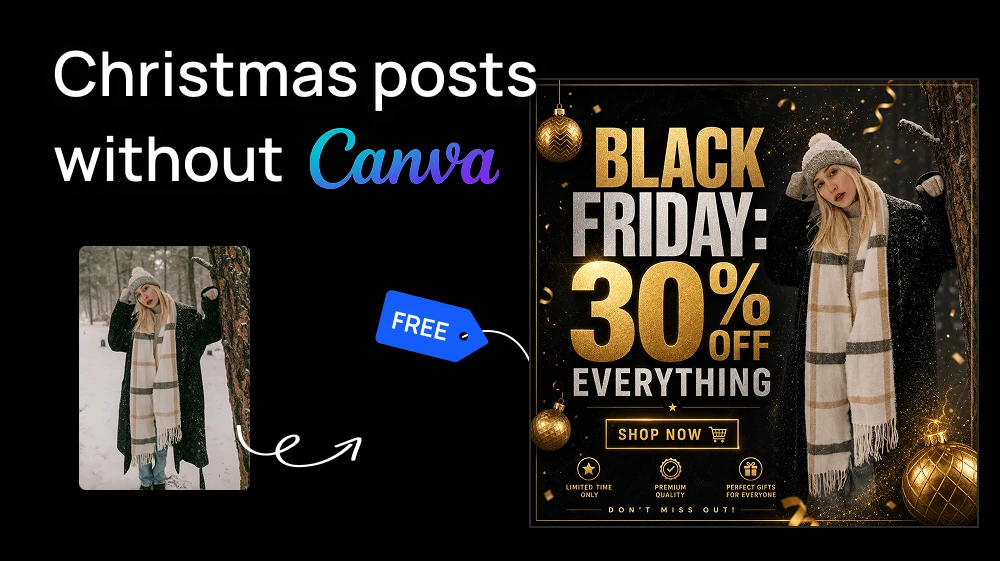
The same red-and-gold Christmas templates in Instagram every December, on a bakery, a law firm and a clothing store. Thousands of brands pick the same ones every year.
If you manage several clients, adapting a template for each one eats hours you don't have. There's another way: write the message, add the brand colors and let AI design from scratch with the Social Media Post Generator.
Step 1: Add your content in the Social Media Post Generator.
Open our AI tool and fill in what the post will say:
- Image (optional): upload a photo to build the post around, like a product, the storefront or the team. Pick one that matches the message.
- Main Post Text: the words that will appear on the post. Keep it short, like any good Instagram post: "Our Christmas menu is here" or "20% off until December 24".
- Additional Elements (optional): the Christmas details you want, like "pine branches, warm string lights and small gold stars".
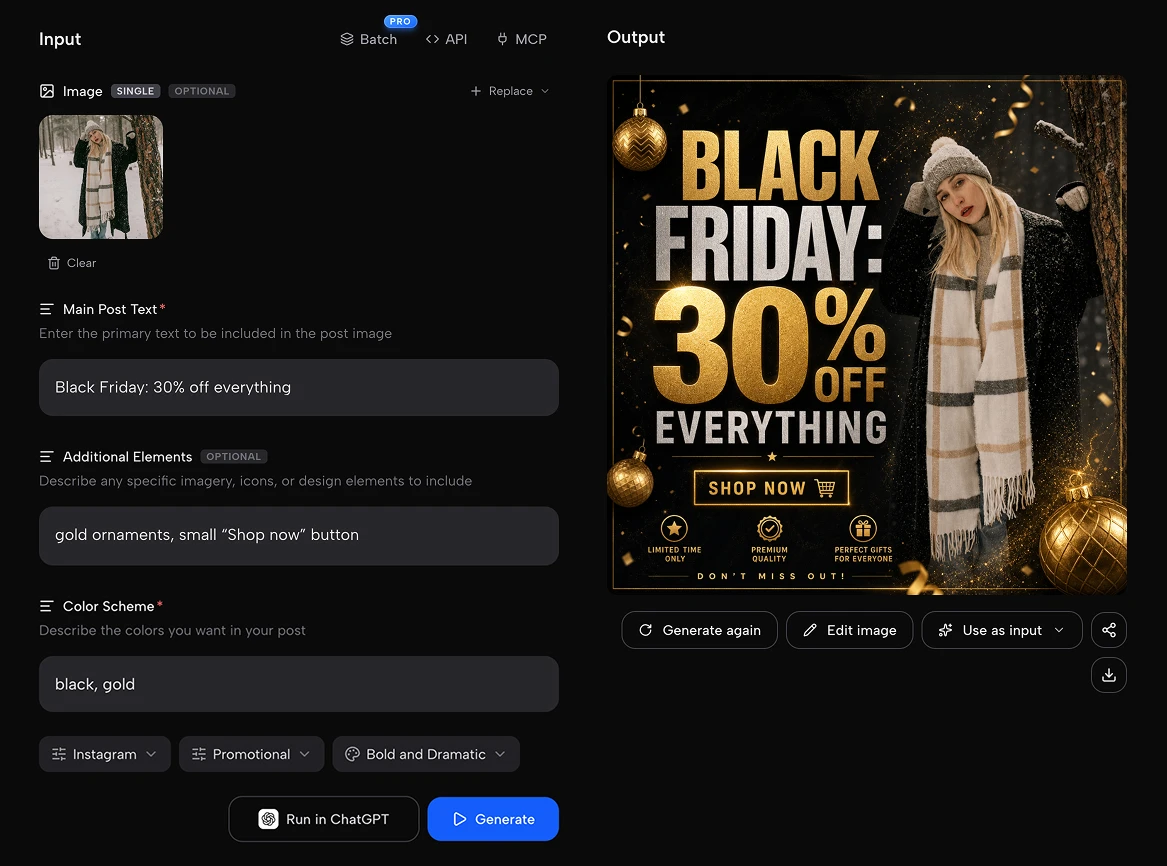
Step 2: Set the brand and the format
This is what makes the post look like your brand (or your client's), not like a template:
- Color Scheme: write the brand colors "burgundy and warm gold" or "navy and white".
- Platform: choose Instagram (Facebook, Twitter/X, LinkedIn, Pinterest or TikTok).
- Post Type: Promotional for offers, Product Showcase for a product, Announcement for holiday hours, Inspirational Quote for a greeting.
- Visual Style: Modern and Clean, Minimalist, Elegant/Luxury, Bold and Dramatic, Vintage/Retro, Bright and Colorful, Corporate/Professional or Artistic/Creative.
Step 3: Press Generate and download
Press the blue Generate button. In seconds you have a finished Christmas post, with the text already designed in. No layers, no fonts to pick, no elements to move around.
This process is FREE. Artificial Studio gives you 20 free credits every day to try the platform. Each post costs 10 credits, so you can make two Christmas Instagram posts a day for free, with no credit card.
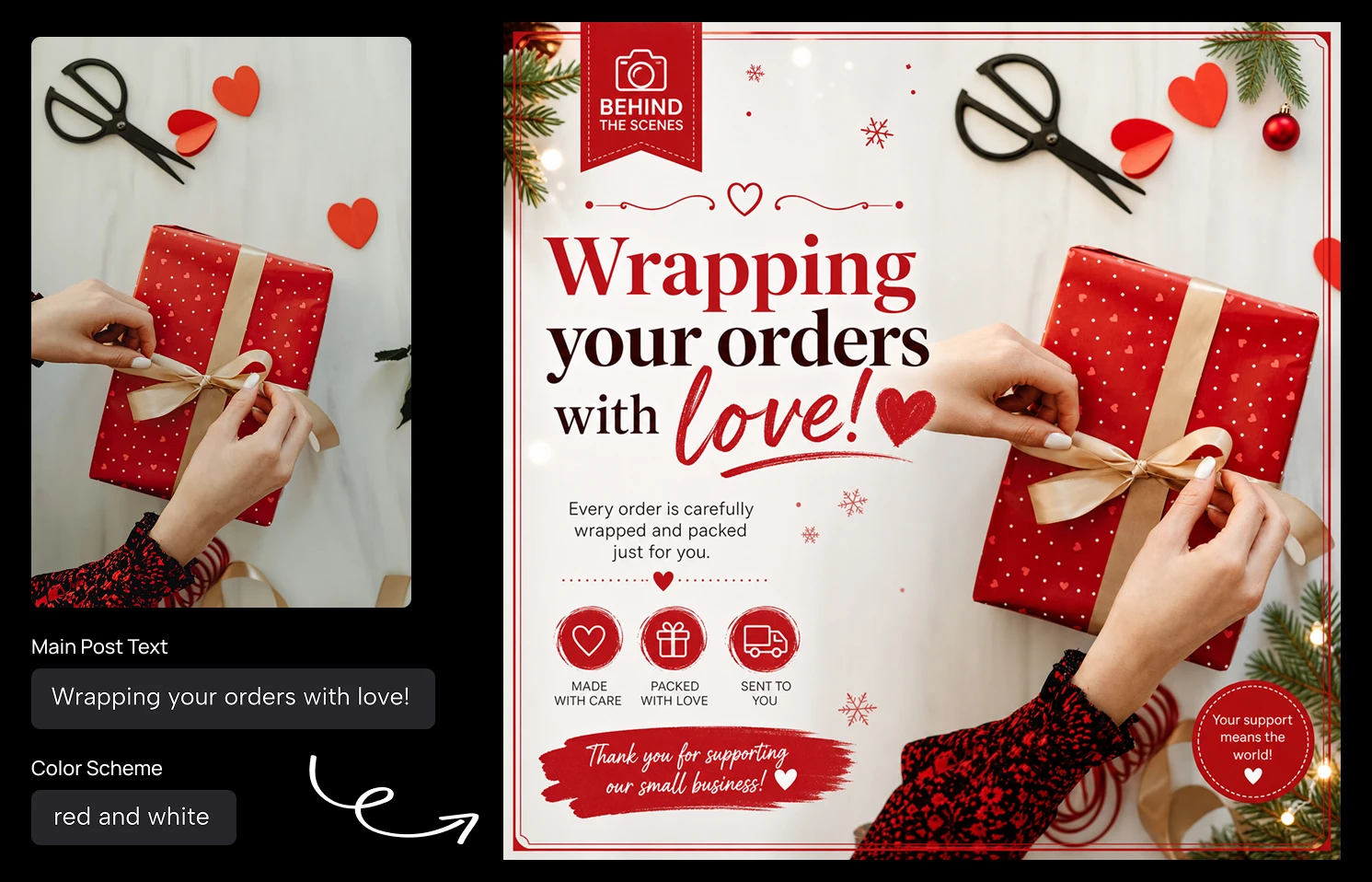
Check that the text reads correctly and the colors match the brand. If something isn't right, change the style or the colors and generate again. Then download it and schedule it, or send it to your client for approval.
8 Christmas Instagram post ideas for your December calendar
Not sure what to post? Here's a full holiday season, with the Post Type and a Main Post Text you can use as a starting point:
| When | Post | Post Type | Main Post Text |
|---|---|---|---|
| Late November | Black Friday offer | Promotional | Black Friday: 30% off everything |
| Early December | Holiday gift guide | Product Showcase | Gifts they'll actually love |
| Early December | Christmas menu or collection launch | Announcement | Our Christmas collection is here |
| Mid December | Last day to order | Announcement | Order by December 18 for Christmas delivery |
| Mid December | Behind the scenes | Behind the Scenes | Wrapping your orders with love |
| Before Christmas | Holiday opening hours | Announcement | Holiday hours: closed Dec 24 – 26 |
| Christmas | Christmas greeting | Inspirational Quote | Merry Christmas from all of us |
| End of year | Thank you and New Year | Testimonial/Review | Thank you for an amazing year. See you in 2027 |
Use the same Color Scheme and Visual Style for every post, so the whole month looks like one campaign. Want more ideas? See our Christmas social media posts page.
Do it for all your clients from Claude
If you manage ten clients, that calendar is 80 posts. Instead of filling in the form 80 times, connect the Artificial Studio MCP to Claude and ask for it in plain words:
Create Christmas Instagram posts for my three clients: a bakery (cream and burgundy, Vintage), a law firm (navy and gold, Corporate) and a yoga studio (sage and white, Minimalist). For each one, make a Christmas greeting, holiday hours and a New Year post.
Claude fills in every field for each client, keeps each brand consistent and hands you a link to download every post. It uses the same credits as the web tool.
To connect it:
- Claude (web or desktop): go to Settings → Connectors → Add custom connector and paste https://api.artificialstudio.ai/mcp.
- Claude Code: run claude mcp add --transport http artificial-studio https://api.artificialstudio.ai/mcp.
The first time you use it, a window opens to sign in to Artificial Studio. No API key needed.
Canva templates got everyone through December for years. But if you want your posts (or your clients') to stand out in a feed full of the same designs, start from your message, not from a template. Go make your first Christmas post. Your free credits reset tomorrow either way!