How to make Etsy Listing Mockups without Photoshop
Make Etsy listing mockups without Photoshop or PSD templates. Upload a product photo, describe the scene you want, and get listing-ready images in seconds with AI.
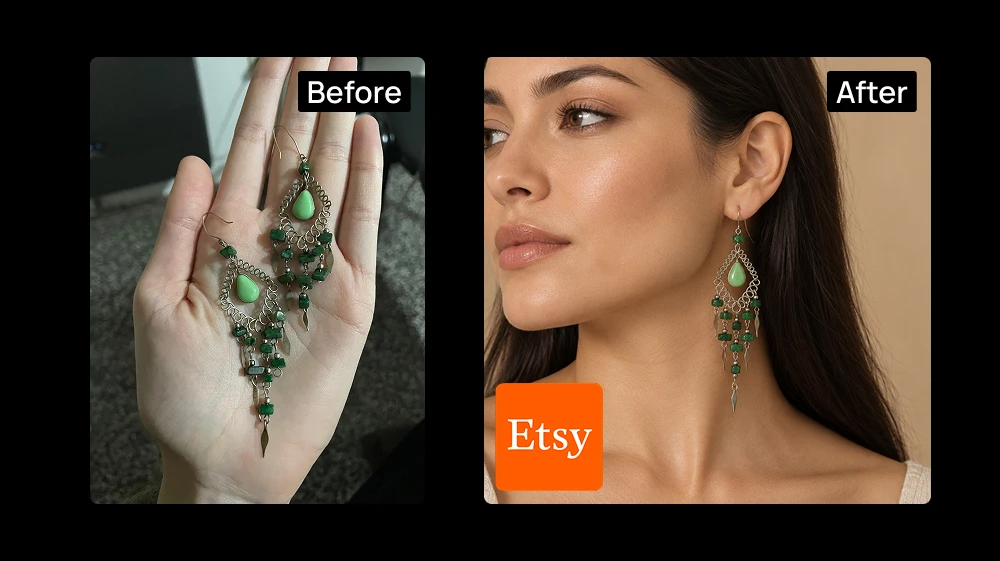
There's a simpler way that don't include Photoshop. You can describe the photo you want, upload a picture of your actual product, and get a finished listing image back in a few seconds. No layers, templates, or software to install.
What you'll need
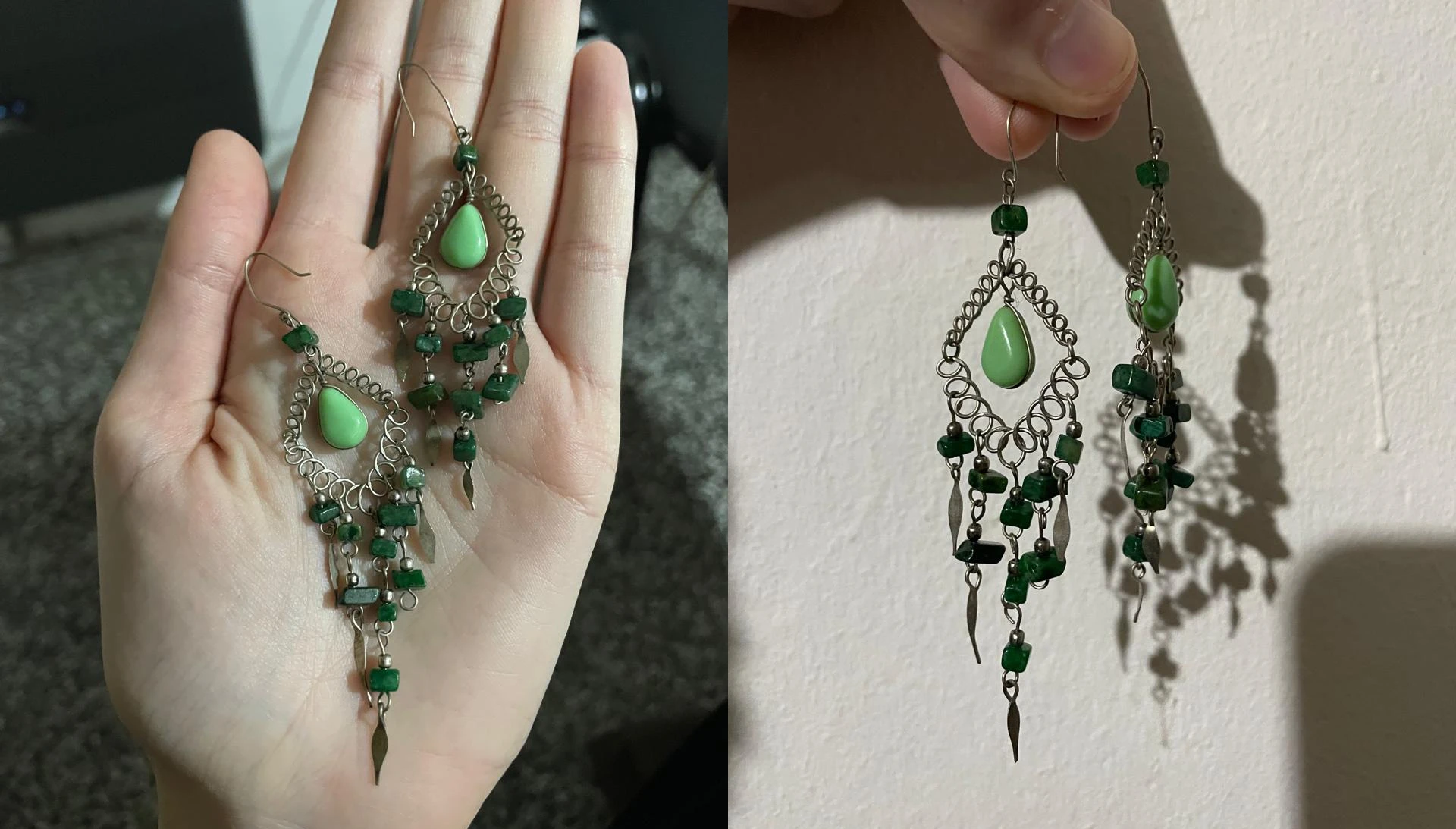
A normal photo of your product, shoot against a plain background if you can, and take two or three angles if the piece has detail worth showing.
Step 1: Upload your product photos as references in our Image Tool
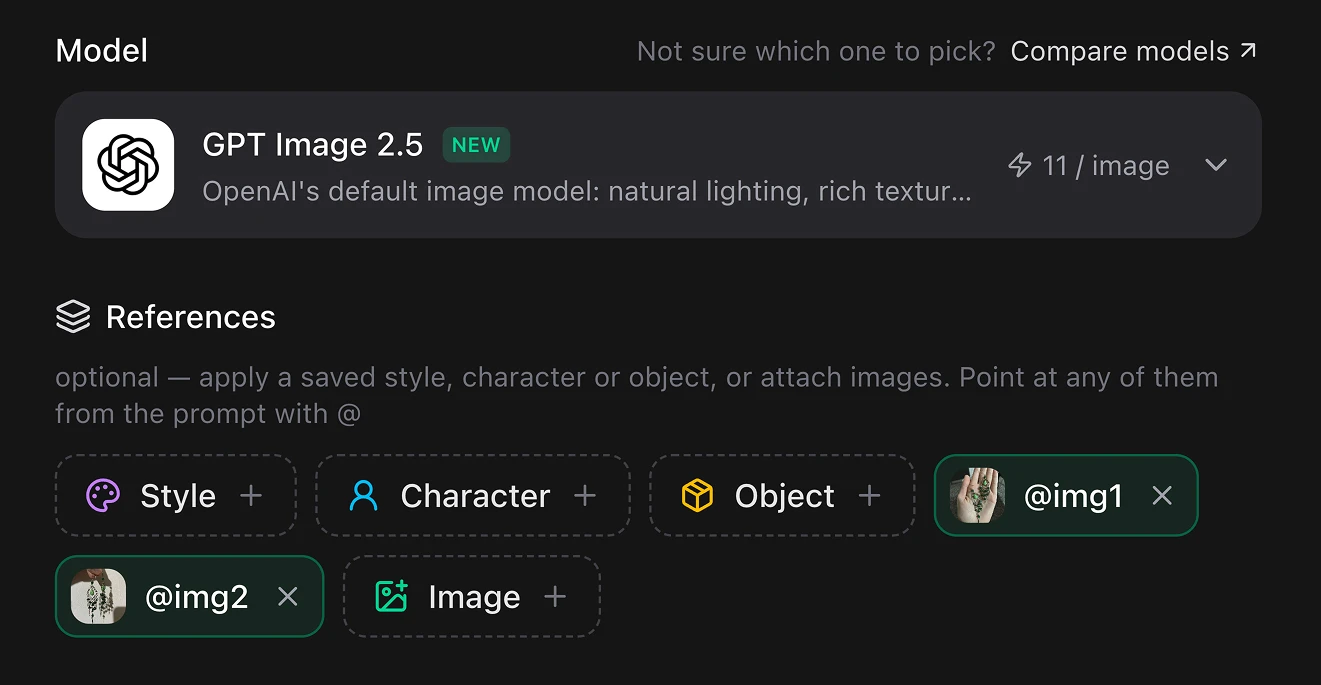
Drop your phone shots into the tool as reference images. The AI model is looking at your product, not inventing a similar one. The cleaner the reference, the more faithful the result. Click the Image + button to upload them from your computer, or just copy and paste them with Ctrl+V.
You can use our new model GPT Image 2.5, it's noticeably better at keeping a physical object consistent while changing everything around it.
Step 2: Describe the photo you want
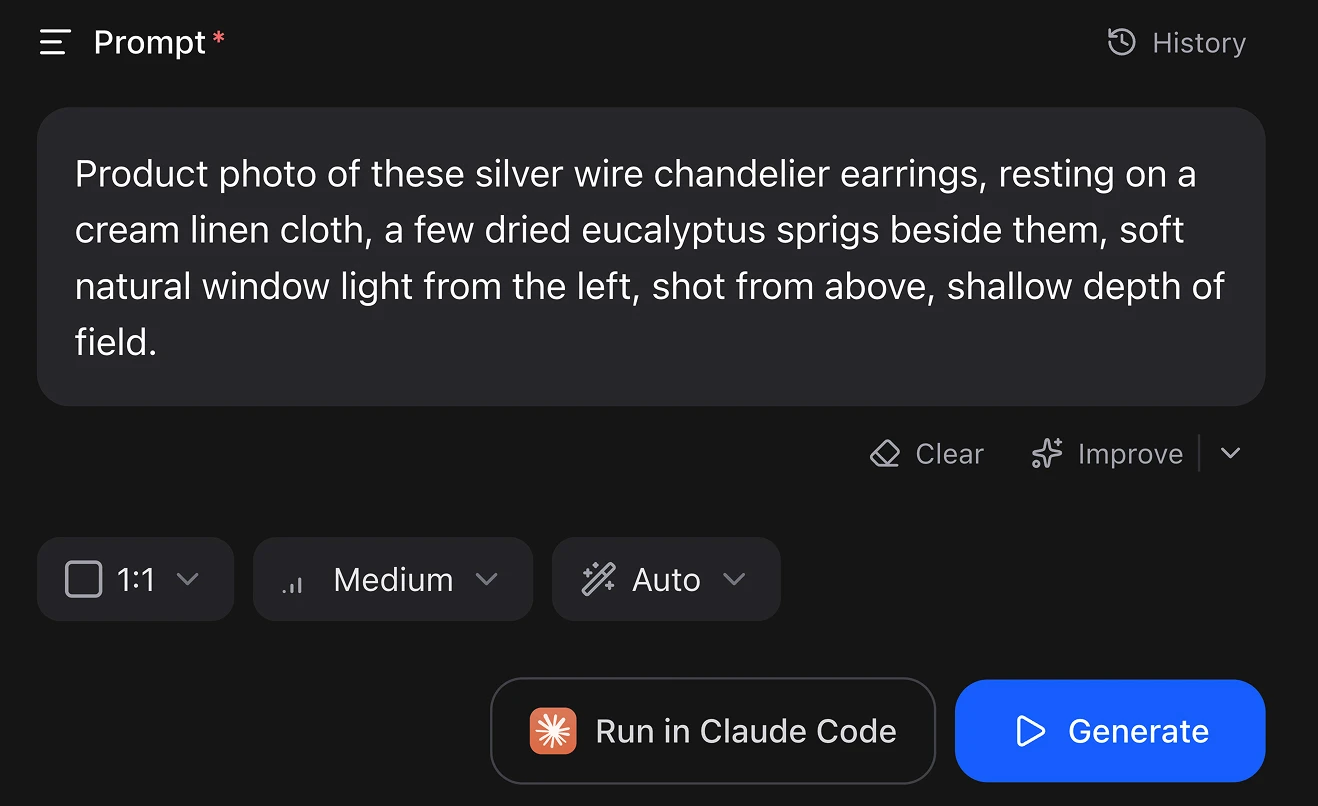
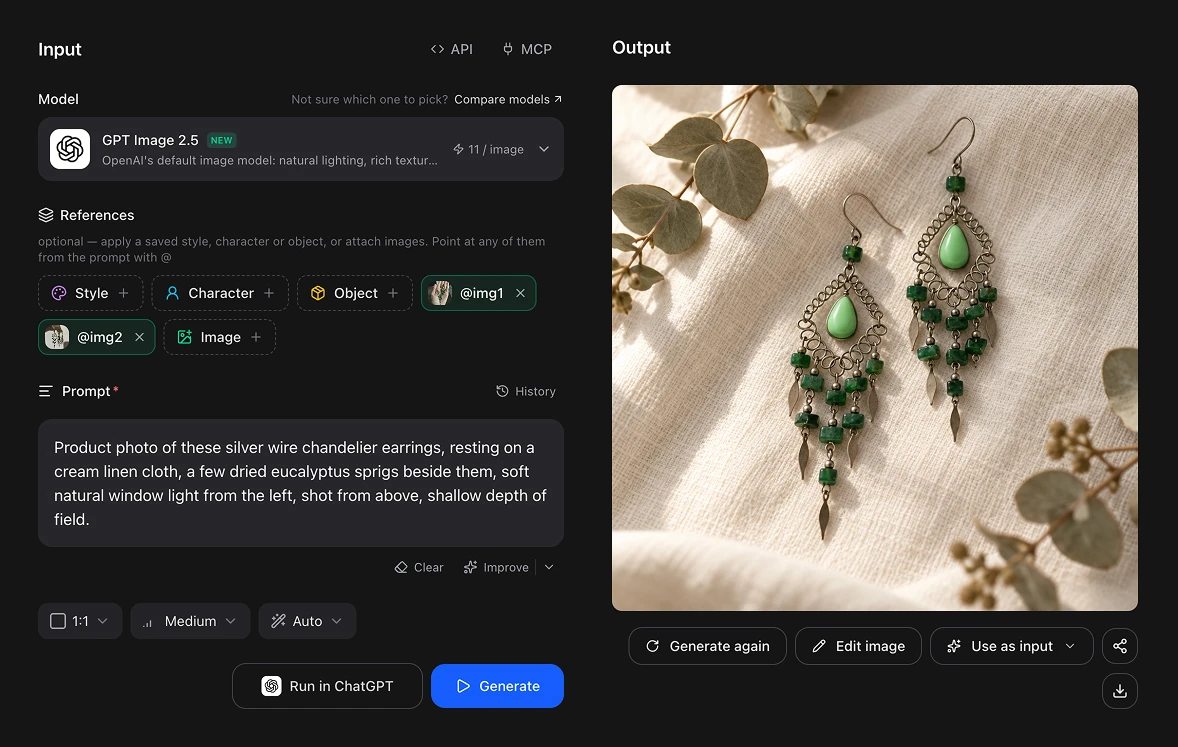
Write what you want in plain English: what the mockup is and where it is. For the earrings, that might read:
Product photo of these silver wire chandelier earrings, resting on a cream linen cloth, a few dried eucalyptus sprigs beside them, soft natural window light from the left, shot from above, shallow depth of field.
The details worth specifying: the surface the product sits on, the light (morning window light, warm studio light, overcast daylight) or the camera angle.
💡 Keep the props sparse. Etsy thumbnails are small, and a busy scene reads as clutter at that size.
Set the aspect ratio in the buttons below the prompt in 1:1, perfect for Etsy photos.
Step 3: Generate
Artificial Studio gives you 20 FREE credits every day, so creating this is FREE. You can use a cheaper AI model if you want even more tries.
Hit Generate and the image is ready in a couple of seconds. Generate three or four variations, a listing with five or six photos converts better.
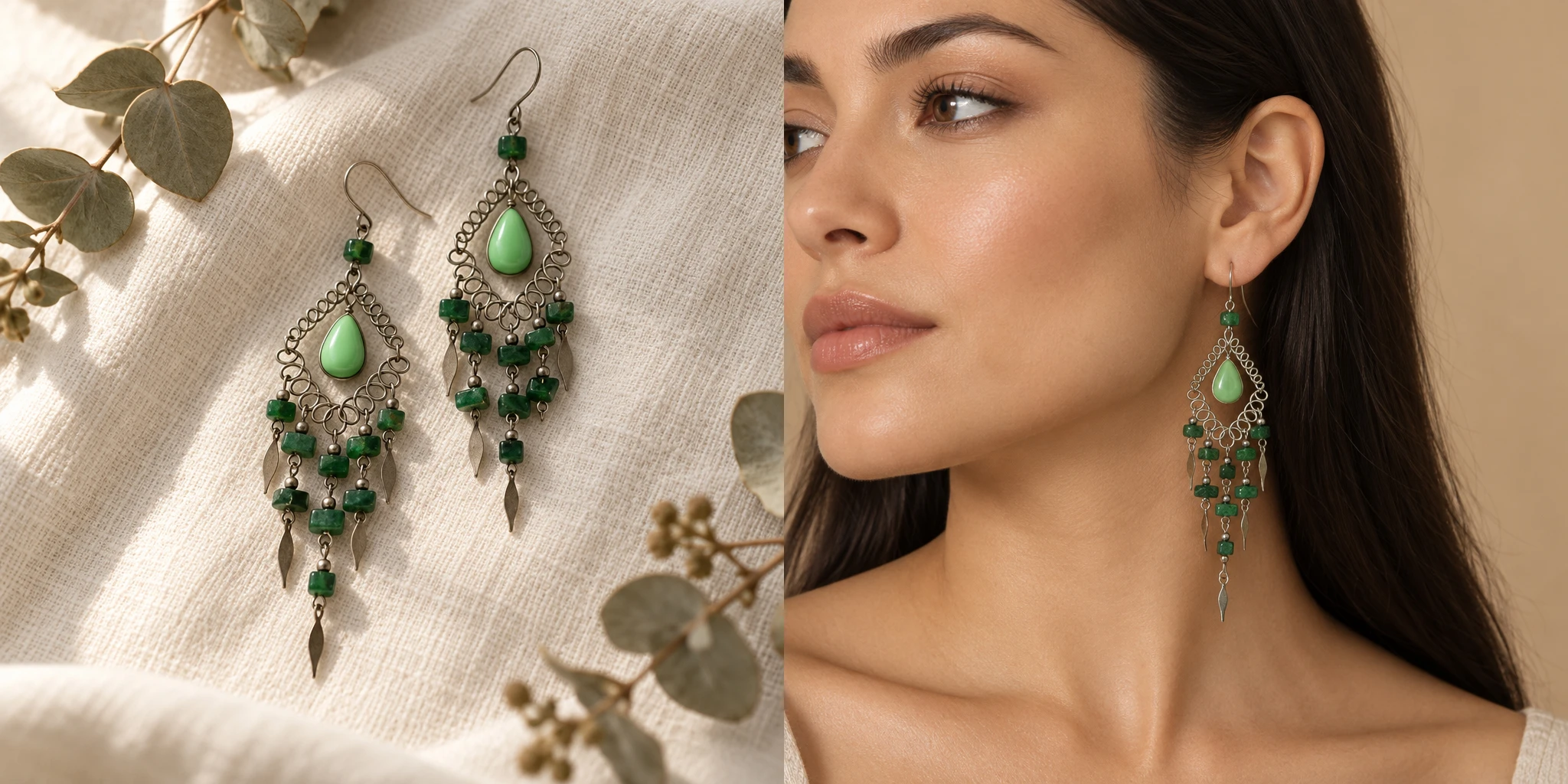
One more example:
Close-up beauty shot of a woman wearing these silver wire chandelier earrings, seen in three-quarter profile from her left side, head turned slightly away from camera, the earring fully visible against her neck and jawline. Long dark hair tucked behind the ear. Warm beige seamless backdrop, soft diffused studio light, natural glowy skin, neutral makeup.
This process is free
Artificial Studio gives you 20 FREE credits every day, and generating an image costs 11. So you can make a mockup a day at no cost, forever, without putting in a card. You can use cheaper models and get more tries out of your credits. Flux 2, for example, costs 6 credits per image.
Compare that to the usual setup: a Photoshop subscription, a marketplace subscription for the templates, and often a mockup generator on top. That adds up fast for a shop that's still figuring out whether a product sells at all.
Doing it without opening the browser at all
If you already work inside an AI assistant, you can skip the interface. Artificial Studio has an MCP server, which means the same image tool is available directly inside Claude, Cursor, ChatGPT, Gemini, n8n and others. Ask for the mockup in the chat you're already in and the image comes back there.
That becomes genuinely useful once you're listing in volume. Through n8n you can wire it into a flow: a new product photo lands in a folder, and mockups in every aspect ratio come out the other end, ready to upload.
Why your listing photos decide whether you sell anything
On Etsy, the photo does the work the title can't. Buyers scroll a grid of thumbnails and make a decision in about a second, long before they read a single word of your description. A flat scan of a product on a kitchen table loses that second to a competitor showing the same item styled on linen in morning light.
This matters most for the things that are hardest to photograph well. Jewelry is a good example: it's small, shiny and it reflects everything in the room.
Mockups solve that, and they've been locked behind either a Photoshop subscription or a mockup generator's paid plan for years.
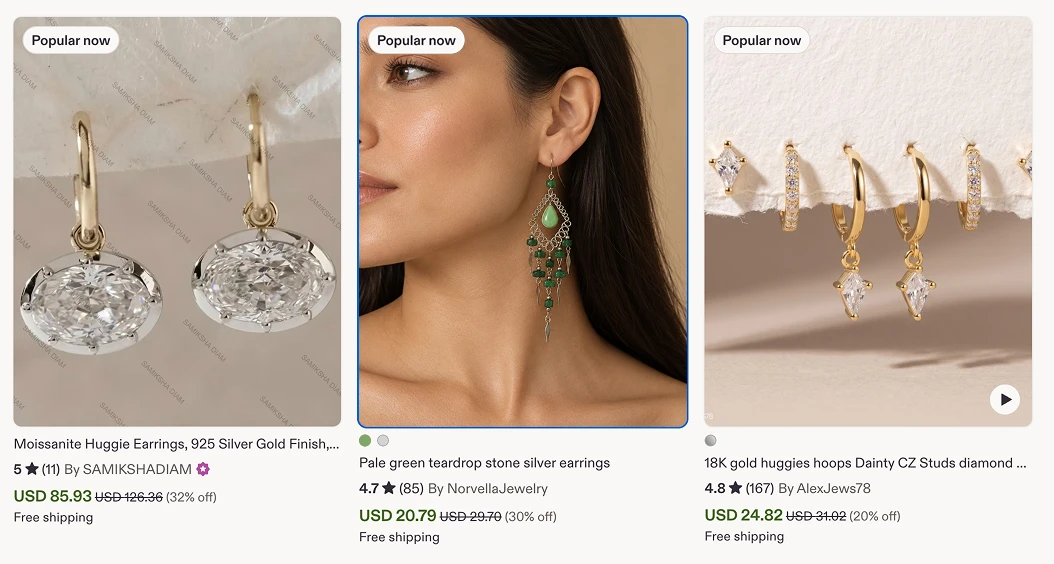
This is how it will look your picture in Etsy:
Take the last product photo sitting on your phone, open the image tool, and describe the scene you wish you'd shot it in. Your free credits reset tomorrow either way.