How to remove background from video without a green screen
No green screen, no rotoscoping, no studio. Here's how AI removes video backgrounds automatically — and outputs a file ready for Premiere, After Effects, or CapCut.
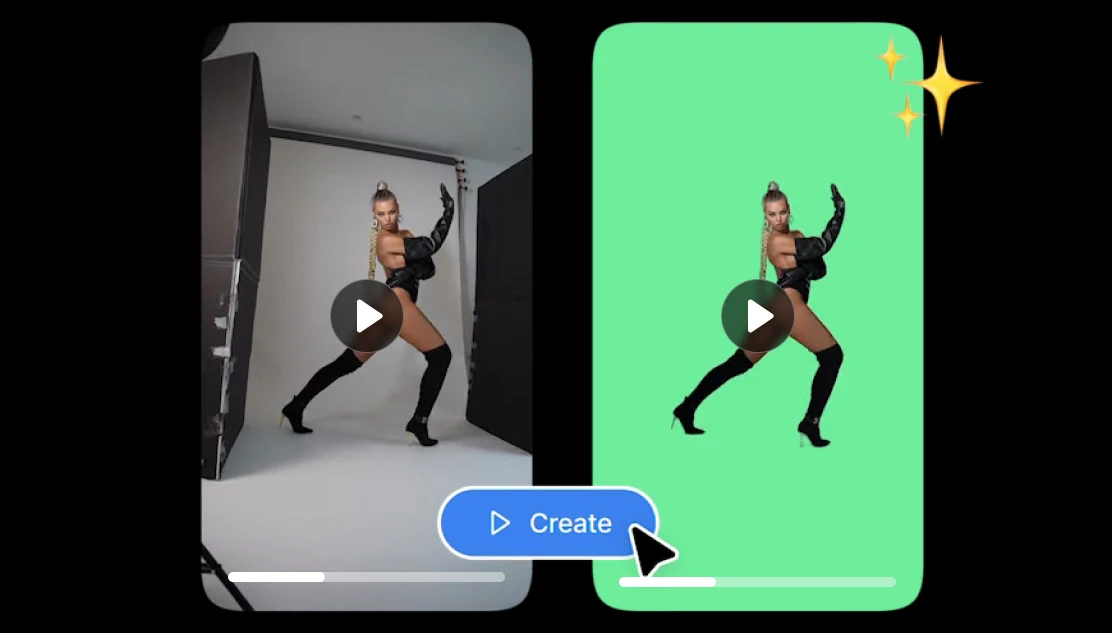
Removing a background meant filmed in front of a physical green screen or you spent hours manually masking and rotoscoping in After Effects. Neither option was fast or easy.
How to remove the background from any video automatically with AI using Artificial Studio
1. Go to Artificial Studio's AI Video Background Remover
This tool processes video automatically and delivers a green screen output compatible with any editing software. The pricing is credit-based — 3 credits per 30 frames, with 1,400 credits available for $8 per month, which works out under 2 cents $0.017, per 30 frames
2. Upload your video
3. Click run
4. Down the green screen output.
The format will be an MP4 file in high quality. The output works directly in Premiere Pro, After Effects, Final Cut, DaVinci Resolve, CapCut, and Canva.
For teams processing multiple videos or building background removal into a product or workflow, the tool also supports batch processing and API integration.
The original and old green screen works by giving the software a uniform color to key out. The subject stands in front of a solid green background, and the editing software removes everything matching that color.
AI background removal works differently — it identifies the subject itself rather than the background.
The output is typically delivered as a green screen video file that works in Premiere Pro, Final Cut, After Effects, DaVinci Resolve, CapCut, or Canva.
Who actually needs this:
Video editors and post-production teams — rotoscoping is one of the most time-consuming tasks in post-production. For editors working on client projects with tight turnaround times, AI background removal can compress what used to be hours of manual work into seconds.
Marketers and social media teams — product demos, talking head ads, branded content for YouTube, TikTok, or Instagram Stories all frequently require the subject to appear in front of a specific branded background. Without a studio setup, this used to require either renting a green screen space or accepting lower quality results.
Influencers and content creators — for solo creators producing high volumes of content, anything that removes friction from the production process matters. Being able to film at home and still place yourself in front of a professional or branded background is a meaningful quality upgrade without additional equipment.
Agencies processing content at scale — when you're producing video content for multiple clients across multiple formats, manual background removal doesn't scale. Batch processing via API is how agencies automate this step entirely.
E-learning creators and educators — online course content, tutorial videos, and educational explainers often benefit from placing the presenter over a clean, minimal background or branded environment.
What to look for in an AI video background remover:
- Edge quality on complex subjects — hair is the hardest test.
- Output format compatibility — the output should work directly in your editing software of choice.
- Processing speed — for short clips, speed matters less. For batch processing or high-volume production, the time per minute of processed video becomes a real workflow constraint.
- Pricing transparency — Understand what you're paying per second or per minute of processed video before committing.
- API availability — if you're building a tool, automating a workflow, or processing content at scale, API access is non-negotiable.