How to Restore and Colorize Damaged Old Photos with AI in 2026 (scratches & fading)
This guide explains how old photo restoration and colorization works today using AI Artificial Studio’s Edit Image tool and the Nano Banana Pro model. It’s a step-by-step tutorial and highlights tips that improve final results.
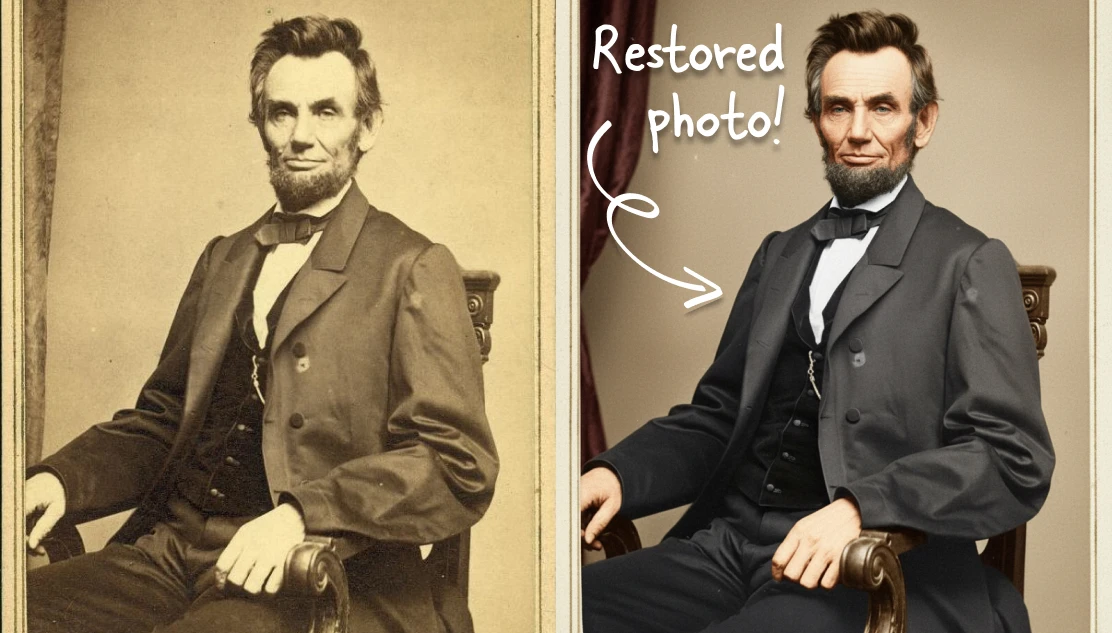
Step-by-Step Tutorial: How to Restore Old Photos with AI
Step 1: Open the Artificial Studio’s Edit Image tool
Upload the damaged or faded black and white image you want to restore. You can use high-quality or even smartphone captures of physical photos.
Step 2: Select Nano Banana Pro
Choose the Nano Banana Pro model inside the editor. It performs restoration and colorization simultaneously, reducing the need for multiple editing passes. This model is optimized for:
- Scratch removal
- Image reconstruction
- AI colorization
- Detail enhancement
- Upscaling vintage photography
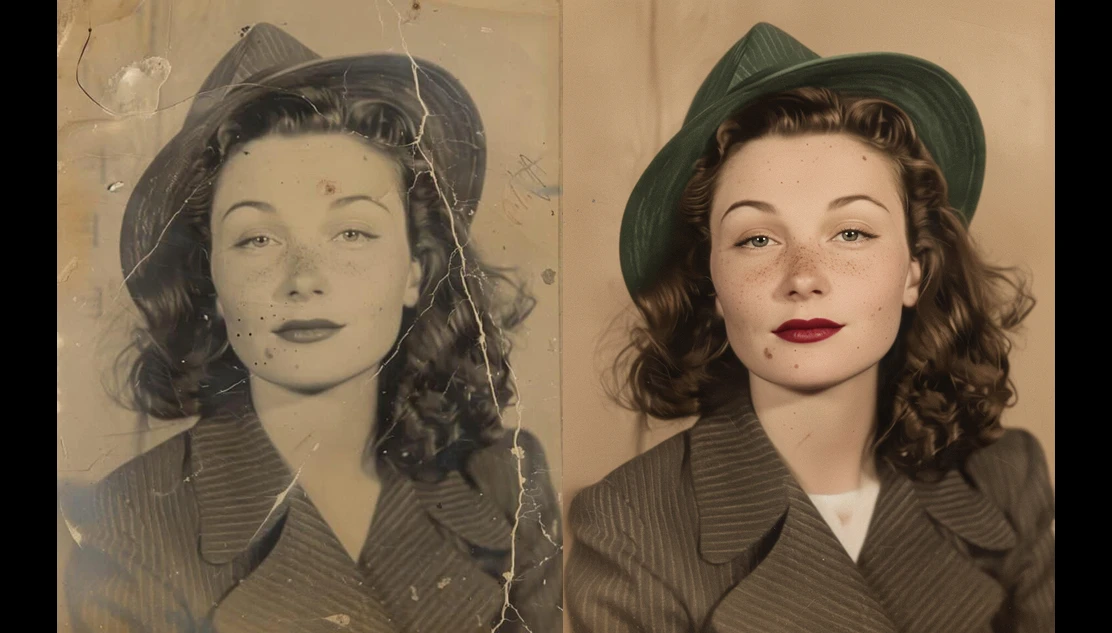
Step 3: Write a simple prompt
The AI performs most of the technical work but you need to give a small prompt of what you want. This is the prompt:
“restore and colorize old photo”
That's it! That's more than enough to enhance any photo, from vintage family portraits and historical city street scenes for architectural restoration, to natural landscape colorization for outdoor scenes.
Step 4: Download and use your new photo in restored version
Click on the button “Run” and wait for a few seconds, the AI will remove scratches and physical artifacts, reconstruct missing or faded textures, add realistic colorization and increase resolution through upscaling.
Optional step 5: regenerate
100% of the time it has created even better results for the Artificial Studio team than we expected, but if colors feel historically inaccurate or details are not perfect for you, adjust your prompt and regenerate. It can be things like: “Use subtle, historically accurate colors from this particular era”, “Preserve film grain and vintage texture”, “Avoid oversaturated tones”.
Historically, restoring vintage photography required professional restoration services or detailed Photoshop knowledge. That meant cloning scratches manually, reconstructing missing textures, and colorizing images layer by layer (and let's be honest, the final results weren't even as good as what AI can create today in a matter of seconds).
These AI models are trained to understand:
- Facial features and skin tones
- Fabric textures and historical clothing details
- Environmental lighting and shadow consistency
- Film grain and vintage photographic artifacts
Instead of simply applying filters, AI reconstructs missing information by analyzing patterns from millions of reference images. The result is restoration that feels natural rather than artificially processed.
Many tools separate restoration from colorization. While that works, it often creates inconsistent results. Scratches might be removed, but faded tones remain inaccurate. Colorization might be applied, but damage and low resolution still reduce clarity.
Combining restoration, colorization, and upscaling produces stronger outcomes. This is the core advantage of using Nano Banana Pro inside Artificial Studio’s Edit Image tool.
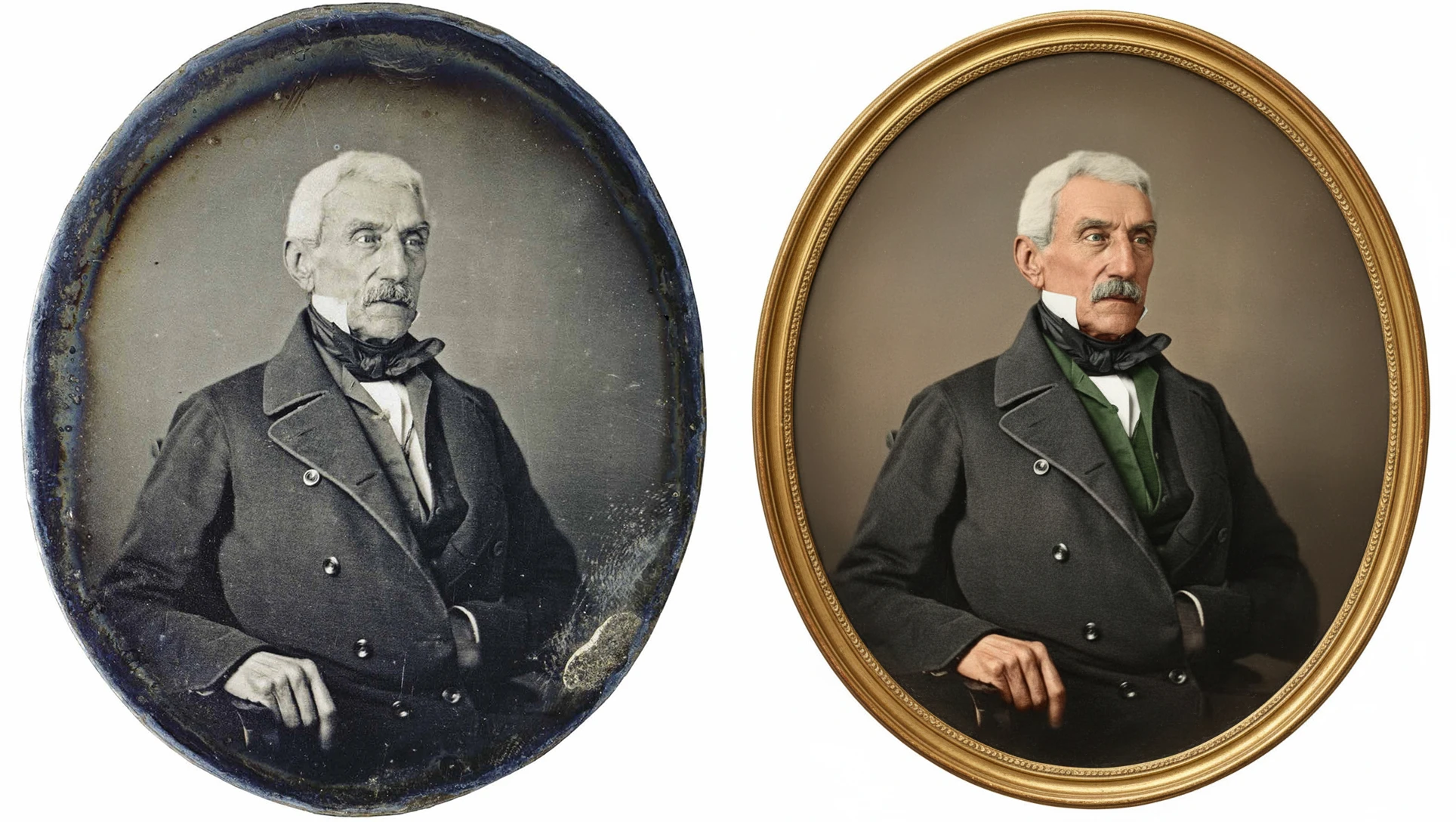
Old photographs document family history, cultural moments, and personal milestones that often exist nowhere else. The problem is that time creates scratches, fading, discoloration, and low resolution that erase details.
Learning how to restore old photos with traditional tools like Photoshop required advanced technical skills and hours of manual retouching. In 2026 AI models like our Edit Image tool can repair physical damage, enhance resolution, and colorize vintage photos with just one click.
AI restoration tools are particularly effective for:
- Family portraits and historical photography
- Vintage travel and documentary photos
- Film negatives and scanned prints
- Faded black and white images
- Scratched or physically damaged photographs
The technology works best when the original photo still contains recognizable shapes and faces, even if damage is severe.
When AI works better than Photoshop (and when It doesn’t)
Photoshop remains a powerful manual editing tool. Professional restorers still rely on it for extremely complex damage, such as large missing sections or heavy water destruction. However, AI restoration now outperforms manual workflows in several areas:
Speed: AI restoration can complete in seconds what manual Photoshop retouching might take hours.
Accessibility: Users without advanced editing skills can achieve professional results.
Contextual Reconstruction: AI models predict missing textures and facial details based on learned image patterns, which is difficult to replicate manually.
Photoshop still provides more granular control, so many professionals combine both tools. AI handles base restoration, while Photoshop is used for final artistic adjustments.
Tips to improve AI old photo restoration results:
Start With the Cleanest Scan Possible: Dust and scanning artifacts can confuse AI models. Clean physical prints before scanning.
Avoid Over-Editing Prompts: Short, descriptive instructions usually perform better than long, complex directions.
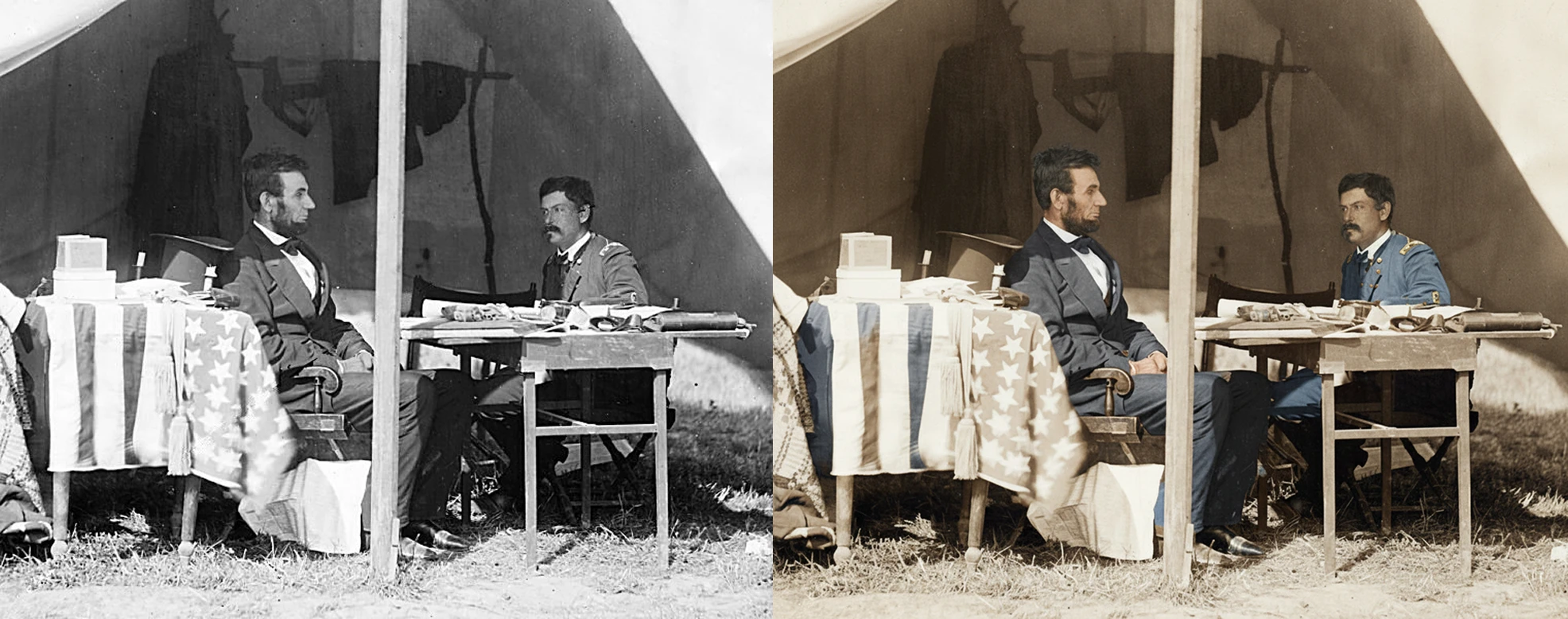
Preserve Historical Authenticity: If accuracy matters, reference the decade or location of the photo in your prompt.
Use Iteration Strategically: Generating two or three variations often produces stronger outcomes than relying on a single result.
Balance Colorization With Texture: Vintage photos sometimes look more authentic when slight grain or film texture remains visible.
Old photographs are more than visual records. They preserve identity, relationships, and cultural memory. Learning how to restore old photos with AI allows people to recover details that may have seemed permanently lost.
Artificial Studio’s Edit Image tool and Nano Banana Pro simplify old photo restoration and colorization by combining scratch repair, realistic color enhancement, and AI upscaling into one process. The result is faster restoration, fewer technical barriers, and outputs that retain the emotional authenticity of vintage photography.
As AI continues to evolve, restoring damaged photographs will become less about technical limitation and more about preserving history with greater clarity than ever before.
But the opportunities don't end there. We offer a full spectrum of generative tools to power your entire workflow. Explore the ArtificialStudio.ai platform of 50+ AI Tools designed to assist your team with everything from marketing content creation to branding, social media visuals, and more.