How to try a new hairstyle before cutting your hair for free with AI - Tutorial 2026
See exactly how a new haircut or color looks on you before you sit in the salon chair. Upload your photo, describe the style, and get a realistic AI preview in seconds. Do it for free with this tutorial.
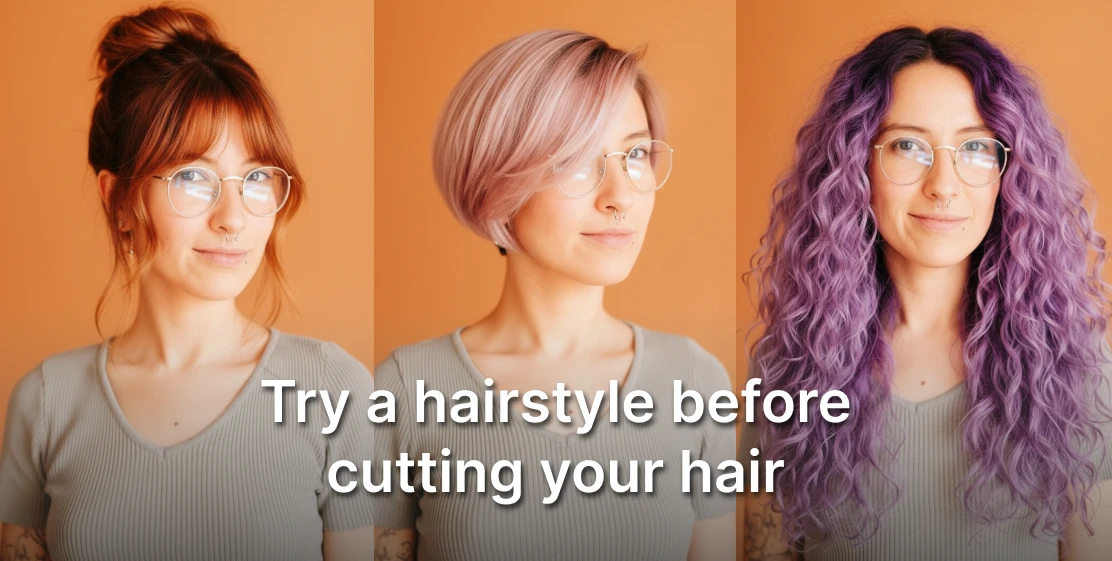
You've been thinking about cutting your hair for weeks. Maybe it's a big chop, bangs or going blonde. But every time you get close to booking the appointment, the same thought: what if it doesn't look good on me?
A major haircut costs $80–$300. A color treatment can run even more. And if you hate the result, you're stuck with it for months. Here's how to change hairstyles with AI in seconds.
Step 1: Open the Tool
Go to Artificial Studio's AI Hairstyle Changer. No download required — it runs entirely in the browser.
Step 2: Upload your photo
Upload a clear photo of yourself facing the camera — PNG or JPG. A few things that improve the result:
- Face the camera directly, eyes forward
- Good lighting on your face — natural light works well
- Avoid sunglasses, hats, or anything covering your hairline
- Plain or neutral background if possible, though not required
The AI uses your face shape, skin tone, and current hair to generate a realistic preview on you specifically — not a generic model.
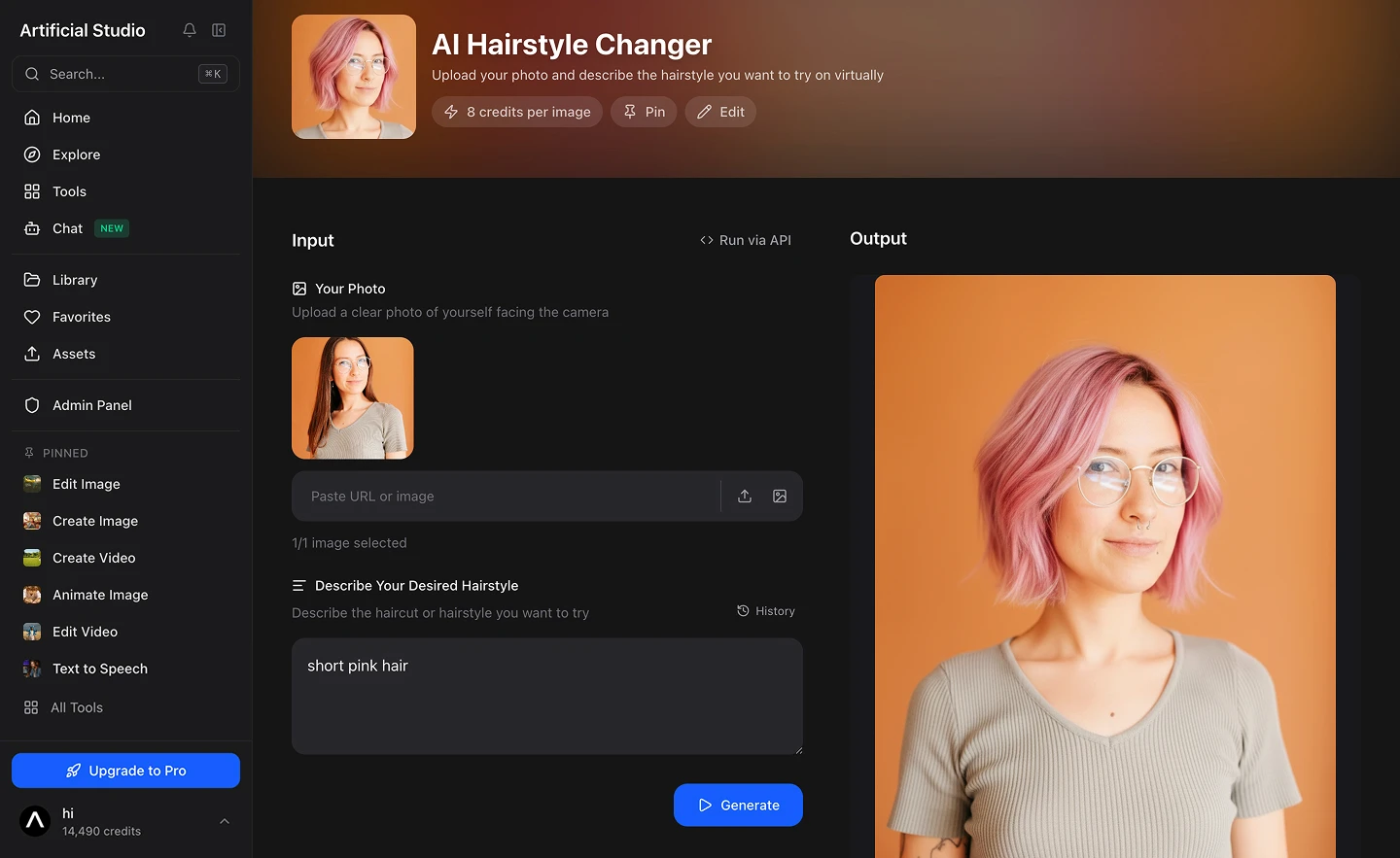
Step 3: Describe the hairstyle you want
In the text field, describe the cut, color, and style you want to try — in plain language. Be as specific or as loose as you like.
Some examples:
"A short pixie-bob in soft rose-pink with darker roots, side-parted layers falling across the forehead"
"Long wavy balayage, dark brown roots fading into honey blonde at the ends"
"Curtain bangs, keeping the length, soft layers around the face"
"Buzz cut, natural color"
"Shoulder-length bob with blunt ends and platinum blonde highlights"
The more detail you include about length, texture, color, and finish, the closer the output will match your vision. Here is a long and complex prompt created after showing the AI a photo of a desired hairstyle and asking it to describe it:
A short pixie-bob in a soft rose-pink with darker, slightly more natural roots peeking through, giving it subtle dimension. The cut is longer on top with sweeping, side-parted layers that fall loosely across the forehead, and tapers closely at the sides and nape. The texture is smooth and silky with a gentle, flowing finish rather than anything spiky or textured. The overall aesthetic is feminine and delicate — a grown-out pixie transitioning toward a bob, with the pastel color keeping it soft and modern.
Step 4: Generate and review
Hit Generate. In seconds you get a realistic AI-generated image of you with the new hairstyle applied, not a filter layered on top of your photo, but an actual new image generated from your description. Each generation costs 8 credits, less than 5 cents.
Not quite right? Adjust the description and generate again. Try multiple directions. Compare them side by side. Download the ones you want to show your stylist.
Why people get this wrong before AI existed
The Pinterest folder approach: You collect 40 photos of haircuts you like, bring them to the salon, and hope one of them translates to your face shape and hair texture. It usually doesn't — because the photo is someone else's hair on someone else's face.
Asking friends: Subjective, unreliable, and nobody wants to tell you that your dream hairstyle isn't going to work.
Going for it and hoping: The most common approach, and the one that produces the most regret. Once the scissors close, there's no undo.
Apps with preset filters: Tools like YouCam's virtual hairstyler let you try from a library of predefined styles. The results look artificial because they are. And you're limited to whatever styles are in their catalog.
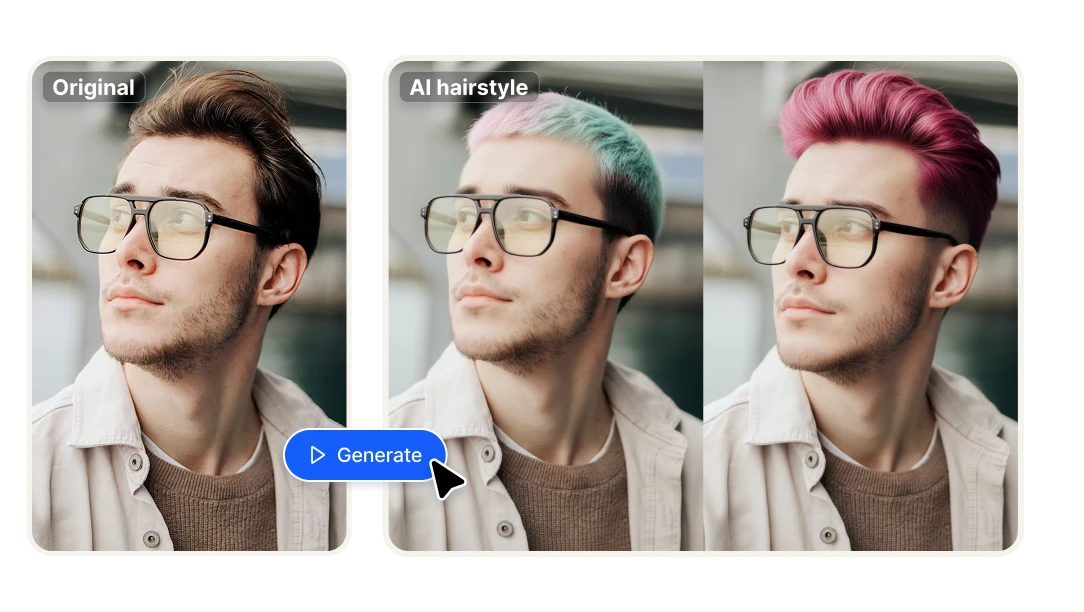
The real pain points this solves
Fear of commitment. The number one reason people don't try new hairstyles is the same reason they don't try new things in general — asymmetric risk. The potential downside (hating your hair for 6 months) is much more vivid than the potential upside (looking great). A preview eliminates the downside risk entirely.
Miscommunication with your stylist. "Just a little off the top" means something different to everyone. Bringing a photo of a celebrity doesn't help if their face shape, hair texture, or color is nothing like yours. A preview generated on your actual photo is the clearest possible brief you can give a stylist.
Color decisions. Going lighter involves bleach — which is irreversible and damaging. Most people who want to go platinum blonde or make a dramatic color change hesitate because they can't visualize the result on themselves. AI previews let you test any color.
The "will this suit my face shape?" question. It's one of the most searched beauty questions online for a reason. The honest answer is: the only way to actually know that is to see it. A generated preview on your specific face is more useful than any general guide.
How it compares to other tools
Fotor AI Hairstyle Changer — solid tool for basic style and color changes, but limited to preset style categories. You pick from a menu rather than describing freely in text. Less flexibility for specific or unusual styles.
YouCam Virtual Hairstyler — a library of over 150 preset hairstyles you can try on your photo. The results look like overlays rather than generated images, and you're limited to what's in their catalog. No free-text description of a custom style.
HairstyleAI — focused on generating new hairstyle photos, good quality, but a standalone tool with no creative pipeline around it.
Artificial Studio — free-text description means you can try any style you can articulate, not just what's in a preset library. The output is AI-generated rather than a filter. And because it's part of a platform with 50+ creative tools, you can take your preview further — turn it into a professional headshot, a social media post, or a styled image for your dating profile — without switching platforms.
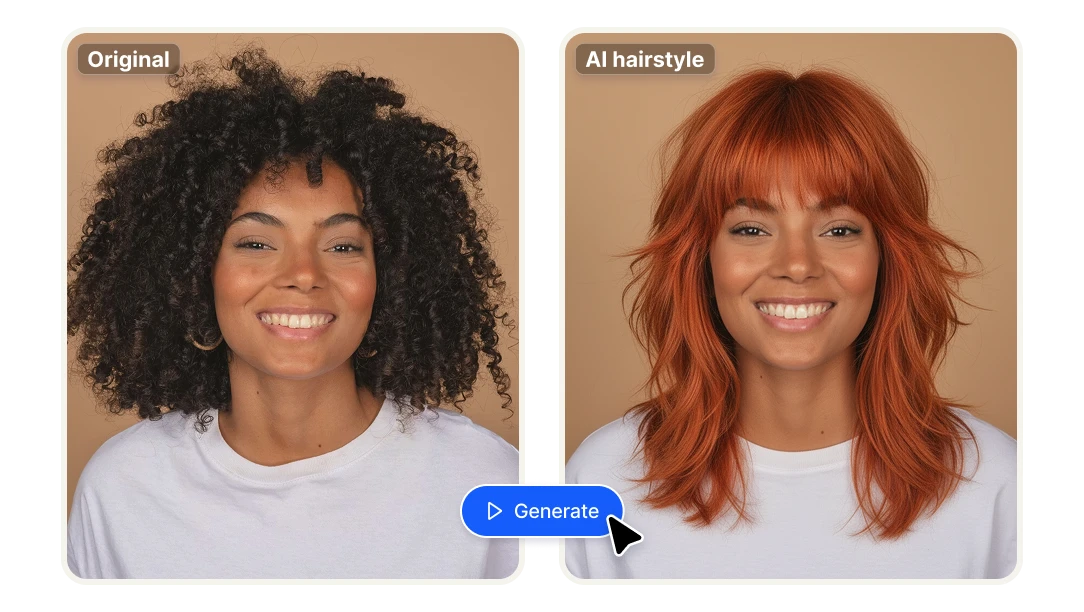
API for Developers: Add Virtual Hair Try-On to Your Product
If you're building a salon booking app, a hair care brand platform, a beauty e-commerce product, or any service where customers make hairstyle decisions, Artificial Studio's API gives you direct access to the AI Hairstyle Changer.
You can embed virtual try-on directly into your product — let customers preview hair colors before purchasing a dye kit, let clients visualize a cut before booking an appointment, or add a "try before you buy" feature to any hair product line. No need to build the underlying AI model yourself.
The same tool powering this tutorial is available programmatically via the Artificial Studio API.