Meet your AI Creative Assistant: create images, videos & music from one Chat
Stop switching between AI tools. Artificial Studio's AI Chat picks the right tool automatically from a single description: images, videos, music, and 50+ creative tools in one conversation.
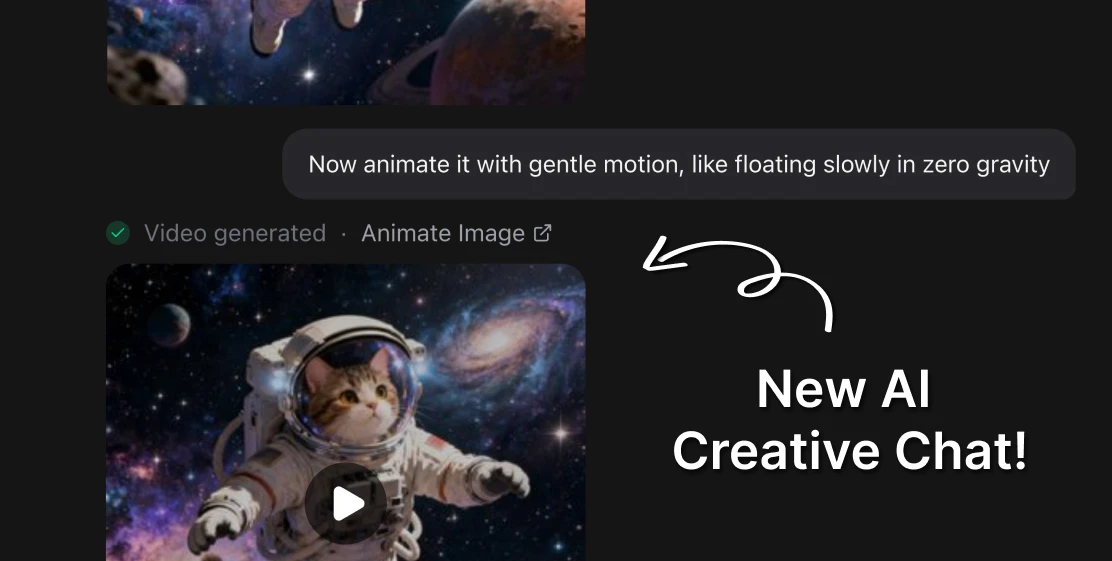
Every creative professional using AI tools in 2026 has the same problem: too many tools, too many tabs, too many subscriptions. You use one tool for images, another for video, for music, voiceover, marketing content, etc.
Getting from idea to finished asset means knowing which tool to open and how to use it. Artificial Studio just changed that.
One Chat. Every creative tool.
You don't pick the tool. You describe what you want, and our assistant with access to 50+ specialized AI creative tools, picks the right tool for the job automatically. Then it runs it, shows you the result, and lets you refine it. All without leaving the conversation.
- Describe a product image you need → it runs the right image generation tool.
- Ask it to remove the background → it switches to Background Remover automatically.
- Tell it to create a lo-fi beat for your video → it runs Create Music with the right parameters.
- Ask it to translate your video into Spanish → it routes to Video Translate.
No menus, tool-switching or learning curve for each individual feature. Just describe what you want to create.
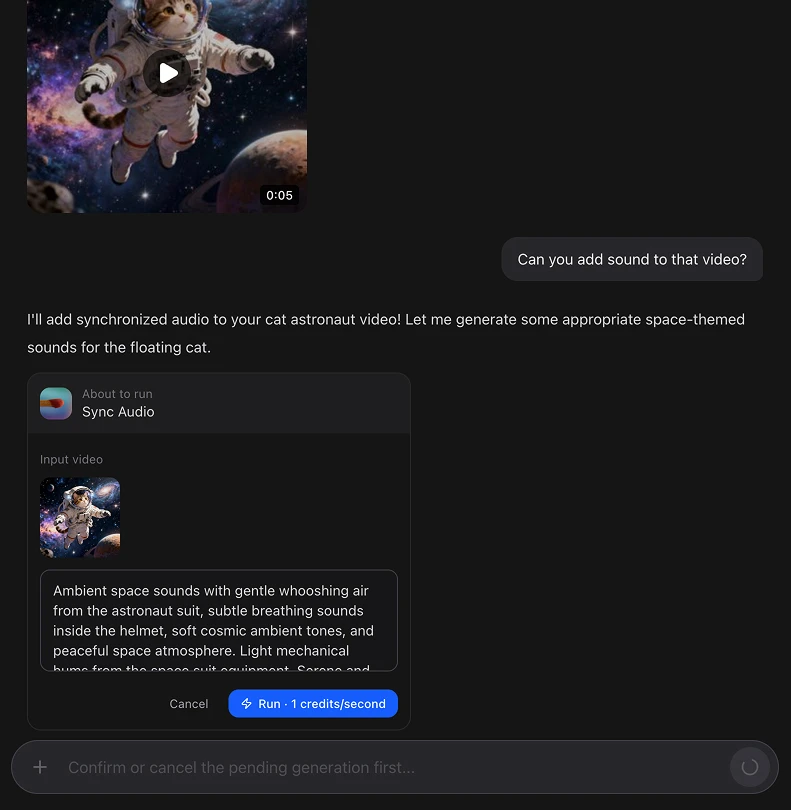
The current state of AI creative production requires you to be a tool expert before you can be a creative.
To produce a single piece of marketing content today, a typical workflow looks like this: generate the base image in Midjourney or DALL-E, clean it up in Photoshop or Remove.bg, create a video from it in Runway or Kling, add a voiceover in ElevenLabs, generate background music in Suno, and edit it together in CapCut or Premiere. That's six interfaces.
Artificial Studio's Chat eliminates that layer. The assistant knows the full platform — every tool, every capability — and routes your request to the right one. You stay in the conversation. The work gets done.
What you can create from a single chat
The assistant has access to the full Artificial Studio toolkit across every creative category:
Image
Generate images from text, edit and transform existing photos, remove backgrounds, upscale, extend, restore old photos, remove unwanted objects, change styles, 3D objects.
Video
Create videos from text or images, animate still images, edit and extend clips, upscale video quality, translate to 150+ languages, sync audio, replace characters, remove video backgrounds.
Audio & Music
Generate original music from a text description, create voiceovers with Text to Speech, split songs into stems, generate sound effects, transcribe audio, add subtitles automatically.
Marketing & Branding
Create social media posts, product ads, YouTube thumbnails, logos, event posters, business cards, and more — from a single prompt describing your brief.
All of it. One chat.
What no one else has
ChatGPT can generate images with DALL-E. But it can't make a video, generate original music, translate your content into another language, or produce a product mockup — not from the same conversation.
Canva has a basic chat interface inside its canvas. It's limited to what Canva's template-based tools can do — no AI video generation beyond 8-second clips, no music creation beyond a background picker, no fashion model generation, no API access.
Adobe Firefly has a chat assistant that can help you navigate Creative Cloud. But it requires you to open the right Adobe application for each task, and Creative Cloud starts at $59.99/month.
Runway, Kling, Pika, Suno, ElevenLabs — each of these is excellent at one thing. None of them has a conversational interface that spans the full creative production pipeline.
Artificial Studio's AI Chat is the only place where a single conversation can take you from a creative brief to a finished image, video, audio track, and marketing asset — without switching platforms.
How it works
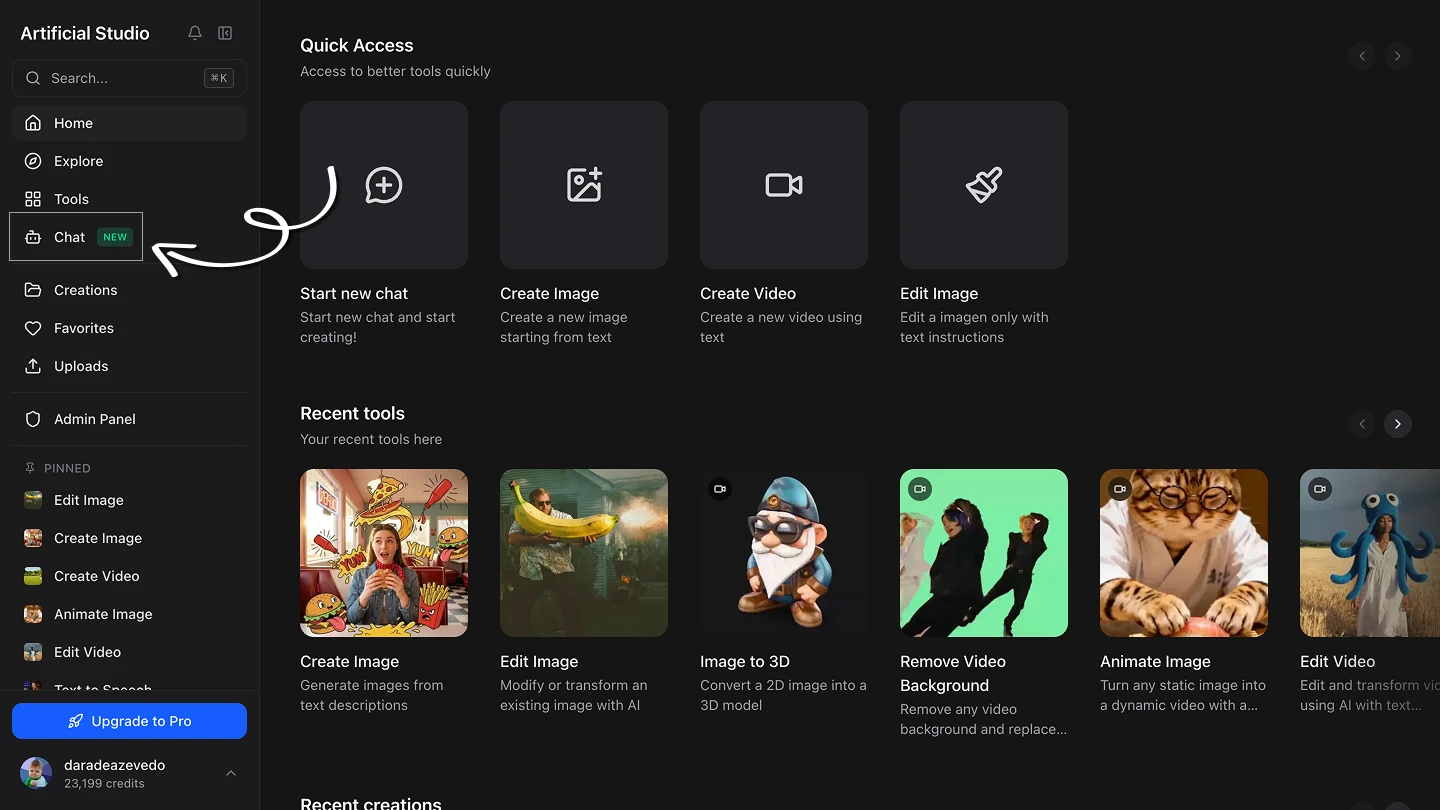
The interface is straightforward. Open Chat from the sidebar, describe what you want to create in plain language, and the assistant handles the rest.
A few examples of how a real conversation flows:
"I need a product photo of a ceramic coffee mug on a white background with warm morning light"
The assistant runs Smart Product Scene with the right parameters and returns the image.
"Can you make that into a short video with gentle motion?"
It passes the output to Animate Image and creates a looping video from the still.
"Make a jazz song with a man's mellow voice that sings "capybaras are great, I love them"
It runs Create Music with the right style prompt and duration.
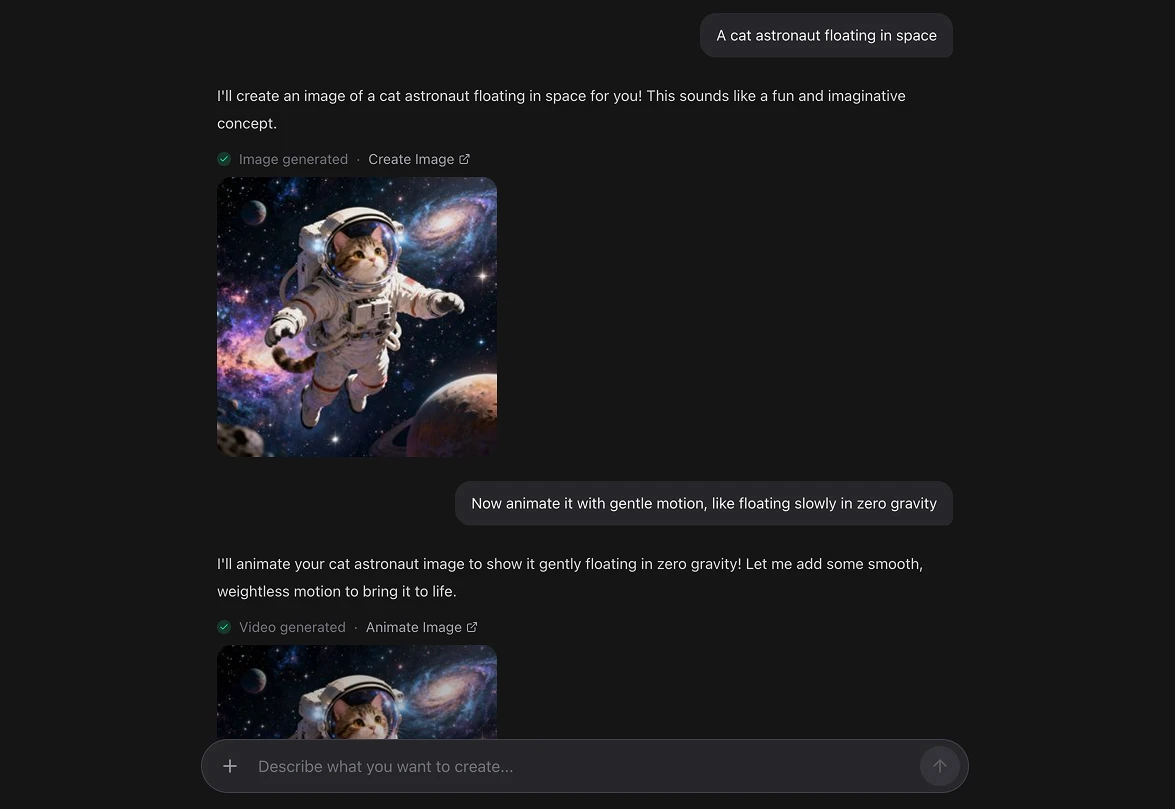
Three requests. One conversation. A complete set of assets — no app switching, no file exports, no format conversion between platforms.
Who this is for
Marketers and content creators who need to produce assets across formats without managing a stack of separate AI subscriptions.
Small business owners who know what they want but don't want to learn six different tools to get there.
Creative agencies managing multiple clients with different content needs — video for one, product photography for another, social graphics for a third. One platform, one conversation interface, all covered.
Developers who want to integrate AI creative production into their own products — the same tools available in Chat are accessible via Artificial Studio's API.
The next step is a single creative assistant that knows all of the tools — and does the routing for you.