How to virtually stage listing photos for Zillow for free
Virtually stage listing photos for Zillow for free with AI. Add furniture to empty rooms while the walls, floors and proportions stay exactly the same.
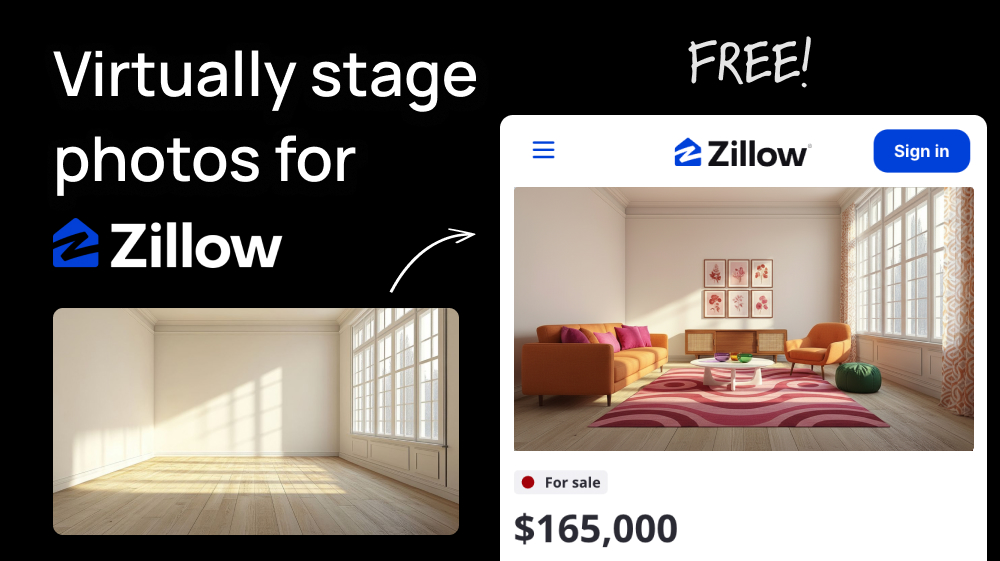
Buyers scrolling Zillow can't tell if a sofa fits in the living room or where the bed goes, so they keep scrolling. Physical staging fixes that, but it means renting furniture, moving it in and waiting days for it.
There's a simpler way. Upload a photo of the empty room to Add virtual furniture to rooms, describe the furniture you want, and the AI stages it in a few seconds. The room keeps the same proportions, walls, floors and windows as your original photo. It costs 8 credits, so you can stage two rooms a day for free.
Step 1: Upload the photo in our tool
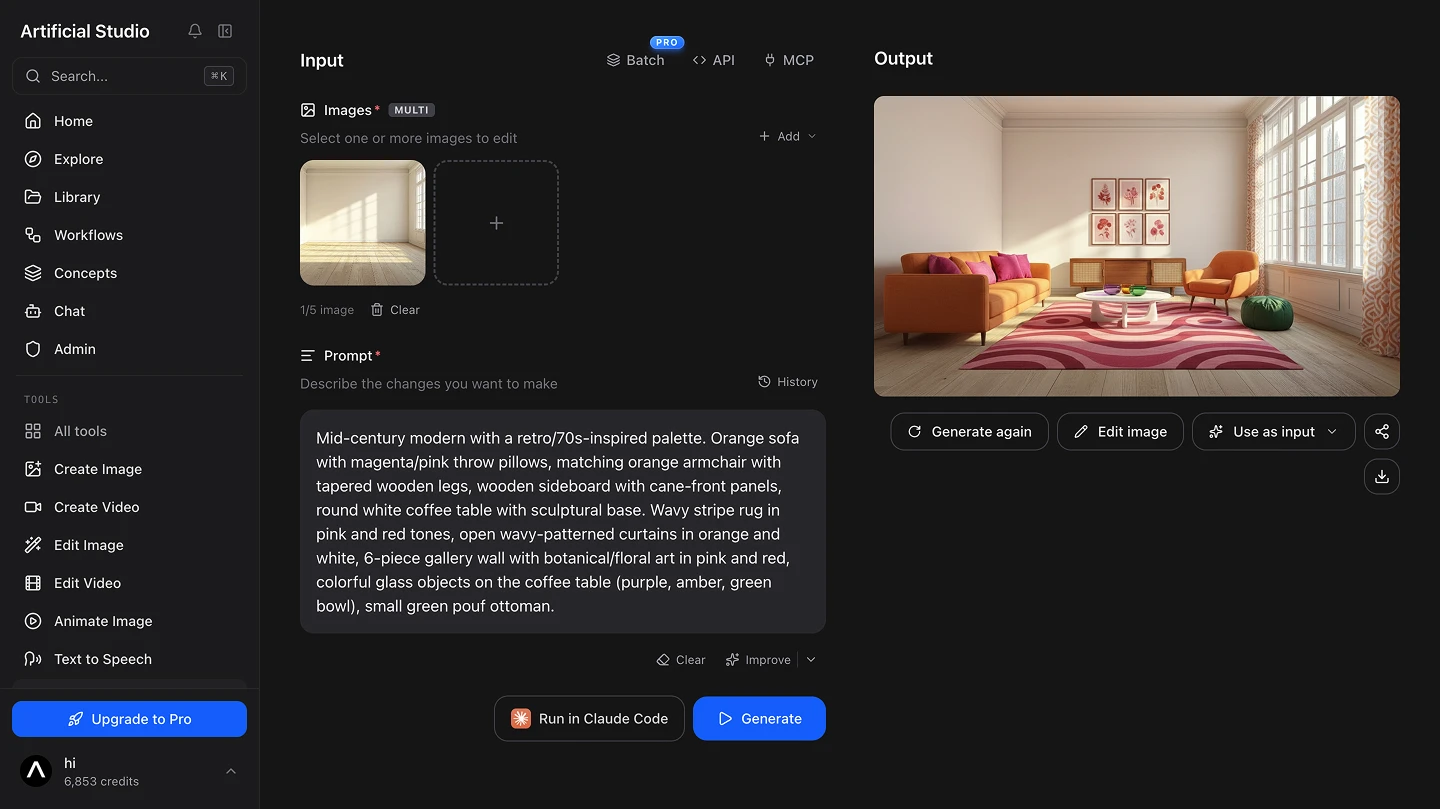
Open the Add virtual furniture to rooms tool and upload the photo of the room. Click the upload area to pick it from your computer, or just paste it with Ctrl+V.
💡 Shoot from a corner at chest height, with the camera level and the lights on. A wide, well-lit photo gives the AI more floor and wall space to work with, and the furniture comes out at a more realistic scale.
Step 2: Describe the furniture you want
In the prompt, write what you want to add in plain English: the pieces, the style and the colors. For example:
Mid-century modern with a retro/70s-inspired palette. Orange sofa with magenta/pink throw pillows, matching orange armchair with tapered wooden legs, wooden sideboard with cane-front panels, round white coffee table with sculptural base. Wavy stripe rug in pink and red tones, open wavy-patterned curtains in orange and white, 6-piece gallery wall with botanical/floral art in pink and red, colorful glass objects on the coffee table (purple, amber, green bowl), small green pouf ottoman.
If you're not sure how to write the prompt, the "Improve" button rewrites it with more detail.
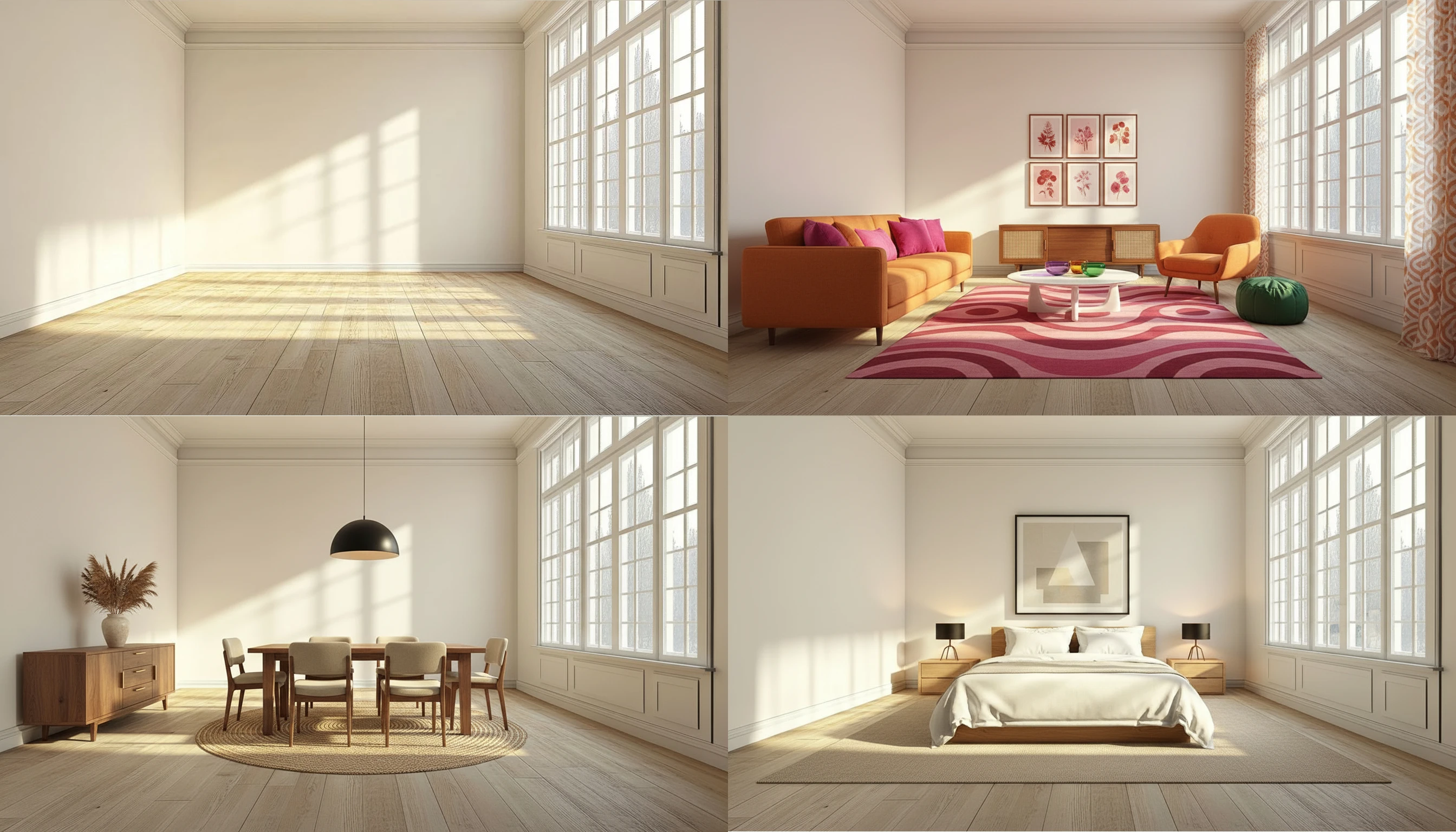
a queen bed with white linen bedding, two wooden nightstands with small lamps, a beige rug under the bed and a framed print above the headboard, warm minimalist style.
It only adds furniture, the room stays the same
The tool keeps your photo with the same proportions, camera angle, walls, floors, windows and view. It only places furniture and decor.
That's what makes it useful for real estate. A staged photo should help buyers picture how they'd use the space, not show them a different house.
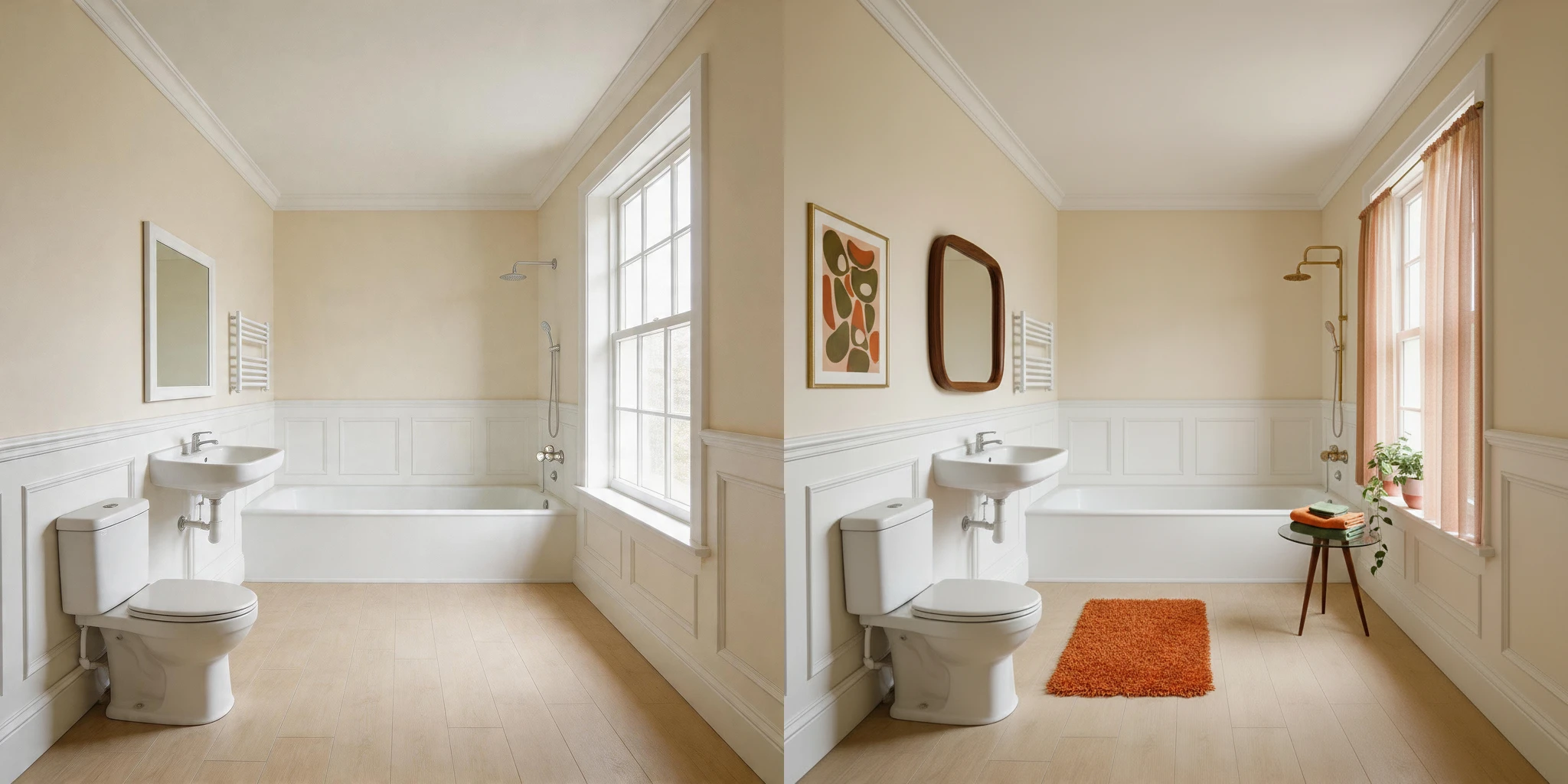
Prompt for this image:
Mid-century modern bathroom with a retro/70s-inspired palette (orange, pink or green)
Step 3: Generate
Hit Generate and the staged room is ready in a few seconds. Try two or three styles for the main rooms, the living room, the kitchen and the main bedroom.
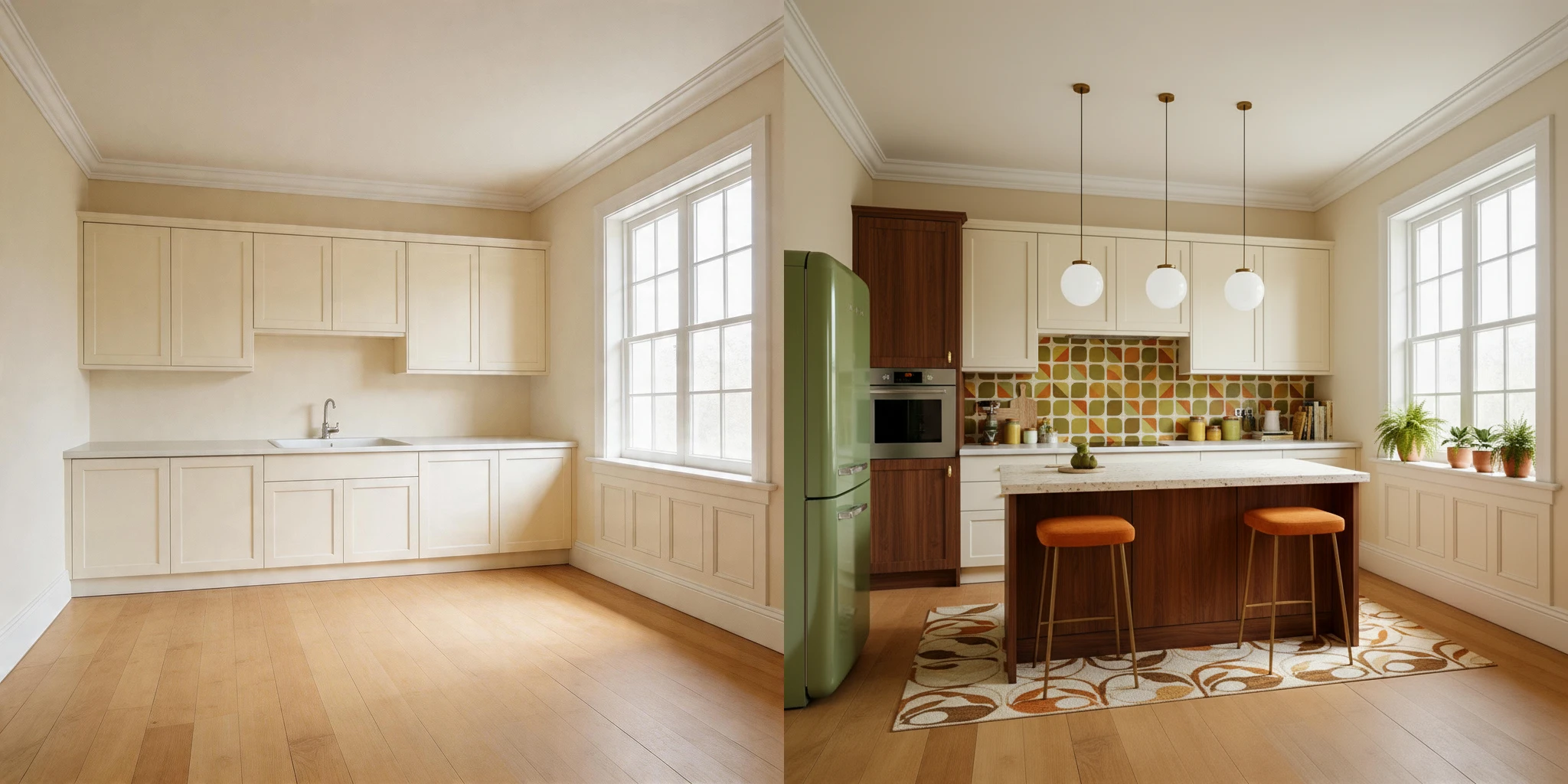
Prompt for this image:
Mid-century modern kitchen with a retro/70s-inspired palette.
If you're staging a whole house or several listings at once, the PRO plan has a Batch option so you can upload all the rooms together.
Step 4: Disclose it before it goes on Zillow
Zillow doesn't have its own virtual staging rule, but its standards require listing photos to accurately represent the home. Most listings reach Zillow through the MLS, so the photos you upload to your MLS are the ones Zillow shows, and the MLS rules are the ones you need to follow.
Only add furniture and decor. Don't hide or change permanent features like walls, floors, windows, the view or power lines. Check your local MLS rules, since each board sets its own.
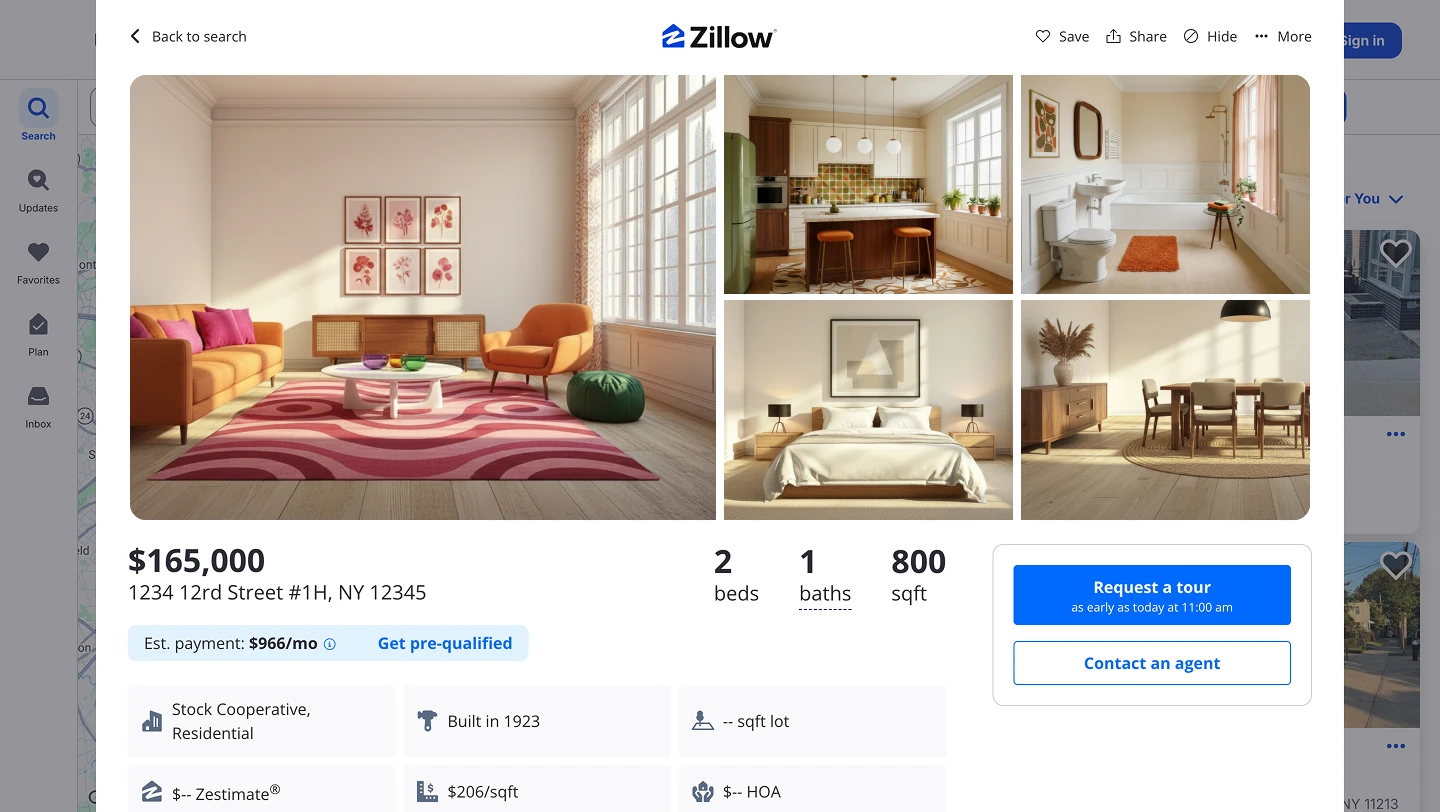
This process is FREE
Artificial Studio gives you 20 FREE credits every day, and each staged room costs 8. So you can stage two rooms a day at no cost, forever, without putting in a card.
Compare that to the usual setup: physical staging, with furniture rental, movers and weeks of waiting, or paying a virtual staging service per photo.
Doing it without opening the browser at all
Artificial Studio has an MCP server, so the same tool is available directly inside Claude, Cursor, ChatGPT, Gemini, n8n and others. Paste the photo of the room into the chat you're already in, describe the furniture, and the staged photo comes back there.
Through n8n you can wire it into a flow: drop the photos of a new listing into a folder, and the staged versions are waiting for you in another one, ready to watermark and upload to the MLS.
Why staged photos help a listing
Buyers decide which homes to tour from the photos. An empty room gives them nothing to measure against, so it's hard to tell if it's big enough for a dining table or a home office. With furniture in it, they understand the space in a second and start picturing themselves living there.
Take the emptiest room in your next listing, open Add virtual furniture to rooms, and see it staged in a few seconds. Your free credits reset tomorrow either way!