
Image to 3D
Image to 3D

Image to 3D

Convert a 2D image into a 3D model
60 credits per object
Input
Model
Upload image
Upload the image you want to convert to a 3D model
Output
Click "Generate" to start creating...
Examples

How to use Convert Images to 3D Models with AI

1

Upload Your Image

Select and upload any 2D image, photo, or artwork that you want to convert into a 3D model.

2

Choose AI Model

Select from advanced AI models like TripoSR or Hunyuan 3D v2.1 for optimal conversion results.

3

Generate 3D Model

Click generate and watch as AI analyzes your image and creates a detailed 3D model object.

Why use Convert Images to 3D Models with AI?

Advanced AI Technology

Powered by cutting-edge models like TripoSR and Hunyuan 3D v2.1 for superior image-to-3D conversion. These specialized algorithms understand depth, geometry, and object structure to create realistic 3D models from flat images.

Instant 3D Creation

Transform any 2D image into a 3D model in seconds without requiring 3D modeling skills or expensive software. Perfect for designers, developers, and creators who need quick 3D assets for their projects.

Versatile Applications

Use your generated 3D models for game development, product visualization, 3D printing, AR/VR applications, or digital art projects. The models work seamlessly across different platforms and software.

Frequently Asked Questions

How much does it cost to convert images to 3D models?
Artificial Studio uses a credit-based pricing system. Visit artificialstudio.ai/pricing for current rates and available credit packages.
What image formats are supported for 3D conversion?
The tool supports common image formats including JPG, PNG, and other standard image files. Upload your image and the AI will process it automatically.
How does the image to 3D conversion work?
Simply upload your 2D image and select an AI model like TripoSR or Hunyuan 3D v2.1. The AI analyzes depth cues, shadows, and object structure to generate a detailed 3D model.
Can I use the generated 3D models commercially?
Yes, you can use the 3D models created with Artificial Studio for commercial projects, including games, apps, marketing materials, and product designs.
How long does it take to convert an image to 3D?
The AI conversion process typically takes a few seconds to complete. Processing time may vary based on image complexity and server load.
What's the difference between TripoSR and Hunyuan 3D v2.1?
Both are advanced AI models for image-to-3D conversion, each with unique strengths in handling different types of images and objects. Try both to see which works best for your specific image.
Can I convert portraits and faces to 3D models?
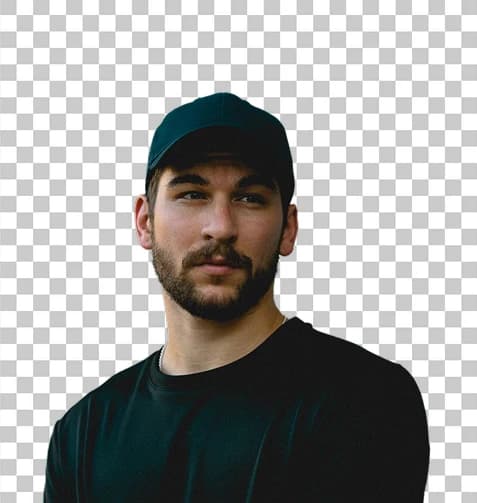
Yes, the AI can convert portraits, faces, objects, and various types of images into 3D models. The quality depends on the clarity and angle of the original image.
What file format do I get for the 3D model?
The tool generates 3D model objects that can be used in various 3D applications and workflows. Check the output options for specific format details.

Related AI Tools