Restore image
Restore image

Restore image

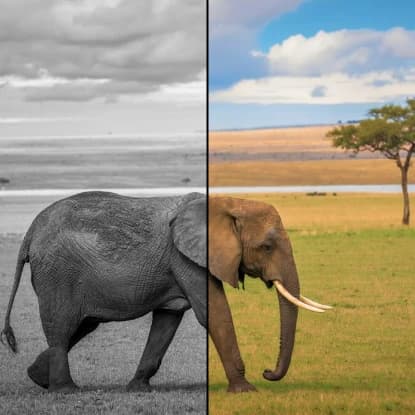
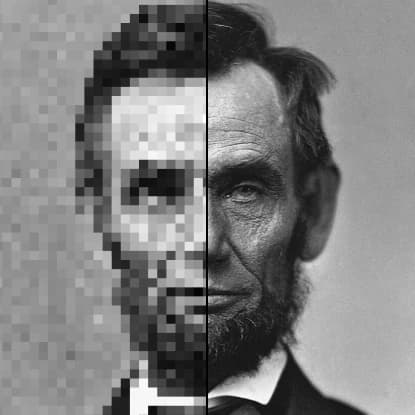
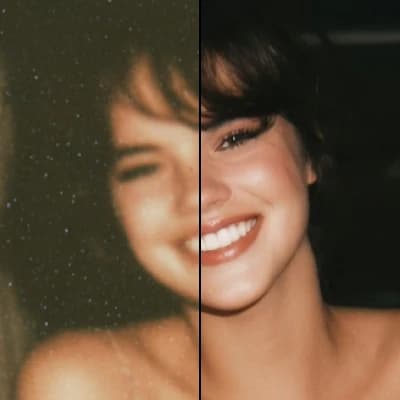
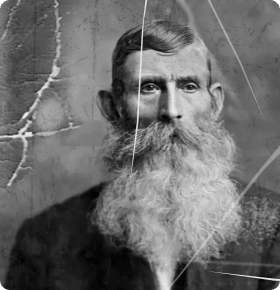
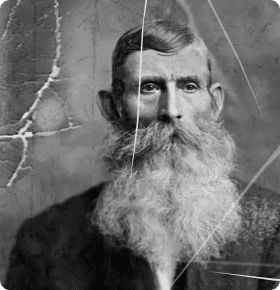
Restore your old or damaged photos by removing scratches, dust, and stains. Get a clean, refreshed version that keeps the original detail and colors intact.
8 credits per image
Input
Images
Select one or more images to edit
Output
Click "Generate" to start creating...
Examples

How to use Restore Old Photos with AI

1

Upload Your Photo

Select the old or damaged photo you want to restore from your device. The AI works with various common image formats.

2

AI Automatic Processing

Our AI automatically detects and removes scratches, dust, stains, and other damage while preserving the original details and colors.

3

Download Restored Image

Get your fully restored photo in high quality, ready to save, share, or print with renewed clarity and vibrancy.

Why use Restore Old Photos with AI?

Preserve Family Memories

Bring your precious family photos back to life by removing years of damage, scratches, and discoloration. Keep your memories intact for future generations with AI-powered restoration that maintains authentic details and original charm.

Professional Quality Results

Get professional-grade photo restoration without expensive services or complex software. Our AI delivers consistent, high-quality results that rival manual restoration work, saving you time and money while achieving excellent outcomes.

Automatic Damage Detection

The AI intelligently identifies and removes various types of damage including scratches, dust spots, stains, and discoloration. No manual editing required - simply upload your photo and let the technology handle the complex restoration process automatically.

Frequently Asked Questions

How much does photo restoration cost?
Artificial Studio uses a credit-based pricing system. Visit the pricing page at artificialstudio.ai/pricing for current rates and available packages.
What image formats are supported?
The tool accepts common image formats including JPEG, PNG, and other standard photo file types. Upload your old photos in any widely-used format for restoration.
How does AI photo restoration work?
Simply upload your damaged photo and the AI automatically processes it using advanced algorithms. The system detects scratches, dust, stains, and other damage, then intelligently removes them while preserving original details and colors.
Can I use restored photos commercially?
Yes, you can use your restored photos for both personal and commercial purposes. Since these are your original photos being restored, you retain all rights to use them as needed.
How long does photo restoration take?
Photo restoration typically takes a few seconds to complete. The AI processes your image quickly while maintaining high quality results.
Will the AI change the original appearance of my photo?
No, the AI is designed to preserve the original details, colors, and appearance of your photo. It only removes damage like scratches, dust, and stains while keeping the authentic character of your image intact.
What types of damage can be restored?
The AI can remove various types of damage including scratches, dust spots, stains, discoloration, and other common issues found in old or damaged photographs. It works effectively on both minor and significant damage.
Do I need photo editing experience to use this tool?
No experience required! The restoration process is completely automatic. Simply upload your photo and the AI handles all the complex restoration work without any manual editing or technical knowledge needed.

Related AI Tools