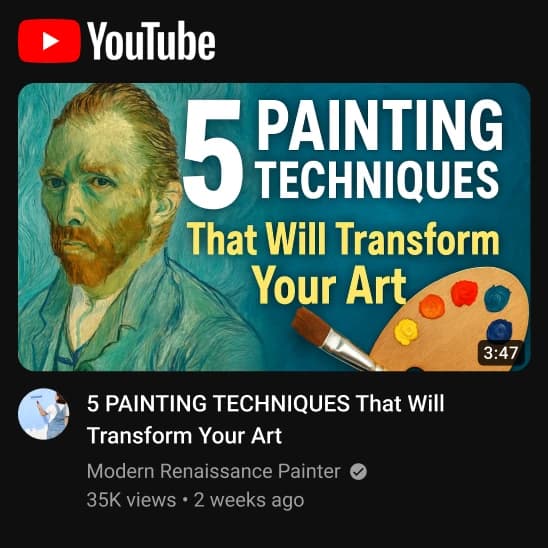
YouTube Thumbnail Designer

YouTube Thumbnail Designer

Create eye-catching YouTube thumbnails.
5 credits per image
Input
Video Title
Enter the title of your YouTube video
Content Type
Visual Style
Additional Elements
Describe any additional elements you want in the thumbnail
Output
Click "Generate" to start creating...
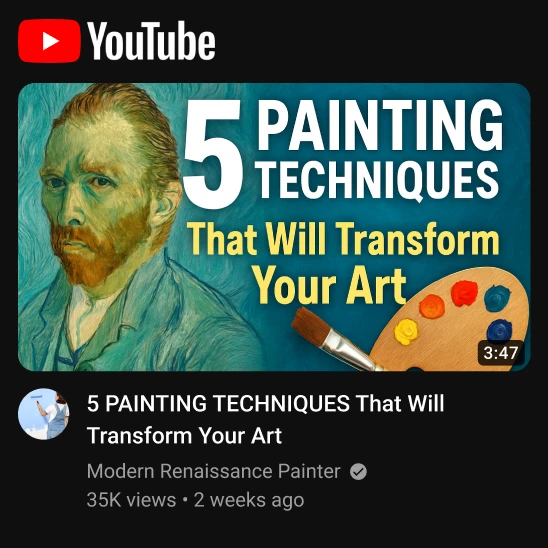
Examples

How to use YouTube Thumbnail Designer

1

Enter Your Video Title

Type your video title to help the AI understand your content and create relevant thumbnail designs.

2

Select Content Type and Style

Choose your video's content type and preferred visual style from the available options to match your brand.

3

Add Custom Elements

Specify any additional elements you want included in your thumbnail, then generate your professional design.

Why use YouTube Thumbnail Designer?

Boost Click-Through Rates

Create compelling thumbnails that stand out in YouTube search results and suggested videos. Professional designs help attract more viewers and increase engagement with your content.

Save Time and Money

Generate professional-quality thumbnails in seconds without hiring designers or learning complex software. Focus on creating great content while AI handles your thumbnail design needs.

Consistent Brand Identity

Maintain a cohesive visual style across all your YouTube content with customizable design options. Build brand recognition and help viewers instantly identify your videos in their feed.

Frequently Asked Questions

How much does it cost to create YouTube thumbnails?
Artificial Studio uses a credit-based pricing system. Visit the pricing page for current rates and available credit packages.
What video content types are supported?
The thumbnail designer supports various content types including tutorials, vlogs, gaming, educational content, and more. Select from the dropdown menu to match your video's category.
How does the YouTube thumbnail generator work?
Simply enter your video title, select your content type and visual style preferences, then add any specific elements you want included. The AI will generate a professional thumbnail design based on your inputs.
Can I use these thumbnails commercially?
Yes, thumbnails created with Artificial Studio can be used for commercial purposes on your YouTube channel and other platforms. Check the terms of service for full usage rights.
How long does it take to generate a thumbnail?
Thumbnail generation typically takes a few seconds. The AI processes your requirements quickly to deliver professional results almost instantly.
What image formats are supported?
The tool generates thumbnails in common image formats suitable for YouTube's requirements. The output is optimized for YouTube's recommended thumbnail specifications.
Can I customize the visual style of my thumbnails?
Yes, you can select from different visual styles and specify additional elements to include in your thumbnail design. This helps ensure the thumbnail matches your brand and content style.
Do the thumbnails work for all types of YouTube videos?
The thumbnail designer works for various video types including gaming, tutorials, vlogs, reviews, and educational content. Choose the appropriate content type for best results.

Related AI Tools