How to make a passport photo at home for free — AI Tutorial 2026
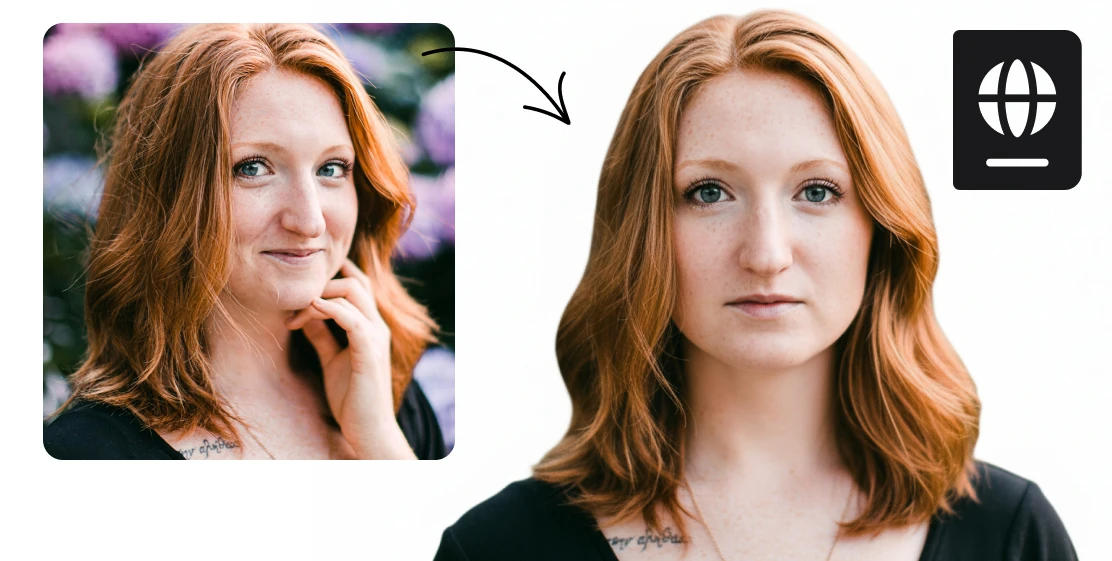
Skip the photo studio. Turn any photo into a compliant passport or ID photo in seconds with AI — auto-cropped, white background, ready for official use. Do it for free.
Step 1: Open the Tool
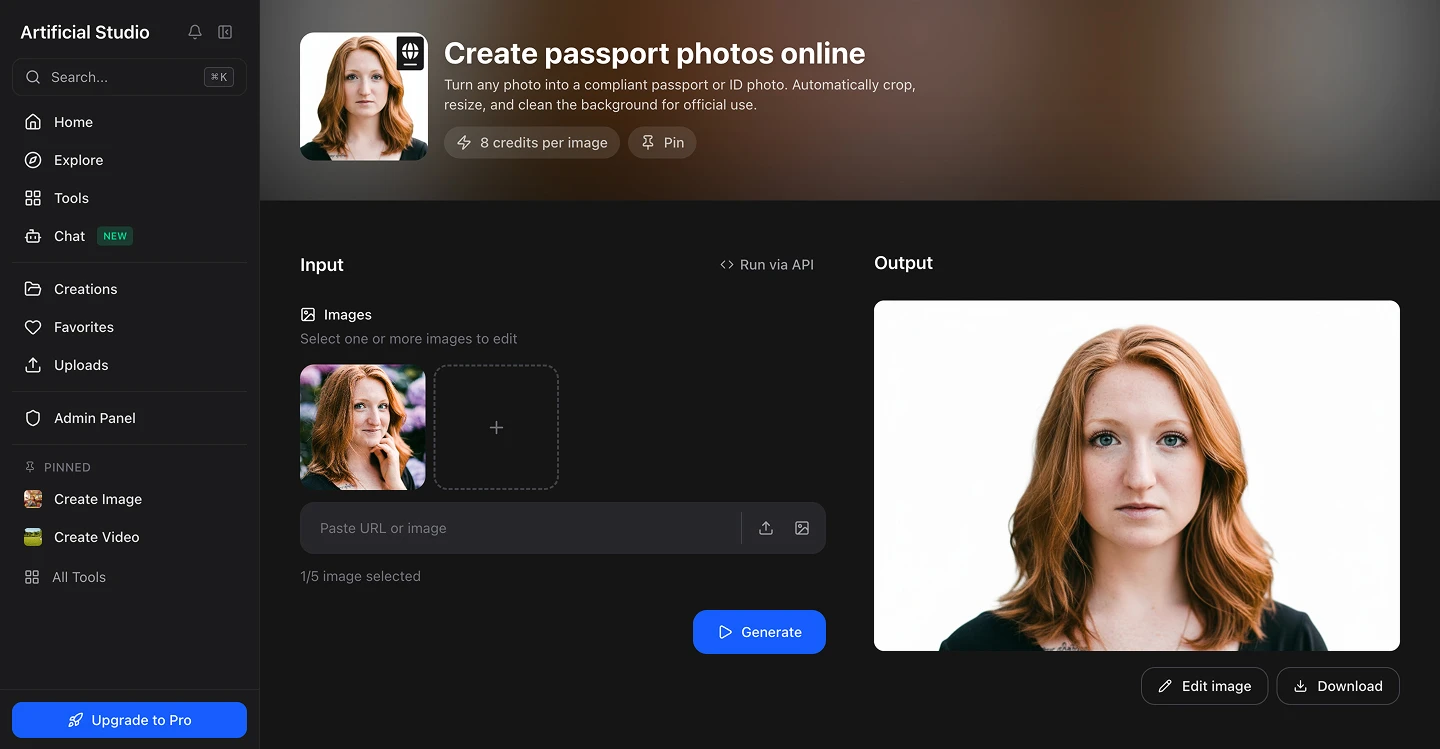
Go to Artificial Studio's Passport Photo Creator. You'll see a single upload area. No settings to configure or measurements to enter manually.
Step 2: Upload Your Photo
Click the upload area and select your photo — PNG or JPG. A few things that help get the best result:
- Face the camera directly, eyes open and looking forward
- Neutral expression (no big smiles)
- Plain or light background — doesn't need to be white, the AI replaces it
- Good lighting on your face — avoid harsh shadows or backlight
If you don't have a perfect photo, try a few options. The AI is fairly forgiving with input quality. Any recent photo of yourself will be just fine, but these are tips to ensure the best results. A selfie works and a phone photo too. The AI handles the rest.
The AI will automatically crop your photo to official passport dimensions, cleans and whitens the background, and outputs a compliant ID photo ready for official use. 8 credits per generation — roughly $0.046 at the standard plan rate, less than 5 cents.
Step 3: Hit "Generate Image"
Press the yellow Generate Image button. In seconds you'll get a properly formatted passport photo: serious face centered and sized to official proportions, background replaced with clean white, and the image cropped to standard ID dimensions.
Step 4: Download and Print
Download the output and print it at home or at any print shop. Most home printers and print services handle this without any additional configuration. You can also use this as a profile photo in LinkedIn or your resume.
When you'll actually use this
Passport renewal. The most common use case. You need a recent photo, it has to meet specific requirements, and you'd rather not make a special trip to Walgreens for it.
Visa applications. Many countries have slightly different ID photo requirements, but the core format — white background, centered face, standard dimensions — is the same across most applications. This covers the majority of cases.
Work and government IDs. Any time an employer, institution, or government agency asks for a formal ID photo with a white background, this produces exactly that.
Student and university IDs. Most institutions just need a clean headshot on white. This takes 10 seconds.
LinkedIn, professional profiles and resume. Not an official use case, but the same clean, well-cropped headshot format that works for a passport works great as a professional profile photo. Worth generating one while you're at it.
Ready? Create your passport photo here — results in seconds.