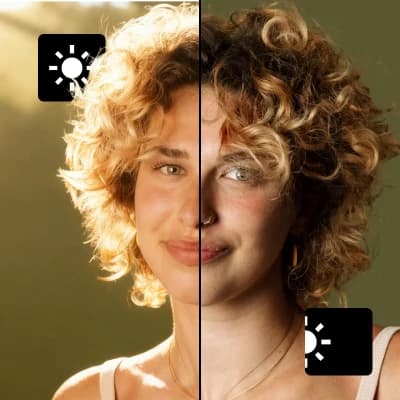
Change lighting in any photo

Change lighting in any photo

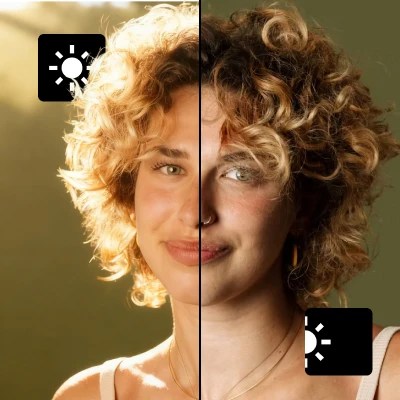
Adjust and transform the lighting in your photos with precise control over direction, intensity, and mood.
6 credits per image
Input
Source Image
Upload the image you want to edit
Lighting Style
Choose the type of lighting effect
Light Direction
Where should the light come from?
Light Intensity
How strong should the lighting be?
Color Temperature
Choose the warmth/coolness of the light
Output
Click "Generate" to start creating...
Examples

How to use Change Lighting in Any Photo with AI

1

Upload Your Photo

Select the image you want to enhance from your gallery. The AI works with various photo types and lighting conditions.

2

Choose Lighting Settings

Select your preferred lighting style, direction, intensity, and color temperature from the available options.

3

Generate Enhanced Photo

Let the AI transform your photo with the new lighting settings. Download your professionally lit image in seconds.

Why use Change Lighting in Any Photo with AI?

Professional Lighting Control

Achieve studio-quality lighting effects without expensive equipment or photography skills. Adjust direction, intensity, and color temperature with precision to create the exact mood you want.

Fix Poor Lighting Instantly

Rescue photos taken in challenging lighting conditions like harsh sunlight, dim interiors, or unflattering shadows. Transform any poorly lit photo into a professionally illuminated masterpiece.

Creative Lighting Effects

Experiment with different lighting styles and moods to enhance your creative vision. Perfect for portraits, product photography, or artistic projects that need dramatic lighting changes.

Frequently Asked Questions

How much does it cost to change lighting in photos?
Artificial Studio uses a credit-based pricing system. Visit the pricing page for current rates and available credit packages.
What image formats are supported?
The tool works with common image formats. Upload your photo from the gallery and the AI will process it automatically.
How does the AI lighting adjustment work?
Simply upload your source image and select your desired lighting style, direction, intensity, and color temperature. The AI analyzes your photo and applies realistic lighting transformations based on your preferences.
Can I use the enhanced photos for commercial purposes?
Yes, you can use the AI-enhanced photos for both personal and commercial projects. Check the terms of service for specific usage guidelines.
How long does it take to process a photo?
The lighting adjustment typically takes a few seconds to complete. Processing time may vary based on image complexity and server load.
What lighting styles are available?
The tool offers various lighting styles and directions to choose from. You can control the intensity and color temperature to achieve different moods and atmospheres.
Can I adjust multiple lighting aspects at once?
Yes, you can simultaneously control lighting style, direction, intensity, and color temperature in a single operation. This gives you comprehensive control over the final lighting effect.
Does the AI preserve photo quality?
The AI maintains high image quality while transforming the lighting. Your enhanced photos will retain their original resolution and detail while gaining improved lighting effects.

Related AI Tools