Create Image
Related AI Tools
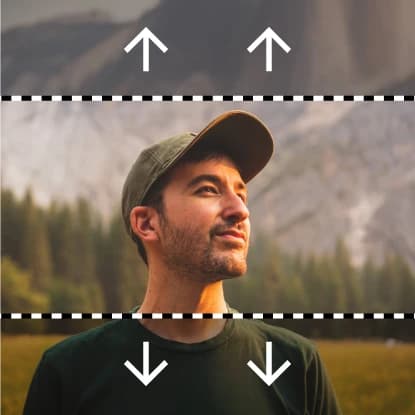
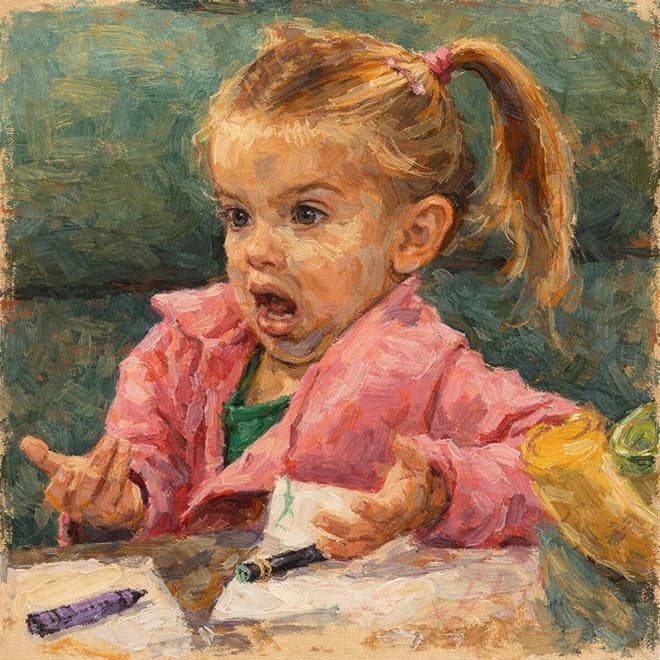
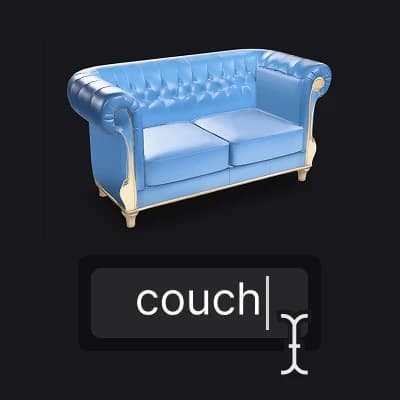


How to use AI Image Generator from Text
Choose Your AI Model
Select from over 20 advanced AI models including Flux 2 Max, Stable Diffusion 3, Ideogram V3, and more. Each model offers unique styles and capabilities for different creative needs.
Enter Your Text Description
Write a detailed description of the image you want to create. Be specific about style, colors, composition, and any other visual elements you have in mind.
Generate Your Image
Click generate and let the AI create your image. The process typically takes a few seconds, and you'll receive a high-quality result based on your prompt.
Why use AI Image Generator from Text?
Multiple AI Models Available
Access over 20 cutting-edge AI models including Flux 2 Max, Stable Diffusion 3, Ideogram V3, and Recraft v4. Each model excels at different styles, from photorealistic images to artistic creations. Switch between models to find the perfect match for your creative vision.
Unlimited Creative Possibilities
Transform any text description into stunning visual content. Create artwork, product mockups, character designs, landscapes, or abstract compositions. The AI understands complex prompts and can generate images in countless styles and formats.
Professional Quality Results
Generate high-resolution images suitable for commercial use, marketing materials, social media, or personal projects. The advanced AI models produce detailed, sharp images that rival professional photography and digital art.
34 AI image models in one account
Create Image runs 34 models from 18 labs, including Seedream 5.5, Muse Image, Ideogram 4.6, Krea 3, MAI Image 2.7, MiniMax H3 Image, Z-Image Turbo, FLUX.1 Schnell, SDXL Lightning, Luma Uni-1, Qwen Image 3 and Kling Image V4. One account and one credit balance cover all of them, so there is no separate subscription for each model. A run costs what the table shows; see what a credit costs on the pricing page.
| Model | Made by | Price | Use |
|---|---|---|---|
| Seedream 5.5ByteDance's newest image model, with sharp detail and accurate text rendering at a lower price than Seedream 5.0 Pro | ByteDance | 6 credits per image | Use Seedream 5.5 |
| Seedream 5.0 ProByteDance's flagship image model, with sharp detail and accurate text rendering | ByteDance | 14 credits per image | Use Seedream 5.0 Pro |
| Seedream 5.0 LiteByteDance's fastest Seedream model with high quality generation | ByteDance | 7 credits per image | Use Seedream 5.0 Lite |
| Seedream 5.0 FlashByteDance's fastest Seedream 5, built for speed and budget | ByteDance | 6 credits per image | Use Seedream 5.0 Flash |
| Muse ImageMeta's image model, with faithful instruction-following and accurate fine detail such as text, charts and QR codes | Meta | 2 credits per image | Use Muse Image |
| Ideogram 4.6Ideogram's newest model for typography, posters and logos, with a 2-credit draft tier | Ideogram | 12 credits per image | Use Ideogram 4.6 |
| Krea 3Krea's newest image model, with its natural, editorial look at less than half the price of Krea 2 | Krea | 5 credits per image | Use Krea 3 |
| MAI Image 2.7Microsoft's newest image model, photographic realism and clean text | Microsoft | 7 credits per image | Use MAI Image 2.7 |
| MAI Image 2.7 FlashThe fast, low-cost variant of Microsoft's MAI Image 2.7 | Microsoft | 3 credits per image | Use MAI Image 2.7 Flash |
| MiniMax H3 ImageMiniMax's image model: precise instruction following, native 2K output | MiniMax | 5 credits per image | Use MiniMax H3 Image |
| MiniMax H3 Image HighspeedThe faster MiniMax H3 Image, native 2K output | MiniMax | 8 credits per image | Use MiniMax H3 Image Highspeed |
| Z-Image TurboSuper fast image generation by Tongyi-MAI | Tongyi-MAI | 3 credits per image | Use Z-Image Turbo |
| FLUX.1 KreaOpinionated, aesthetic image generation by Krea & Black Forest Labs. Natural, less 'AI' look with rich detail. | Krea | 6 credits per image | Use FLUX.1 Krea |
| FLUX.1 SchnellUltra fast image generation in 1-4 steps. Great quality at lightning speed. | Black Forest Labs | 1 credit per image | Use FLUX.1 Schnell |
| SDXL LightningRun SDXL at the speed of light. Ultra fast and ultra cheap. | Stability AI | 1 credit per image | Use SDXL Lightning |
| Luma Uni-1Luma's reasoning image model, good at complex multi-part instructions | Luma | 9 credits per image | Use Luma Uni-1 |
| Luma Photon FlashCreative and intelligent image generation by Luma. Fast and affordable. | Luma | 1 credit per image | Use Luma Photon Flash |
| FLUX 3 KleinThe fast, low-cost FLUX 3, with improved text rendering | Black Forest Labs | 2 credits per image | Use FLUX 3 Klein |
| FLUX.2 Klein 4BCompact and fast FLUX.2 model with enhanced realism and crisper text generation. | Black Forest Labs | 2 credits per image | Use FLUX.2 Klein 4B |
| Qwen Image 3Alibaba's latest model, strong at text rendering and photorealistic scenes | Alibaba | 8 credits per image | Use Qwen Image 3 |
| Wan 2.7 ProThe premium Wan 2.7 tier, with superior detail and composition | Alibaba | 15 credits per image | Use Wan 2.7 Pro |
| Wan 2.7Advanced prompt understanding and detailed outputs by Alibaba | Alibaba | 6 credits per image | Use Wan 2.7 |
| Kling Image V4Kuaishou's newest image model, native 2K output | Kuaishou | 13 credits per image | Use Kling Image V4 |
| Kling Omni 3Kuaishou's image model, built around subject consistency, with output up to 4K | Kuaishou | 6 credits per image | Use Kling Omni 3 |
| Grok Imagine 2xAI's second-generation image model, with richer detail and better prompt following | xAI | 12 credits per image | Use Grok Imagine 2 |
| Nano Banana 2.1Google's latest fast image model, with output up to 4K at a lower price than Nano Banana 2 | 10 credits per image | Use Nano Banana 2.1 | |
| Nano Banana ProGoogle's premium image generation model with superior quality | 30 credits per image | Use Nano Banana Pro | |
| Cosmos 3 SuperNVIDIA's physically grounded image model, built for realistic world scenes | NVIDIA | 8 credits per image | Use Cosmos 3 Super |
| FLUX 3Black Forest Labs' newest image model: photorealism, accurate text and strong prompt adherence | Black Forest Labs | 10 credits per image | Use FLUX 3 |
| Bria Fibo 2.0Trained only on licensed data, with clear commercial rights; strong on knowledge-heavy prompts | Bria | 8 credits per image | Use Bria Fibo 2.0 |
| Recraft v4.1 FlashThe fast, low-cost Recraft v4.1 for photos, illustrations and mixed media | Recraft | 2 credits per image | Use Recraft v4.1 Flash |
| Recraft v4.1Sharper prompt control and cleaner composition than v4, tuned for brand systems and editorial work | Recraft | 7 credits per image | Use Recraft v4.1 |
| GPT Image 2.6OpenAI's latest default image model, with sharper text, cleaner layouts and finer detail than GPT Image 2.5 | OpenAI | 10 credits per image | Use GPT Image 2.6 |
| GPT Image 2.6 SunburstOpenAI's premium image model: slower than the default, and more consistent with subjects and composition across revisions | OpenAI | 10 credits per image | Use GPT Image 2.6 Sunburst |