
Extend Video
Extend Video

Extend Video

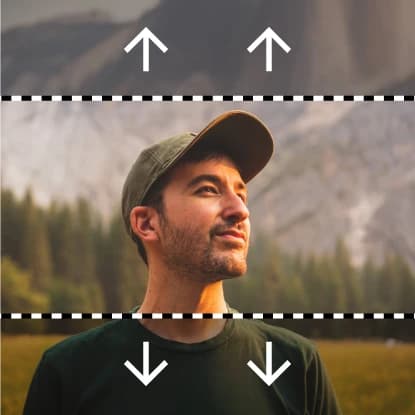
Extend video duration by adding more frames
30 credits per second
Input
Model
Video
Select the video you want to extend (720p or 1080p, 16:9 or 9:16)
Prompt
Describe how the video should be extended
Duration
Output
Click "Generate" to start creating...
Examples

How to use Extend Video Duration with AI

1

Upload Your Video

Select and upload the video file you want to extend. The AI will analyze your content to understand the motion and style.

2

Choose Extension Model

Select between Veo 3.1 Fast Extend for quick results or Magi Extend for different processing capabilities based on your needs.

3

Generate Extended Video

Click generate and let the AI add seamless frames to extend your video duration. Download your longer video when processing is complete.

Why use Extend Video Duration with AI?

Seamless Frame Addition

Advanced AI models analyze your video's motion patterns and visual style to add new frames that flow naturally. The extended portions maintain consistency with your original content, ensuring smooth transitions without jarring cuts or obvious breaks.

Multiple AI Models Available

Choose between Veo 3.1 Fast Extend and Magi Extend models to match your specific needs. Each model offers different strengths in processing speed and output quality, giving you flexibility in how you extend your videos.

Professional Video Enhancement

Transform short clips into longer, more engaging content perfect for social media, presentations, or creative projects. The AI understands motion dynamics and visual continuity to create extensions that look professionally crafted.

Frequently Asked Questions

How much does it cost to extend a video?
Artificial Studio uses a credit-based system for video extension. Visit the pricing page at artificialstudio.ai/pricing for current rates and credit costs.
What video formats are supported for extension?
The video extender works with common video formats. Upload your file and the system will process it automatically for extension.
How does the video extension process work?
Simply upload your video and select your preferred AI model (Veo 3.1 Fast Extend or Magi Extend). The AI analyzes your video's motion patterns, visual style, and content to generate additional frames that seamlessly extend the duration.
Can I use extended videos commercially?
Yes, videos created with Artificial Studio's video extender can typically be used for commercial purposes. Check the terms of service for specific usage rights and any attribution requirements.
How long does video extension take?
Video extension typically takes a few seconds to a few minutes depending on the original video length and selected model. Processing time varies based on complexity and current server load.
What's the difference between Veo 3.1 Fast Extend and Magi Extend?
Both models offer video extension capabilities but with different processing approaches and strengths. Veo 3.1 Fast Extend focuses on speed while Magi Extend may offer different quality characteristics. Try both to see which works best for your content.
Is there a limit to how much I can extend a video?
The extension capabilities depend on the selected model and your video content. The AI works best with videos that have clear motion patterns and consistent visual elements to extend naturally.
What happens if the extension doesn't look natural?
The AI models are trained to create smooth, natural extensions, but results can vary based on your source video. Videos with consistent motion, lighting, and backgrounds typically extend better than those with rapid changes or complex scenes.

Related AI Tools