
Upscale Video
Upscale Video

Upscale Video

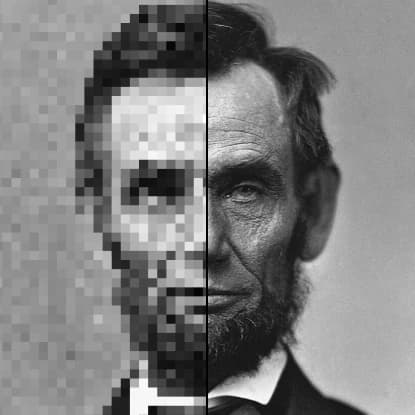
Increase video resolution with AI upscaling
3 credits per second
Input
Video
Select the video you want to upscale
Upscale Factor
Target FPS
Output
Click "Generate" to start creating...
Examples

How to use AI Video Upscaler - Enhance Video Resolution

1

Upload Your Video

Select the video file you want to upscale and enhance. The tool accepts various video formats for processing.

2

Choose AI Model

Select the Topaz Upscaler model for optimal video enhancement results. This advanced AI model specializes in video resolution improvement.

3

Generate Enhanced Video

Click to start the AI upscaling process. Your enhanced high-resolution video will be ready for download in moments.

Why use AI Video Upscaler - Enhance Video Resolution?

Professional Video Quality

Transform low-resolution videos into crisp, high-definition footage using advanced AI algorithms. Perfect for improving old videos, social media content, or professional projects that need quality enhancement.

Topaz AI Technology

Powered by industry-leading Topaz Upscaler technology that intelligently analyzes and enhances video pixels. This ensures superior results compared to traditional upscaling methods with natural-looking detail restoration.

Fast and Reliable Processing

Get professionally enhanced videos without the need for expensive software or technical expertise. The AI handles all the complex processing while maintaining the original video's natural motion and characteristics.

Frequently Asked Questions

How much does video upscaling cost?
Artificial Studio uses a credit-based pricing system. Visit the pricing page for current rates and credit packages available for video enhancement tools.
What video formats are supported?
The video upscaler supports common video formats. Upload your video file and the system will process it automatically for optimal results.
How does AI video upscaling work?
The tool uses advanced Topaz AI technology to analyze your video and intelligently enhance resolution. Simply upload your video, select the upscaling model, and the AI processes each frame to create higher-quality output.
Can I use upscaled videos commercially?
Yes, you can use the enhanced videos for commercial purposes. The upscaling process doesn't add any watermarks, giving you full usage rights for your processed content.
How long does video upscaling take?
Processing typically takes a few seconds to a few minutes depending on video length and resolution. The AI works efficiently to deliver high-quality results quickly.
What's the maximum resolution I can achieve?
The AI upscaler can significantly increase your video resolution while maintaining quality. The exact output depends on your original video quality and the enhancement model used.
Does upscaling work on old or damaged videos?
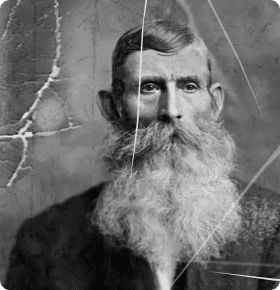
Yes, the AI upscaler is particularly effective at enhancing older or lower-quality videos. The Topaz technology can restore detail and improve clarity even in challenging source material.
Can I upscale multiple videos at once?
Currently, the tool processes one video at a time to ensure optimal quality and processing speed. You can queue multiple videos for sequential enhancement.

Related AI Tools