Stem Splitter
Stem Splitter

Stem Splitter

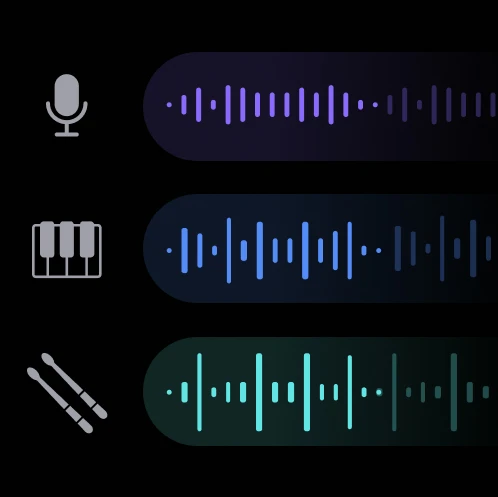
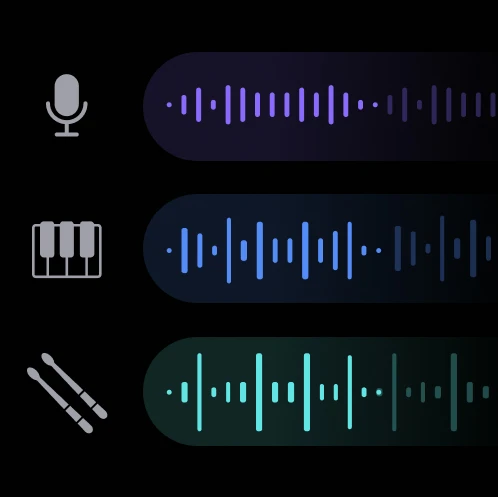
Split any song into individual stems: vocals, instrumental, drums and bass with AI
3 credits per audio
Input
Upload a song
Upload a song file to separate the instruments
Instrument
Select the instrument you want to separate
Output
Click "Generate" to start creating...
Examples

How to use AI Stem Splitter - Separate Audio Tracks

1

Upload Your Audio File

Select and upload the song or audio track you want to split into individual stems.

2

Choose AI Model

Select the Demucs model for optimal stem separation quality based on your audio type.

3

Generate Separated Stems

Let the AI process your audio and automatically split it into vocals, instrumental, drums, and bass tracks.

Why use AI Stem Splitter - Separate Audio Tracks?

Professional Audio Separation

Extract clean vocals, instrumental, drums, and bass stems from any song using advanced AI technology. Perfect for music producers, DJs, and content creators who need isolated tracks for remixing or sampling.

High-Quality Results

Powered by the Demucs model, known for its superior audio separation capabilities. Get professional-grade stem separation that maintains audio quality while minimizing artifacts and bleeding between tracks.

Versatile Creative Applications

Use separated stems for karaoke tracks, remixes, mashups, music production, or content creation. Extract vocals for covers or isolate instrumentals for background music in videos and podcasts.

Frequently Asked Questions

How much does stem splitting cost?
Artificial Studio uses a credit-based pricing system. Visit the pricing page for current rates and credit packages.
What audio formats are supported?
The stem splitter works with common audio formats. Upload your music file and the AI will process it automatically.
The tool uses the Demucs AI model to analyze your audio and identify different musical elements. It then separates these into distinct tracks: vocals, instrumental, drums, and bass based on their unique frequency patterns and characteristics.
Can I use the separated stems commercially?
You can use the separated stems according to Artificial Studio's terms of service. However, ensure you have the rights to the original song before separating and using the stems commercially.
How long does stem separation take?
Audio processing typically takes a few seconds to complete, depending on the length and complexity of your audio file.
What's the difference between vocals and instrumental stems?
The vocals stem contains the singing and vocal elements, while the instrumental stem includes all non-vocal music. The tool also provides separate drums and bass stems for more detailed separation.
Can I separate stems from any genre of music?
Yes, the AI stem splitter works with various music genres including pop, rock, hip-hop, electronic, and more. The Demucs model is trained on diverse musical styles for optimal results.
What if the separation isn't perfect?
AI stem separation technology continues to improve, but some bleeding between tracks may occur with complex arrangements. The results are generally high-quality and suitable for most creative applications.

Related AI Tools