Text Extractor
Text Extractor

Text Extractor

Extract text from images, documents, tables and formulas
1 credits per text
Input
Model
Image
Upload the image to extract text from
Output
Click "Generate" to start creating...
Examples

How to use AI Text Extractor - Extract Text from Images

1

Upload Your Image or Document

Upload any image containing text, documents, tables, or formulas that you want to extract text from.

2

Choose OCR Model

Select between GOT-OCR 2.0 or Florence 2 OCR models based on your specific text extraction needs.

3

Extract and Download Text

Click extract and get your text content ready to copy, edit, or save for further use.

Why use AI Text Extractor - Extract Text from Images?

Advanced OCR Technology

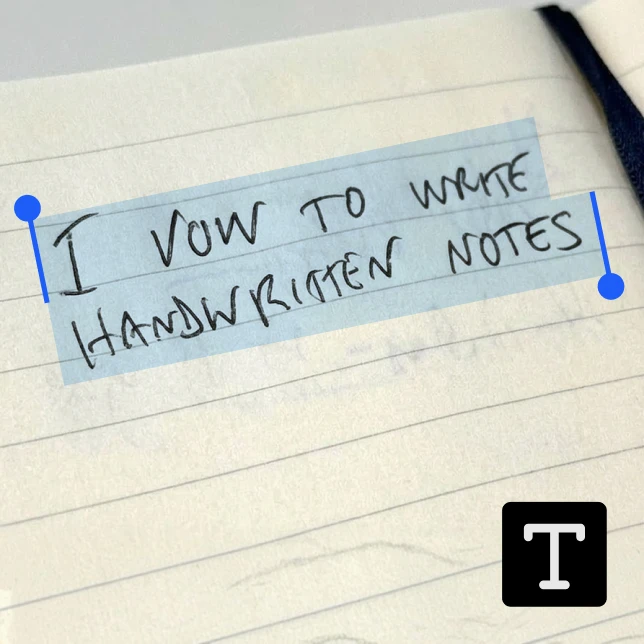
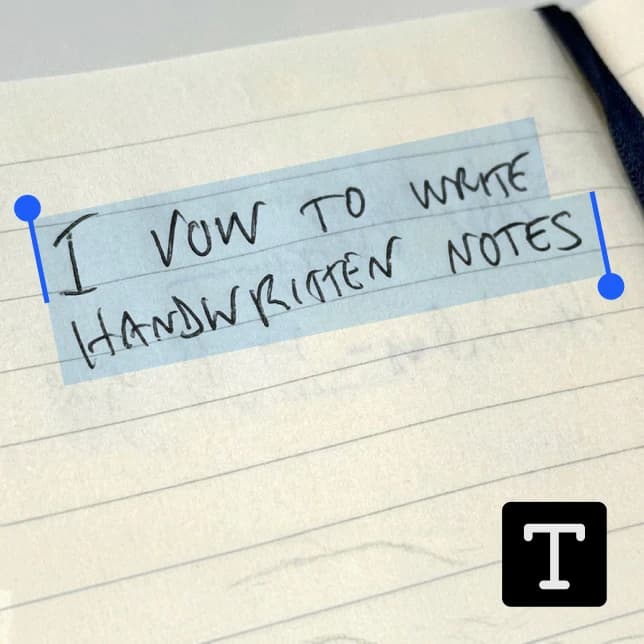
Powered by cutting-edge AI models including GOT-OCR 2.0 and Florence 2 OCR for superior text recognition accuracy. These advanced models can handle complex layouts, handwritten text, and challenging image conditions with remarkable precision.

Versatile Text Recognition

Extract text from any type of content including images, documents, tables, and mathematical formulas. Whether you're digitizing printed documents, converting screenshots to text, or extracting data from complex tables, our tool handles it all seamlessly.

Multiple Model Options

Choose between different OCR models to optimize results for your specific use case. GOT-OCR 2.0 excels at general text extraction while Florence 2 OCR provides enhanced performance for specialized content types.

Frequently Asked Questions

How much does text extraction cost?
Artificial Studio uses a credit-based pricing system. Visit the pricing page for current rates and credit costs for text extraction services.
What image formats can I upload for text extraction?
The text extractor supports common image formats including JPEG, PNG, and other standard file types. You can also extract text from document images and screenshots.
How does the AI text extractor work?
Simply upload your image or document, select your preferred OCR model (GOT-OCR 2.0 or Florence 2), and the AI will analyze the content to extract all readable text. The process typically takes a few seconds to complete.
Can I use the extracted text commercially?
Yes, you can use the extracted text for commercial purposes. The text extraction process simply converts visual text into digital format, so you retain full rights to use the content as needed.
How accurate is the text extraction?
The accuracy depends on image quality and text clarity, but our advanced OCR models achieve high accuracy rates even with challenging content. GOT-OCR 2.0 and Florence 2 are among the most sophisticated text recognition systems available.
Can it extract text from tables and formulas?
Yes, our text extractor is specifically designed to handle complex content including tables, mathematical formulas, and structured documents. It maintains formatting context to provide useful extracted text.
How fast is the text extraction process?
Text extraction typically takes a few seconds depending on image complexity and content amount. The AI processes your upload quickly to deliver extracted text without delays.
What's the difference between GOT-OCR 2.0 and Florence 2?
Both are advanced OCR models with different strengths. GOT-OCR 2.0 excels at general text recognition tasks, while Florence 2 OCR provides specialized capabilities for complex layouts and diverse content types.

Related AI Tools