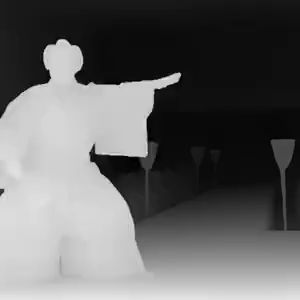
Video Depth Map
Video Depth Map

Video Depth Map

Generate depth map from a video
8 credits per second
Input
Video
Select a video to generate depth map
Colormap
Depth visualization style
Output
Click "Generate" to start creating...
Examples

How to use Video Depth Map Generator

1

Upload Your Video

Select and upload the video file you want to analyze for depth information.

2

Choose Depth Map Model

Select the Video Depth Map model that best suits your video processing needs.

3

Generate Depth Map

Click generate and let our AI analyze your video to create accurate depth maps for each frame.

Why use Video Depth Map Generator?

Professional 3D Effects

Create stunning depth maps that reveal the spatial relationships in your videos. Perfect for adding professional 3D effects, depth-of-field adjustments, and creating immersive visual experiences that enhance your video content.

Post-Production Ready

Generate depth maps that seamlessly integrate with popular video editing and VFX software. Use the depth information to create realistic background blur, depth-based color grading, or advanced compositing effects in your post-production workflow.

AI-Powered Accuracy

Our advanced AI model analyzes each frame to produce precise depth information, capturing subtle depth variations and object boundaries. Get consistent, high-quality depth maps that maintain accuracy across different lighting conditions and scene complexities.

Frequently Asked Questions

How much does the Video Depth Map generator cost?
Artificial Studio uses a credit-based pricing system. Visit the pricing page for current rates and credit packages.
How does the Video Depth Map generator work?
Simply upload your video and select the Video Depth Map model. Our AI analyzes each frame to identify depth relationships and generate accurate depth maps that show the distance of objects from the camera.
What video formats are supported?
The tool supports common video formats. Upload your video file and the system will process it to generate the corresponding depth map video.
How long does it take to generate a depth map?
Processing typically takes a few seconds to complete, depending on your video length and complexity. You'll receive your depth map video once processing is finished.
Can I use the generated depth maps commercially?
Yes, you can use the depth maps created with this tool for commercial projects, including video production, advertising, and professional VFX work.
What can I do with video depth maps?
Depth maps are essential for 3D effects, background replacement, depth-of-field effects, volumetric lighting, and advanced compositing. They're widely used in film production, advertising, and creative video projects.
Do the depth maps work with editing software?
Yes, the generated depth maps can be imported into popular video editing and VFX software like After Effects, Premiere Pro, DaVinci Resolve, and Blender for further processing and effects application.
How accurate are the AI-generated depth maps?
Our AI model provides highly accurate depth estimation that works well for most video types. The accuracy depends on factors like lighting, contrast, and scene complexity, but generally produces professional-quality results suitable for most applications.

Related AI Tools