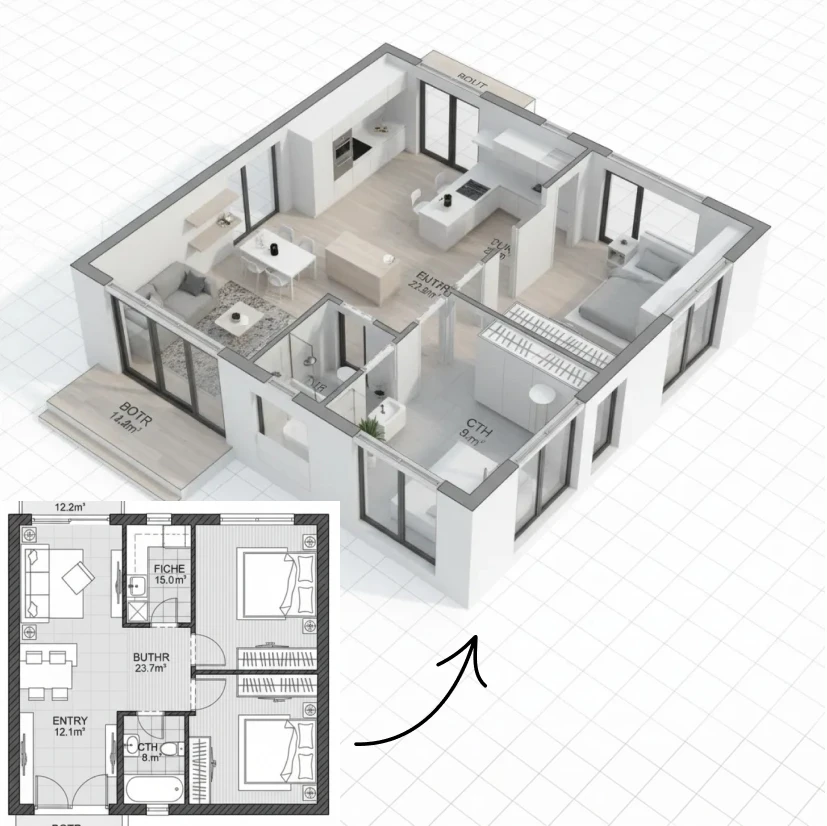
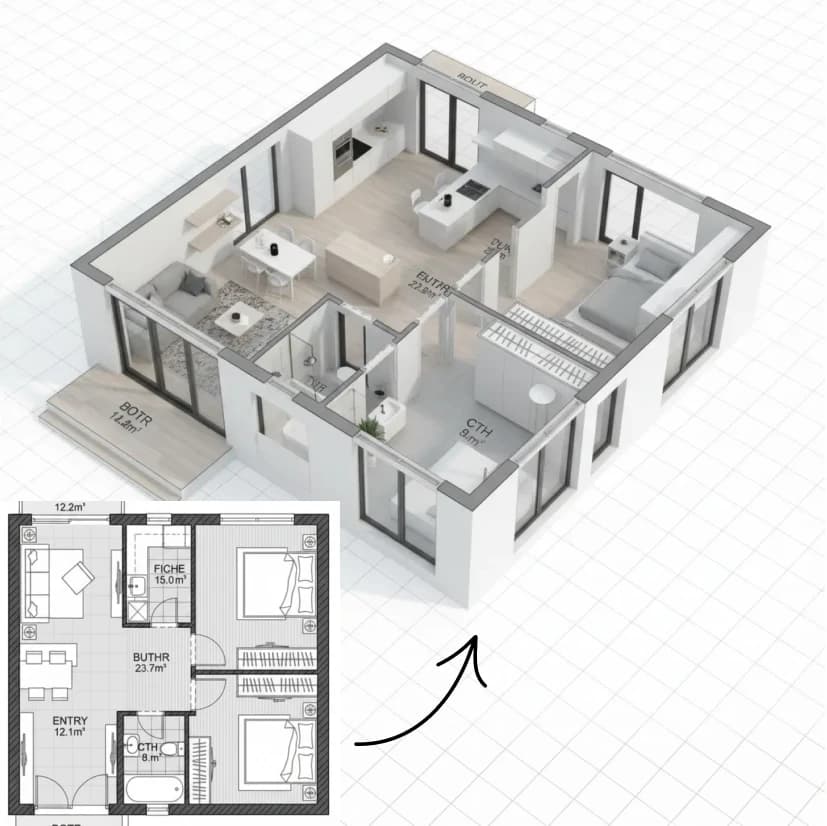
AI Floor Plan 3D View

AI Floor Plan 3D View

Upload a 2D floor plan and generate a clean 3D isometric render with furniture, textures, and the same professional perspective as architectural examples.
8 credits per image
Input
Images
Select one or more images to edit
Output
Click "Generate" to start creating...
Examples

How to use AI Floor Plan to 3D Converter

1

Upload Your Floor Plan

Select and upload your 2D floor plan image to the AI tool. The system accepts standard floor plan formats and layouts.

2

AI Processing

The AI analyzes your floor plan layout and automatically generates a 3D isometric view with professional architectural styling.

3

Download Your 3D Render

Receive your clean 3D isometric render complete with furniture, textures, and professional architectural perspective.

Why use AI Floor Plan to 3D Converter?

Professional Architectural Visualization

Transform flat 2D floor plans into stunning 3D isometric renders that match professional architectural standards. Perfect for presentations, marketing materials, and client demonstrations.

Automatic Furniture and Texturing

The AI automatically adds appropriate furniture, textures, and design elements to create realistic room layouts. No manual 3D modeling or design skills required.

Instant 3D Conversion

Convert your floor plans to 3D visualizations in seconds rather than hours of manual work. Ideal for architects, real estate professionals, and interior designers who need quick results.

Frequently Asked Questions

How much does the AI Floor Plan 3D View tool cost?
Artificial Studio uses a credit-based pricing system. Visit the pricing page for current rates and available credit packages.
What floor plan formats can I upload?
The tool accepts common image formats for floor plans. Upload clear, high-quality 2D floor plan images for best results.
How does the AI Floor Plan to 3D conversion work?
Simply upload your 2D floor plan image and the AI automatically processes it to create a 3D isometric render. The system analyzes the layout and adds furniture, textures, and professional styling automatically.
How long does it take to generate a 3D floor plan?
The AI Floor Plan 3D View tool typically processes your floor plan and generates the 3D render in just a few seconds.
Can I use the 3D floor plan renders commercially?
Yes, you can use the generated 3D isometric renders for commercial purposes including real estate marketing, architectural presentations, and client proposals.
What style of 3D render does the tool create?
The AI generates clean, professional 3D isometric renders with architectural styling, complete with furniture placement and realistic textures that match industry standards.
Do I need any 3D modeling experience to use this tool?
No 3D modeling experience is required. Simply upload your 2D floor plan and the AI handles all the complex 3D conversion, furniture placement, and styling automatically.
Can the tool handle different types of floor plans?
Yes, the AI can process various types of floor plans including residential homes, offices, and commercial spaces, automatically adapting the 3D visualization to match the layout type.

Related AI Tools