How to create professional product photos without a photographer
Stop paying for photo shoots. Learn how to turn any phone photo into a marketplace-ready product image using AI in minutes, not weeks.
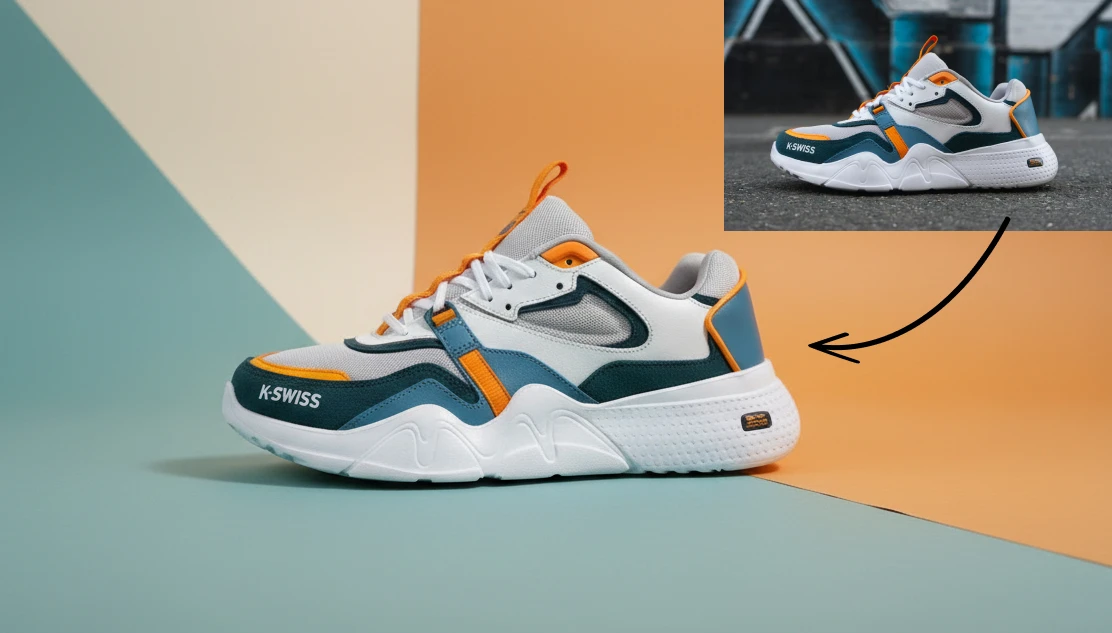
A product photo shoot for a small e-commerce brand typically costs between $500 and $2,000 per session. That gets you a few hours with a photographer, a studio rental, maybe a stylist, and a handful of edited images. But with Artificial Studio you can produce professional product images with just one click.
The bigger problem It's the dependency. Every time you need new content, a seasonal campaign, marketplace listing, an update — you're back at the beginning.
Most small e-commerce brands and fashion labels can't sustain that. So they have blurry iPhone photos, and then they wonder why conversion rates are low.
Here's how to produce professional product images using only AI:
The two most common problems with phone product photos are resolution and focus. Image Upscaler handles the first: it takes a low-res image and generates a high-resolution version with recovered detail. Remove Blur handles the second — if the shot came out slightly soft or out of focus, it sharpens it without you having to reshoot.
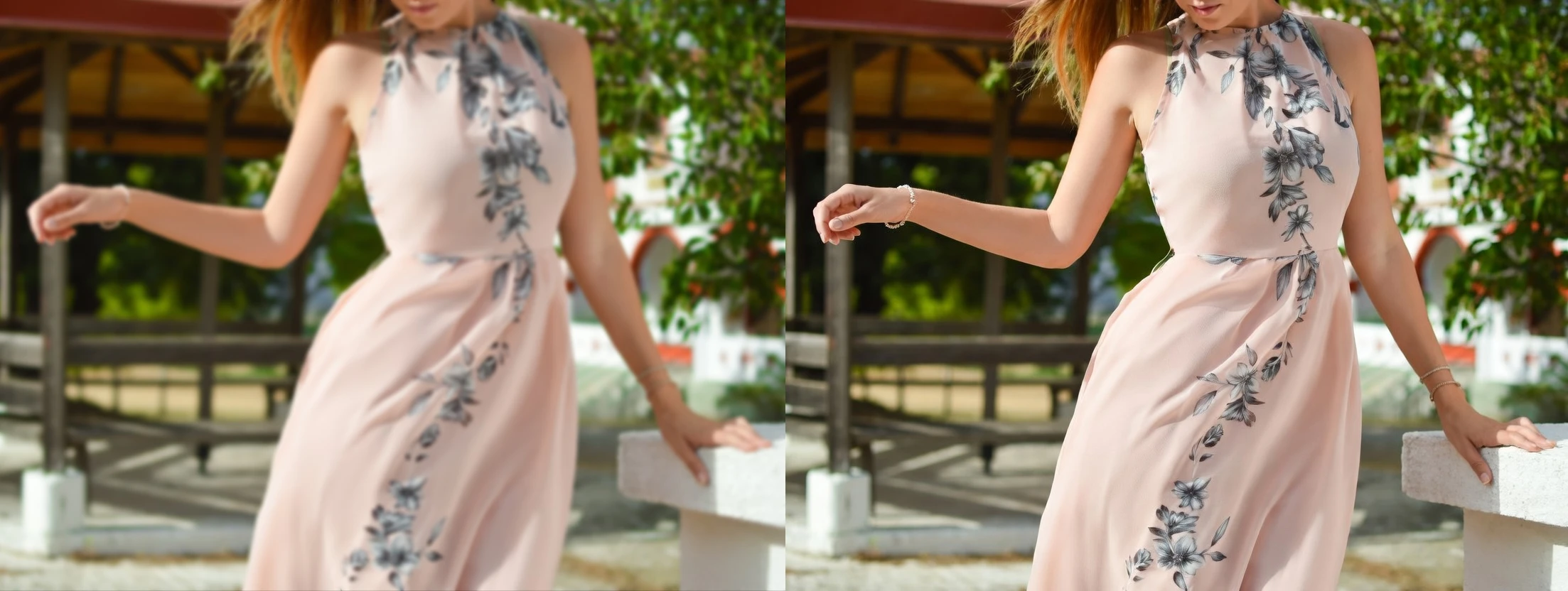
These aren't cosmetic fixes. A blurry, pixelated product photo on a marketplace listing communicates one thing to a buyer: this seller doesn't take their product seriously. Fixing the technical quality of the image is the baseline.
The background is almost always the first thing that makes a phone photo look amateur. A kitchen counter, a carpet, a door in the background — it doesn't matter how good the product looks if the context around it is distracting.
Background Remover isolates the product cleanly in one step. From there you have a transparent-background version of your product that you can put into any context you want.
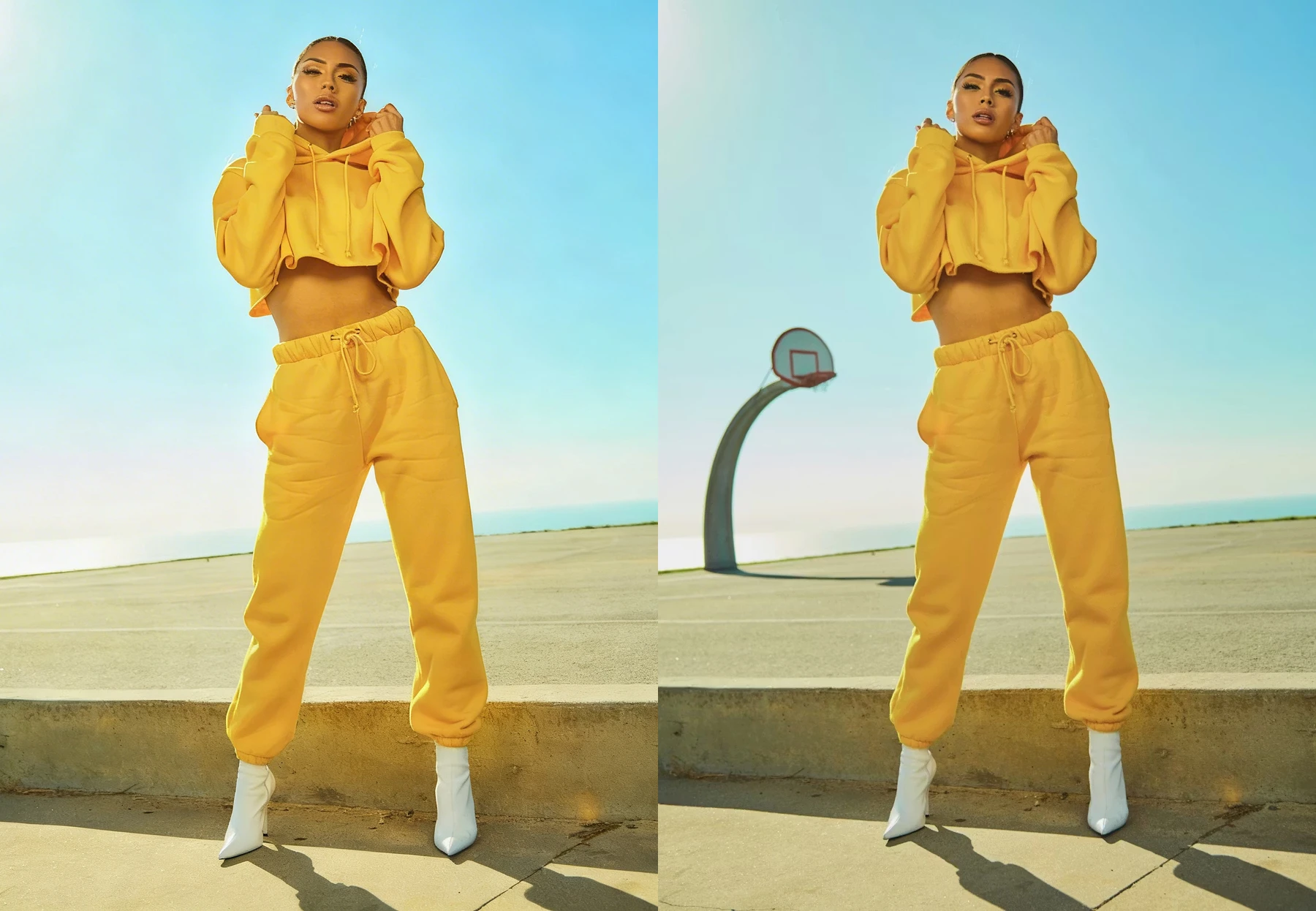
If there are objects in the original shot that you don't want (a price tag, wire, something in the background that the cutout didn't fully clean) Remove unwanted objects erases them and rebuilds the background naturally. No artifacts, no visible edits. Before any other step, your product should be clean, sharp, and isolated.
For e-commerce listings
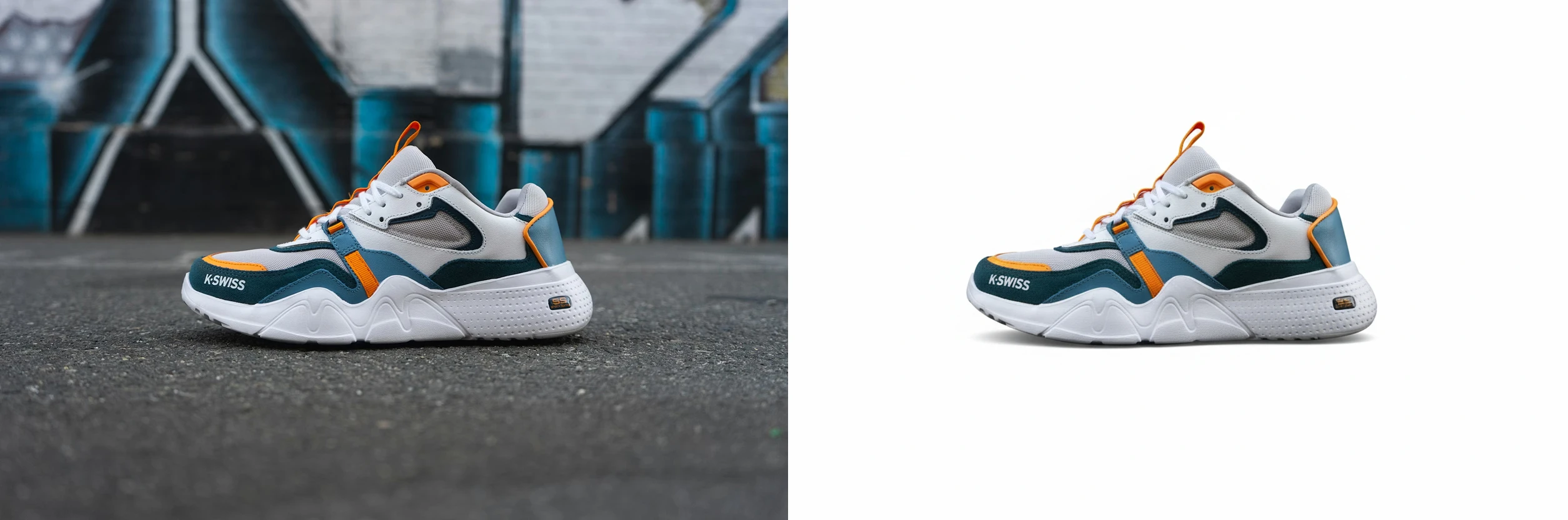
Every major marketplace — Amazon, Zalando, ASOS, MercadoLibre — requires product images on a clean white background (#FFFFFF). It's a non-negotiable standard, and it's also the format that performs best for conversion because it eliminates distraction and puts all attention on the product.
White Background Generator converts any product photo into a compliant, clean white-background image in seconds. The output is ready to upload directly to any marketplace or product catalog without additional editing.
For straightforward catalog photography — the kind that costs $30–$80 per shot at a production studio — this is a complete replacement.
For ads and social: put the product in a scene
A white background works for listings but it doesn't work for ads. For paid social, organic content, or anything that needs to compete for attention in a feed, you need context — an environment that tells a story about who the product is for and how it fits into their life.
This is traditionally where the cost spikes, because you're art directing a scene, which means props, locations, lighting setups, and usually a significantly higher day rate.
Smart Product Scene removes that entirely and with just one click. Upload your product photo, click generate, and the tool automatically builds a scene around it — background, environment, lighting, composition — matched to the type of product. No prompt required. It reads the product and makes the creative decision for you.
For more control over the output — if you want to specify the background style, the mood, or the advertising composition — Product Ad gives you those options. The result is a full advertising image with professional lighting and composition, generated from a single product photo.
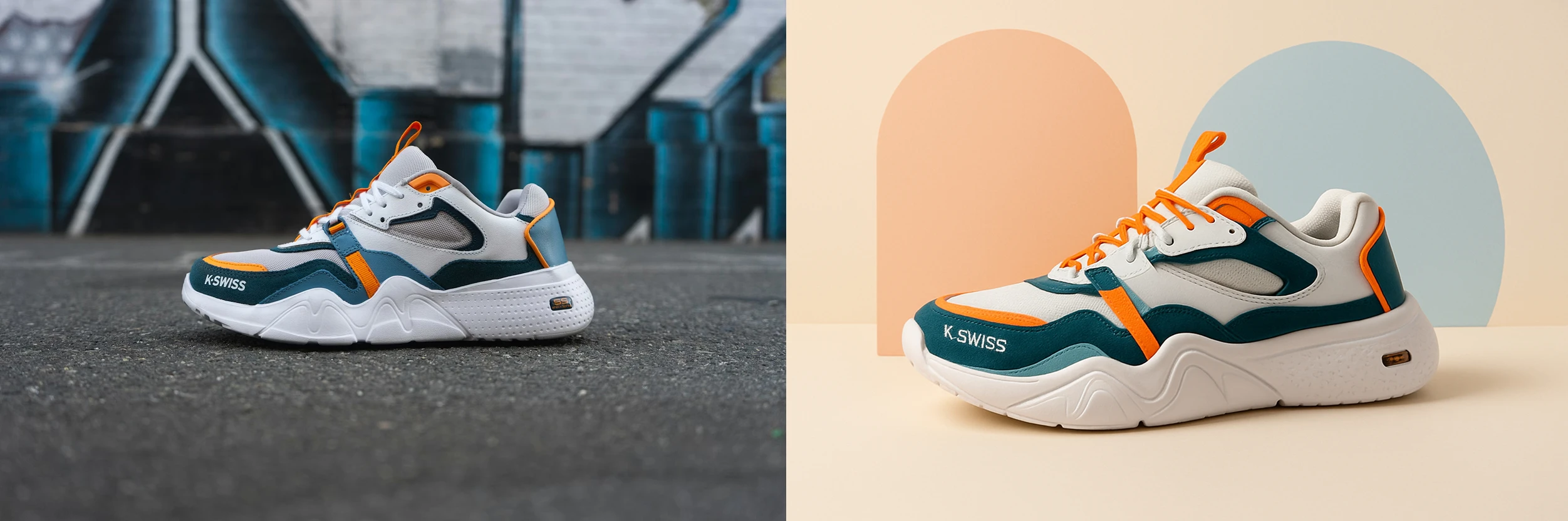
Both tools cover what a photographer and an art director would typically handle together.
For fashion: no model, no shoot
Fashion photography has a specific problem that general product photography doesn't: the product needs to be shown on a body to communicate fit, drape, and proportion. A flat lay of a dress or a jacket on a hanger tells a buyer almost nothing about how it's actually going to look when worn.
Booking a model for a shoot — even for a single half-day session — easily runs into the thousands once you factor in the model fee, photographer, studio, and styling. For a small label launching a new collection, that cost is often prohibitive.
Show your garment on a model solves this directly. Upload a photo of the garment — flat lay, hanger, or product shot — and the tool generates a clean studio image of a model wearing it. The model type is auto-detected from the garment. The output looks like it came from a professional shoot.
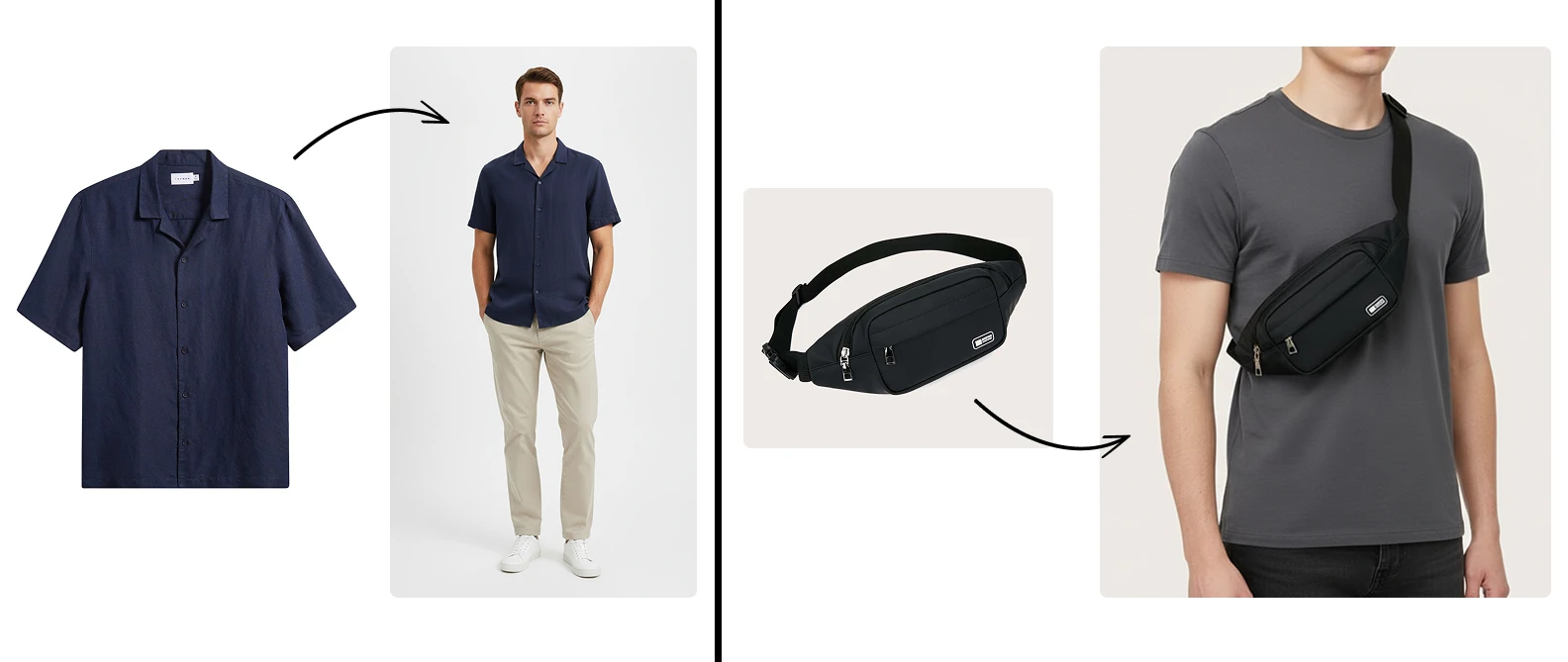
If you need to show the same garment in multiple colorways or with different styling details without re-shooting, Change outfits with text lets you edit the outfit using plain text instructions — change the color, the fabric, the cut — while keeping the model, the pose, and the background exactly as they are.
And for brands that want to let customers visualize a specific piece on themselves before buying, Try on clothes lets you apply any garment to a photo of a real person. It's the same technology that major fashion retailers have been investing millions in — accessible now without the development cost.
What this actually costs
A mid-size e-commerce brand producing content for 30 new products per month — marketplace listings, ad creative, social content — would typically spend between $3,000 and $6,000 per month on photography and post-production at market rates.
With this workflow, **the cost of the Artificial Studio plan replaces all of it. **The quality difference between AI-generated product scenes and traditional studio photography has closed significantly in the last 18 months.
A brand running a flash sale can now produce all the creative assets for that campaign in the same afternoon. That's not just cheaper than a photo shoot. It's a different way of operating.